If you encounter browser-related permission issues during execution in Testsigma, you can resolve them by configuring specific desired capabilities. This article discusses configuring the desired capabilities to address such permission issues.
From the left navigation bar, go to Create Tests and click Test Cases .
In the Test Case Explorer section, expand the required Feature and Scenario and select the required test case.
In the Test Case Details page, click Run .
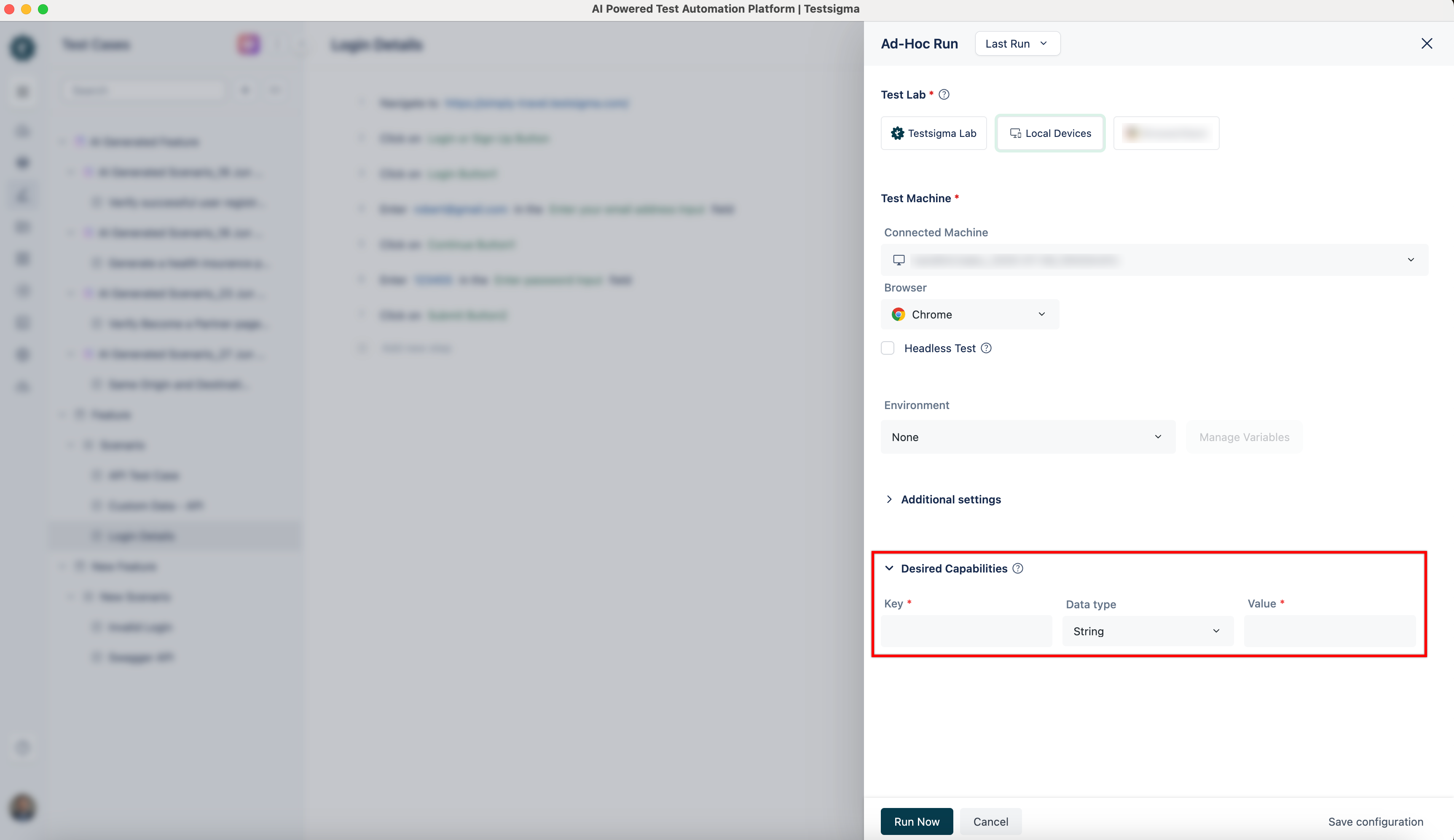
In the Ad-Hoc Run overlay, expand the Desired Capabilities field and specify the following desired capability.
Use the following desired capabilities to configure site permissions for Microphone, Camera, Location, and Notifications in Firefox .
Name Data Type Value firefoxprofile string {“permissions.default.microphone”: 1}
Name Data Type Value firefoxprofile string {“permissions.default.camera”: 1}
Name Data Type Value firefoxprofile string {“permissions.default.geo”: 1}
Name Data Type Value firefoxprofile string {“permissions.default.desktop-notification”: 1}
You can always change the value as needed:
0 - Ask Always
1 - Allow
2 - Block
All values are in JSON format.
To add multiple values, separate them with a comma (,).
Use the following desired capabilities to configure site permissions for Microphone, Camera, Location, Notifications, and Clipboard in Chrome .
Name Data Type Value goog:chromeOptions string {“prefs”:{“profile.default_content_setting_values.media_stream_camera”: 2}}
Name Data Type Value goog:chromeOptions string {“prefs”:{“profile.default_content_setting_values.media_stream_camera”: 2}}
Name Data Type Value goog:chromeOptions string {“prefs”: {“profile.default_content_setting_values.geolocation”: 1}}
Name Data Type Value goog:chromeOptions string {“prefs”: {“profile.default_content_setting_values.notifications”:1}}
Name Data Type Value goog:chromeOptions string {“prefs”: {“profile.default_content_setting_values.clipboard”:1}}
You can always change the value as needed:
0 - Ask Always
1 - Allow
2 - Block
All values are in JSON format.
To add multiple values, separate them with a comma (,).
Use the following desired capabilities to configure site permissions for Microphone, Camera, Location, Notifications, and Clipboard in Edge .
Name Data Type Value MsOptions string {“prefs”: {“profile.default_content_setting_values.media_stream_mic”: 2}}
Name Data Type Value MsOptions string {“prefs”:{“profile.default_content_setting_values.media_stream_camera”: 2}}
Name Data Type Value MsOptions string {“prefs”: {“profile.default_content_setting_values.geolocation”: 1}}
Name Data Type Value MsOptions string {“prefs”: {“profile.default_content_setting_values.notifications”:1}}
Name Data Type Value MsOptions string {“prefs”: {“profile.default_content_setting_values.clipboard”:1}}
You can always change the value as needed:
0 - Ask Always
1 - Allow
2 - Block
All values are in JSON format.
To add multiple values, separate them with a comma (,).