Windows Lite
Test Cases for Windows (Lite) Automation
Prerequisites
Before you begin, ensure that:
- You have referred to the documentation on settin up Testsigma Agent.
- You have an Application Built on UWP/WinForms/WPF/Classic Windows.
- You have referred to the documentation on test recorder.
- You have a Windows app to test.
- You have elements captured using Testsigma Recorder.
Create & Execute Test Cases for Windows (Lite)
Section titled “Create & Execute Test Cases for Windows (Lite)”-
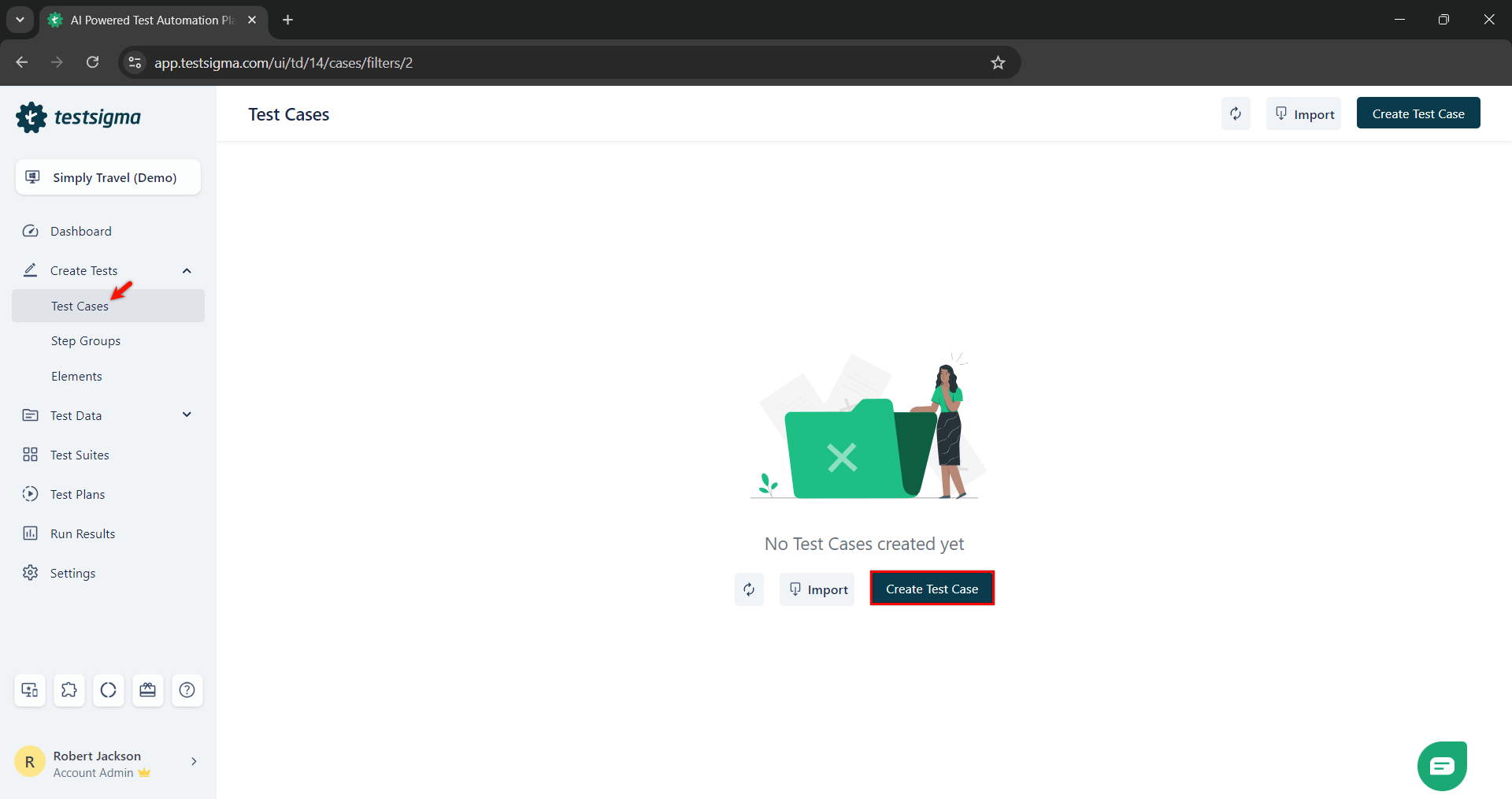
From the left navigation bar, go to Create Tests > Test Cases and click on Create Test Case.
-
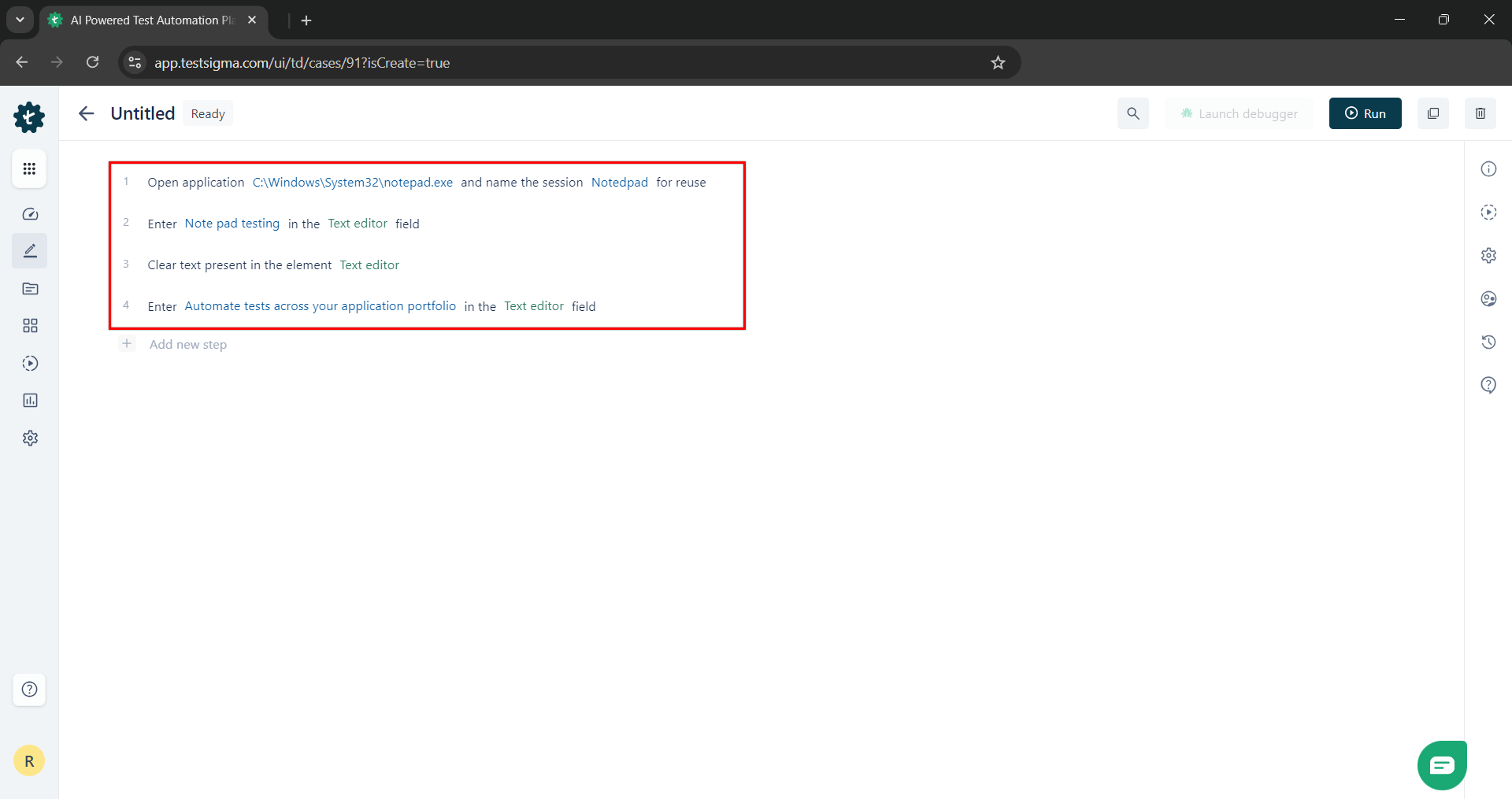
From the Test Case Details page, you can create the test steps using inbuilt Actions/NLPs and Elements.
-
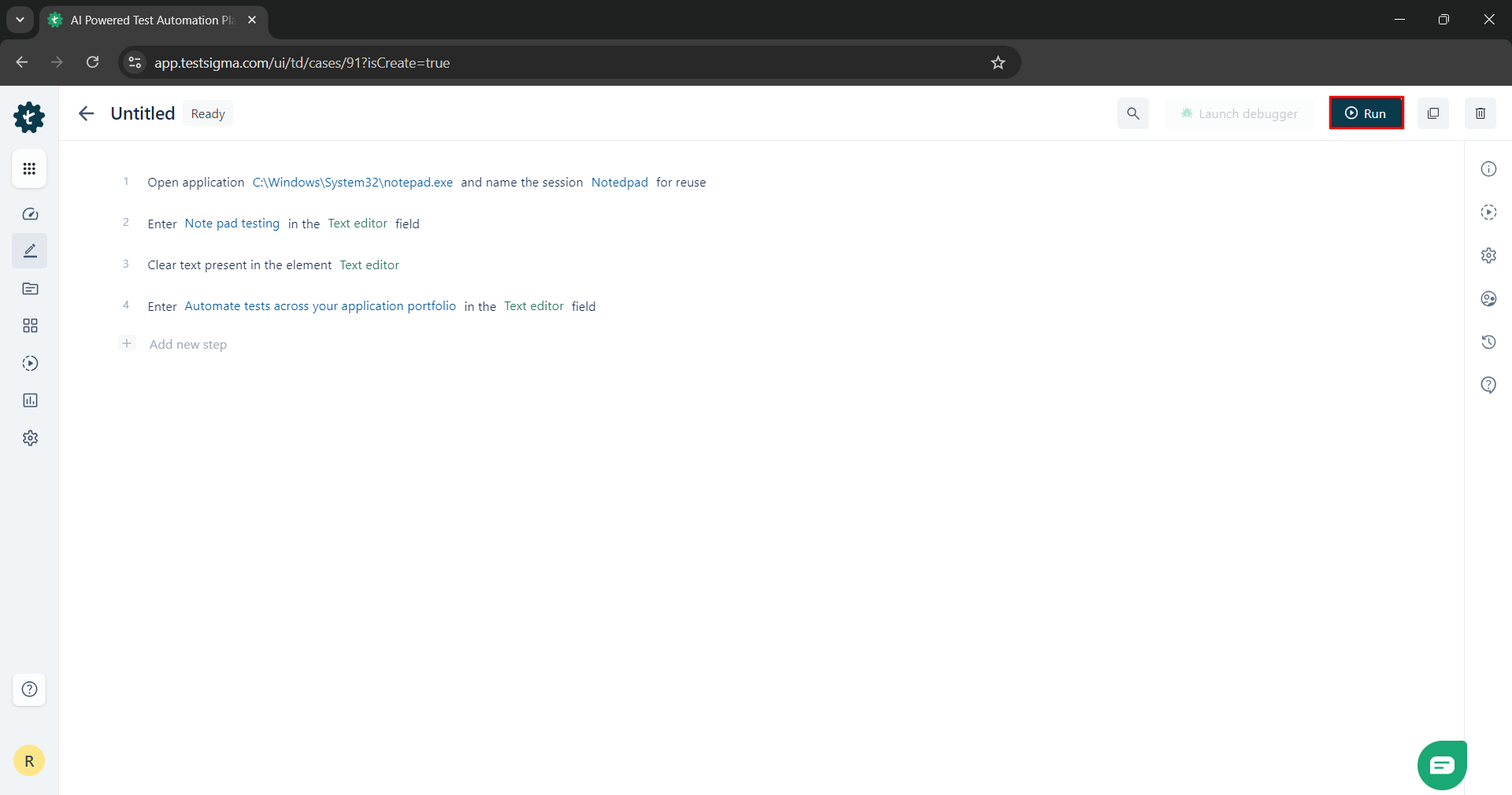
Once the test steps are created, click Run to execute the Test Case. This will open an Ad-Hoc Run overlay.
-
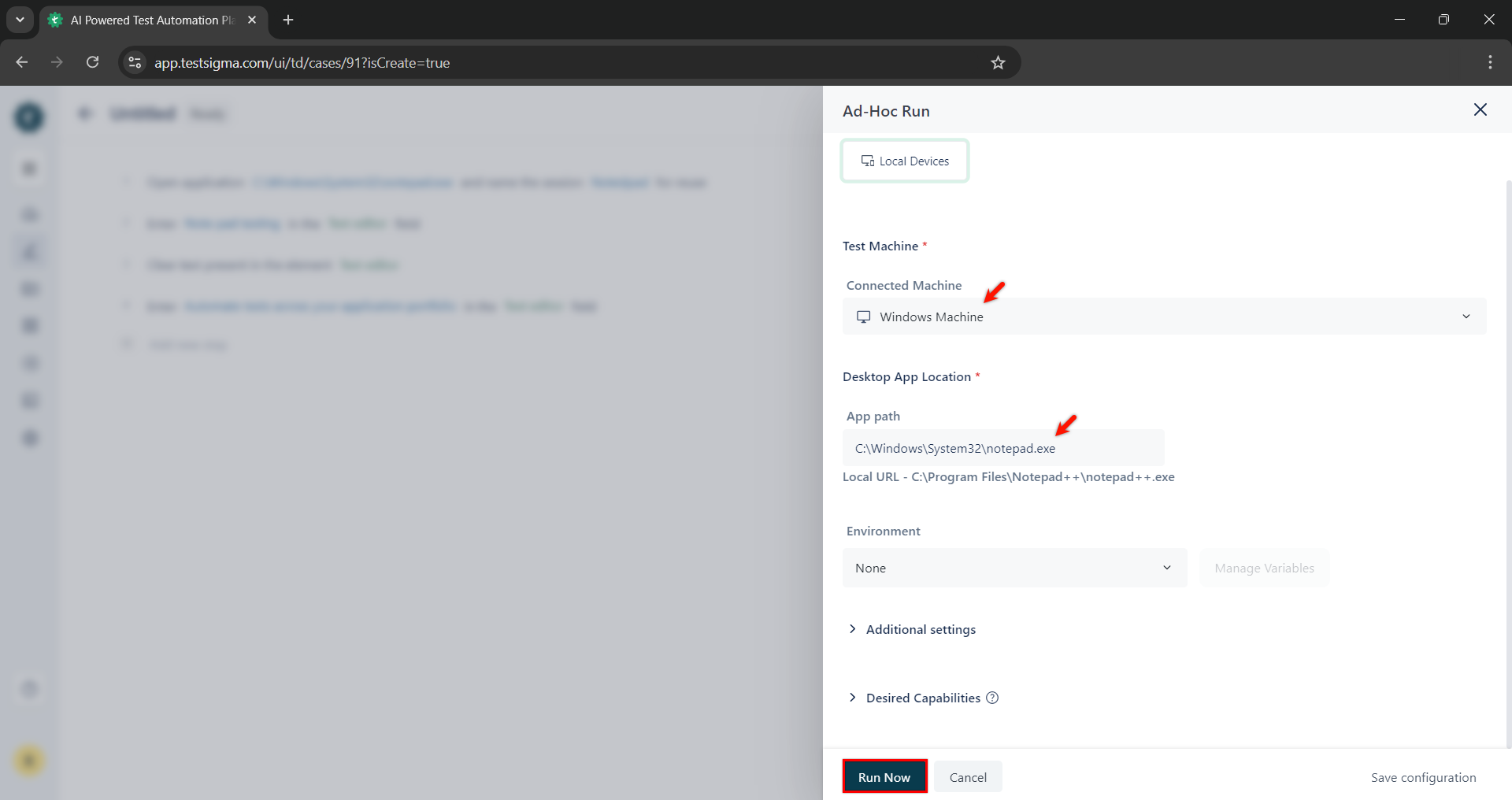
On Ad-Hoc Run overlay, select the Local Test Machine in which you want to run the test case, add Additional settings, and click Run Now.