Reports
Exporting JUnit Reports
Prerequisites
Before you begin, ensure that you have referred to:
- Documentation on creaing test plans.
- Documentation on creaing test runs and having access to export test reports.
Exporting Test Reports in JUnit XML Format
Section titled “Exporting Test Reports in JUnit XML Format”- Navigate to Run Results.
- Open the specific Test Run from the Run Result list page to export the test report file.
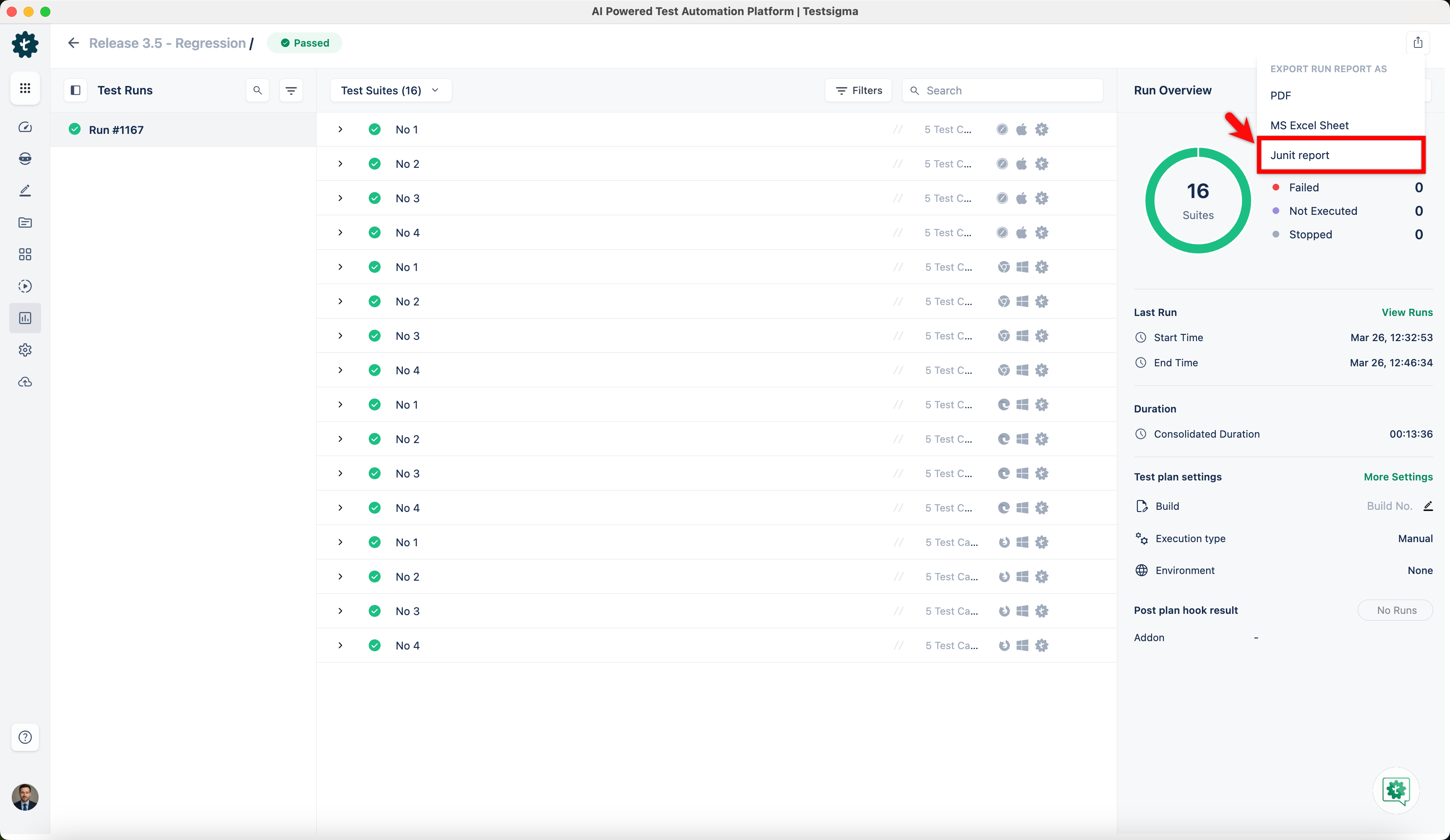
- Locate the Export icon next to the Rerun button for the chosen test plan on the run results page.
- Click the Export icon, and a dropdown list will appear.
- Select JUnit Report from the dropdown list to initiate the export of the Test Plan results.
- A report will be promptly generated and automatically downloaded in XML format.