
Test Cases
Adding For Loops in Test Cases
Prerequisites
Before you begin, ensure that you have referred to:
Using For Loop in Test Cases
Section titled “Using For Loop in Test Cases”-
Navigate to Create Tests > Test Cases, and create a test case or open an existing one.
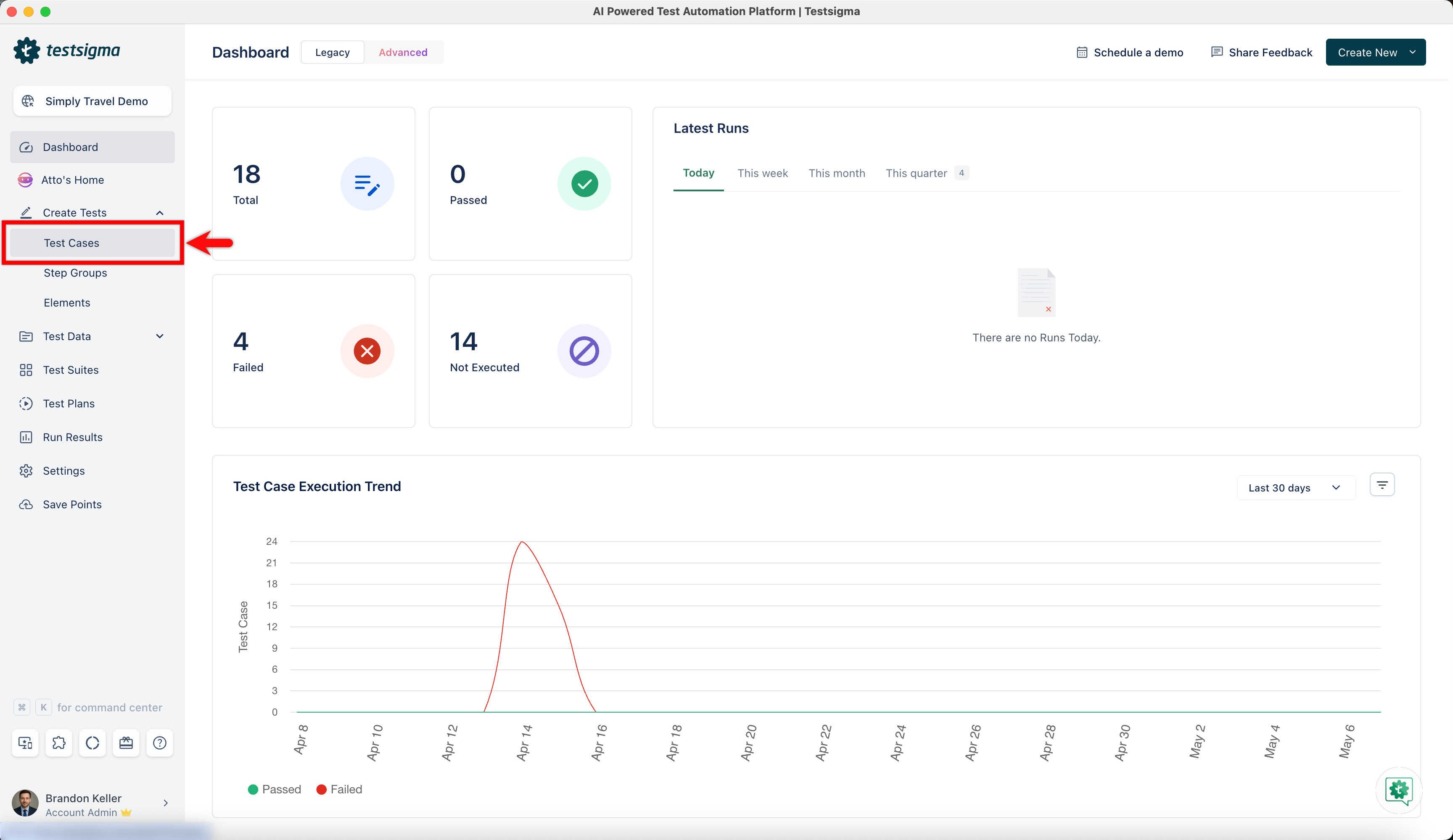
-
On Test Case Details page, click on the option on the left side of the test step.
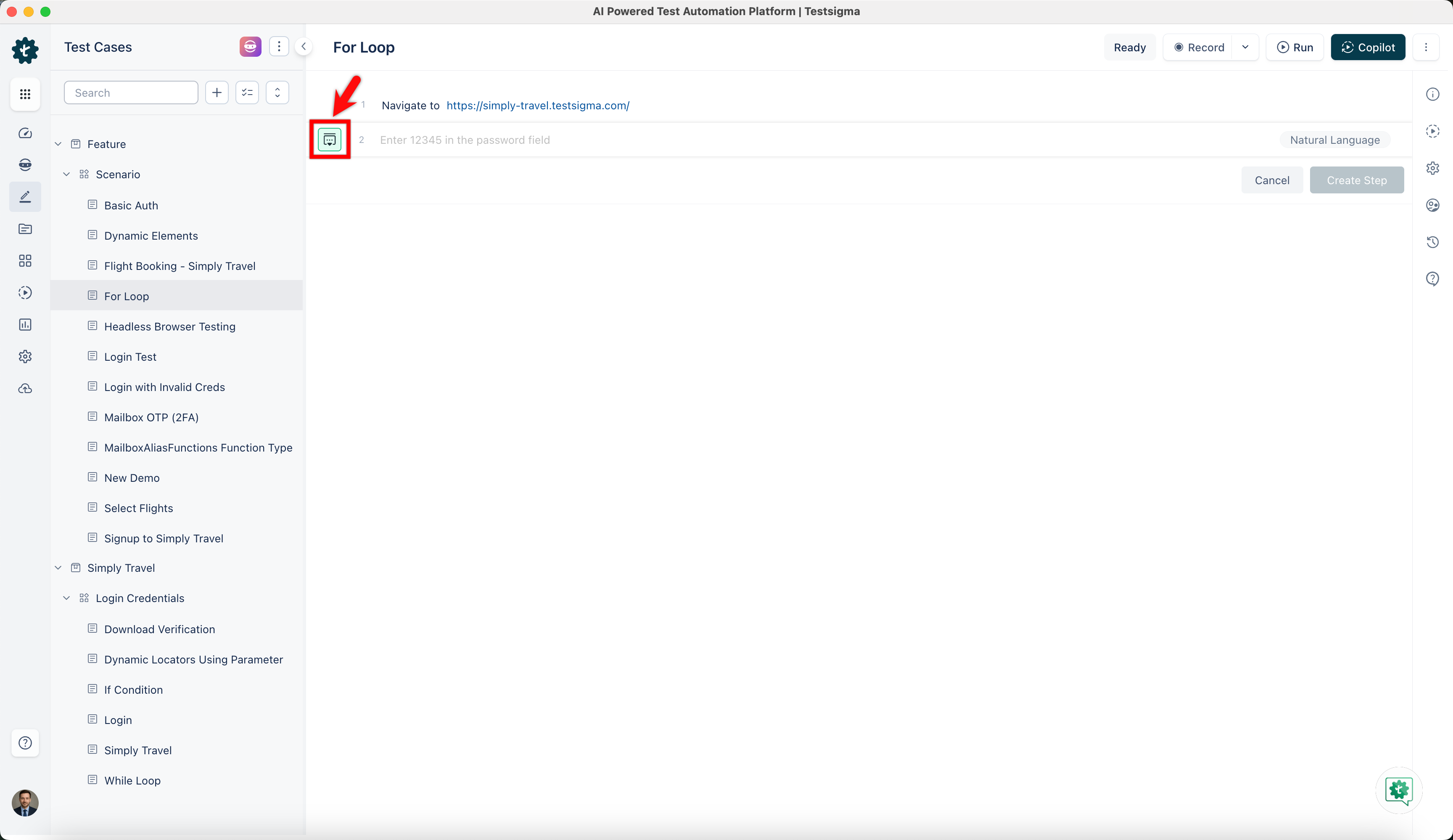
-
This will open a side panel.
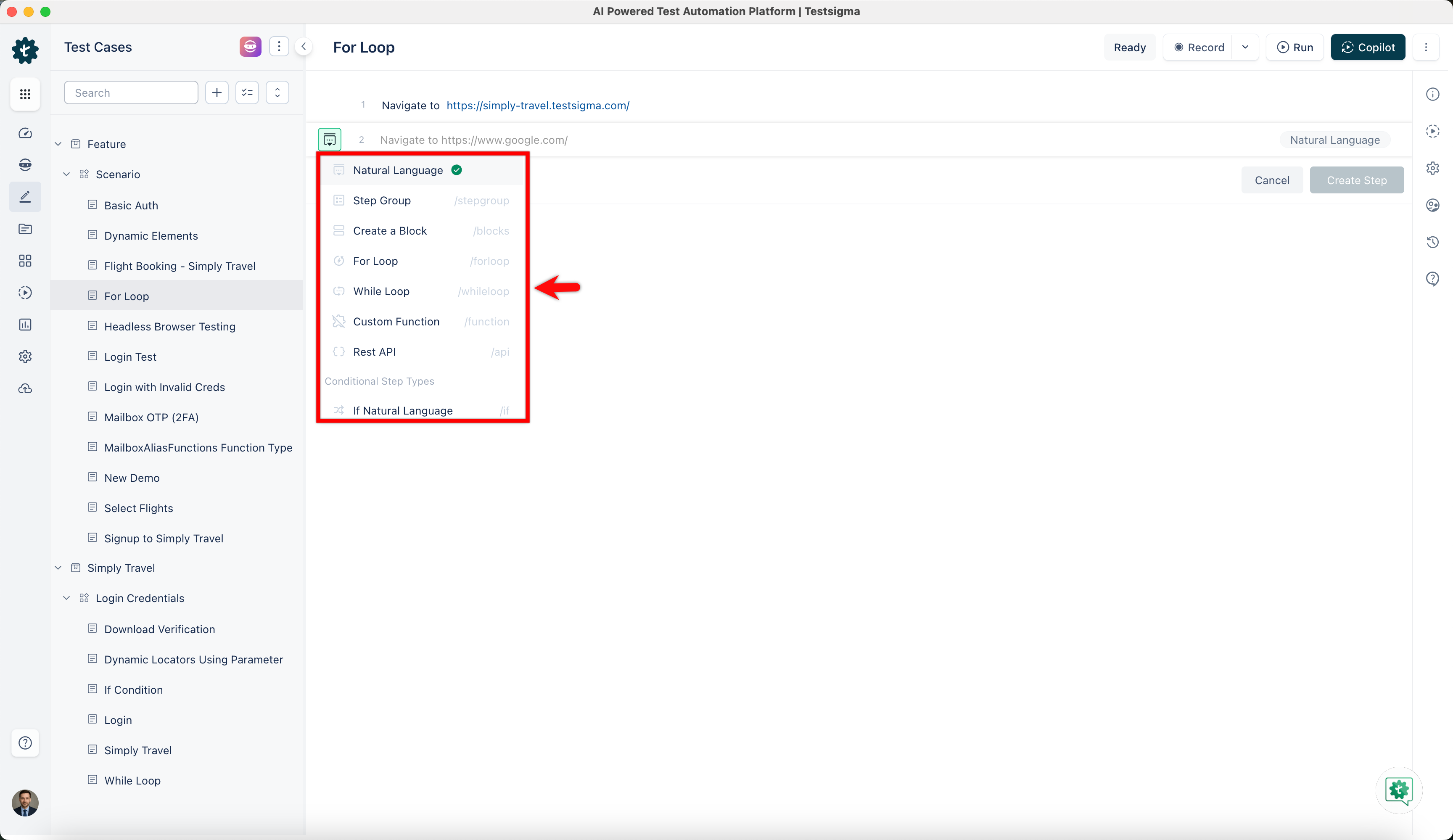
-
Hover over to the options and click on For Loop.
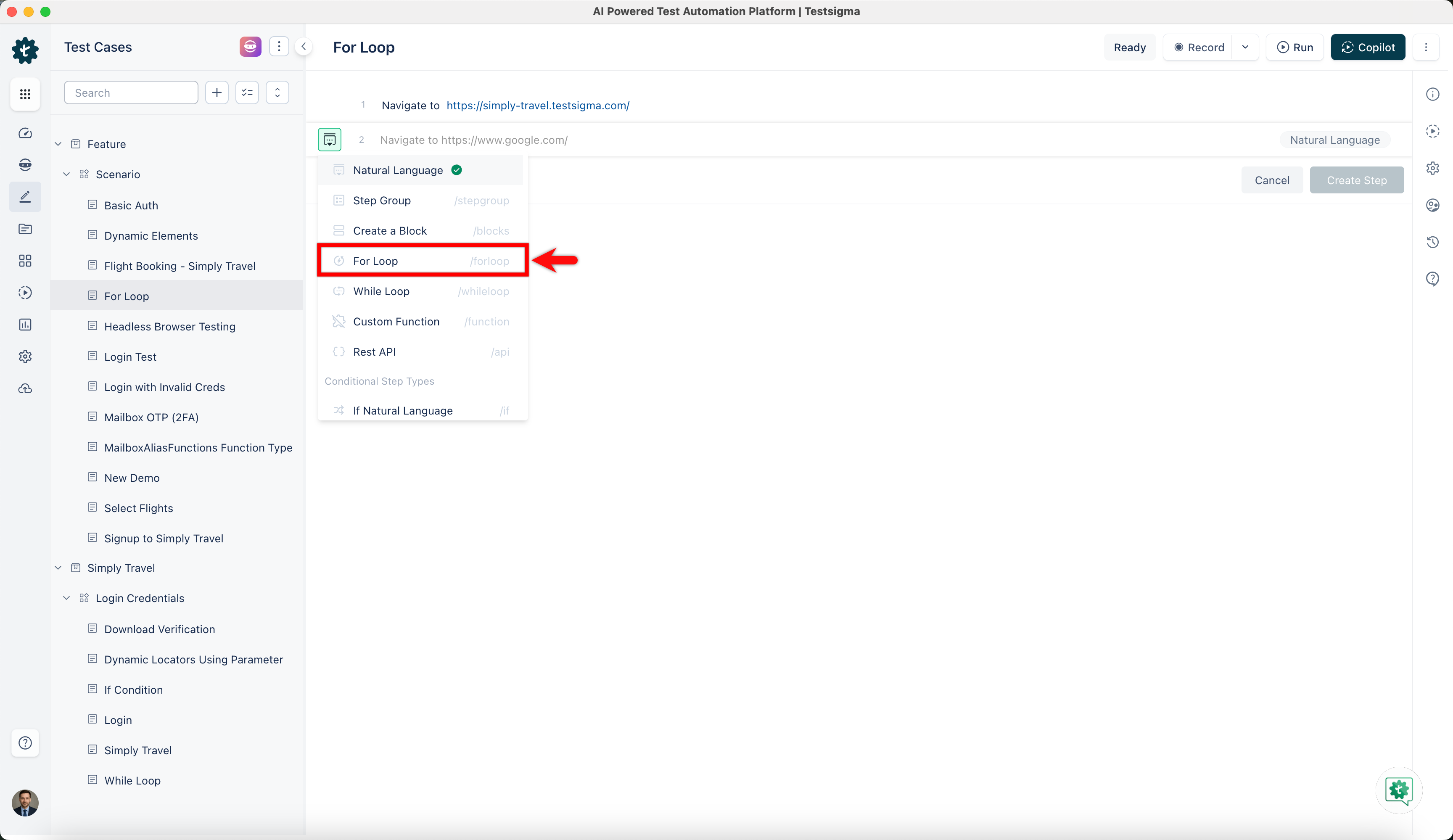
-
This option opens a drop down of NLPs that can be used inside the test step.
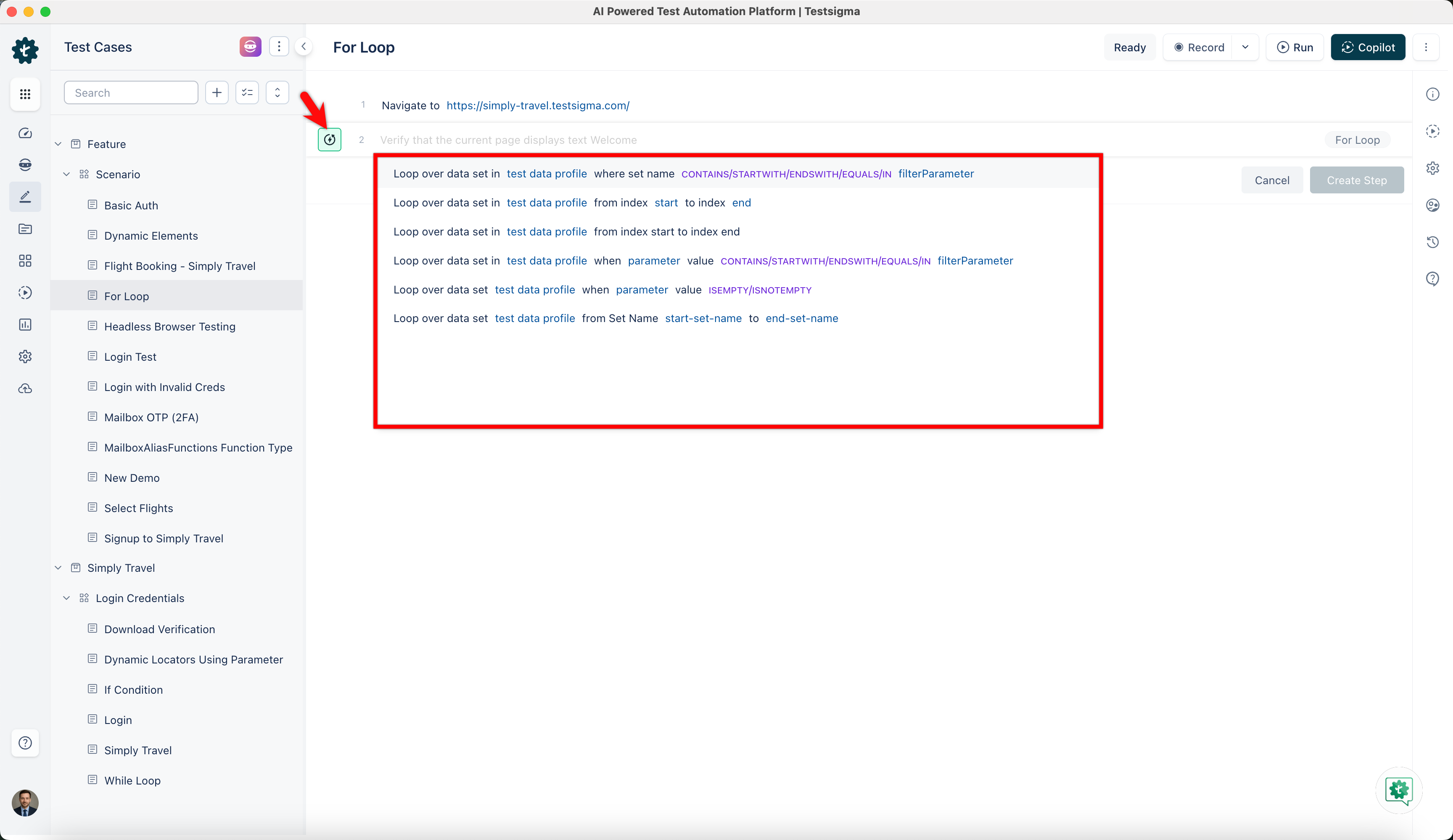
-
If you want to iterate through all the data sets of your test data profile from start to end use the below NLP:

-
If you want to start the index at a specific number and end the index at a specific number use the below NLP:

Sometimes you only want to work with a subset of the data sets of your test data profile. The subset of the data sets can be filtered based on data set name and parameter.
- To filter test data profile based on data set name use the following NLP:

-
The data set names can be subjected to advanced filtering based on the keywords contain, startswith, endswith, IN, and the different data types supported by Testsigma. For more information refer to data types.
-
To filter test data profile based on parameter value use the below NLP:

-
Another NLP to filter test data profile based on parameter value is the following:

- Select the suitable NLP to include in the test step and finish creating For Loop test step.
Additional actions possible on iteration count
Section titled “Additional actions possible on iteration count”- Store: Iteration count is the current count that is being iterated in a for loop in Testsigma. This Iteration Count can be stored into a variable for later use. Below is how the syntax for the Store NLP looks like:

- if: The test data set values, from a test data profile being iterated, can be compared within an if condition too. Below screenshot shows the NLP (The NLP can be added as a part of add-on “String Compare”. You can find the add-ons to use here: https://testsigma.com/addons):
