
Windows Automation
Importing/Updating TSRx Files into Testsigma
Prerequisites
- Before you begin, ensure you have a Windows Project and a TSRx File to Import.
Steps to Import TSRx File
Section titled “Steps to Import TSRx File”-
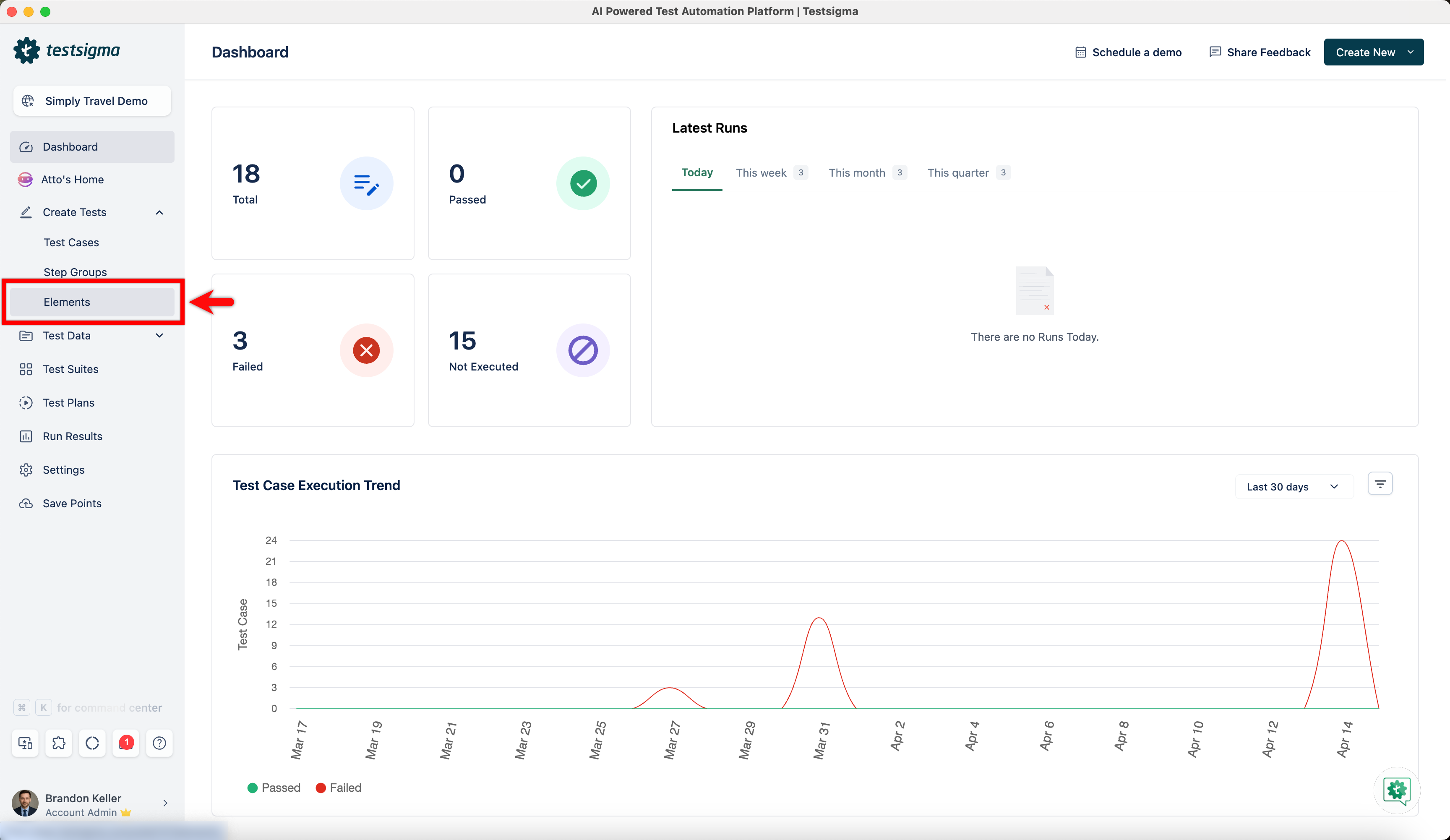
From the left navigation bar, go to Create Tests > Elements.
-
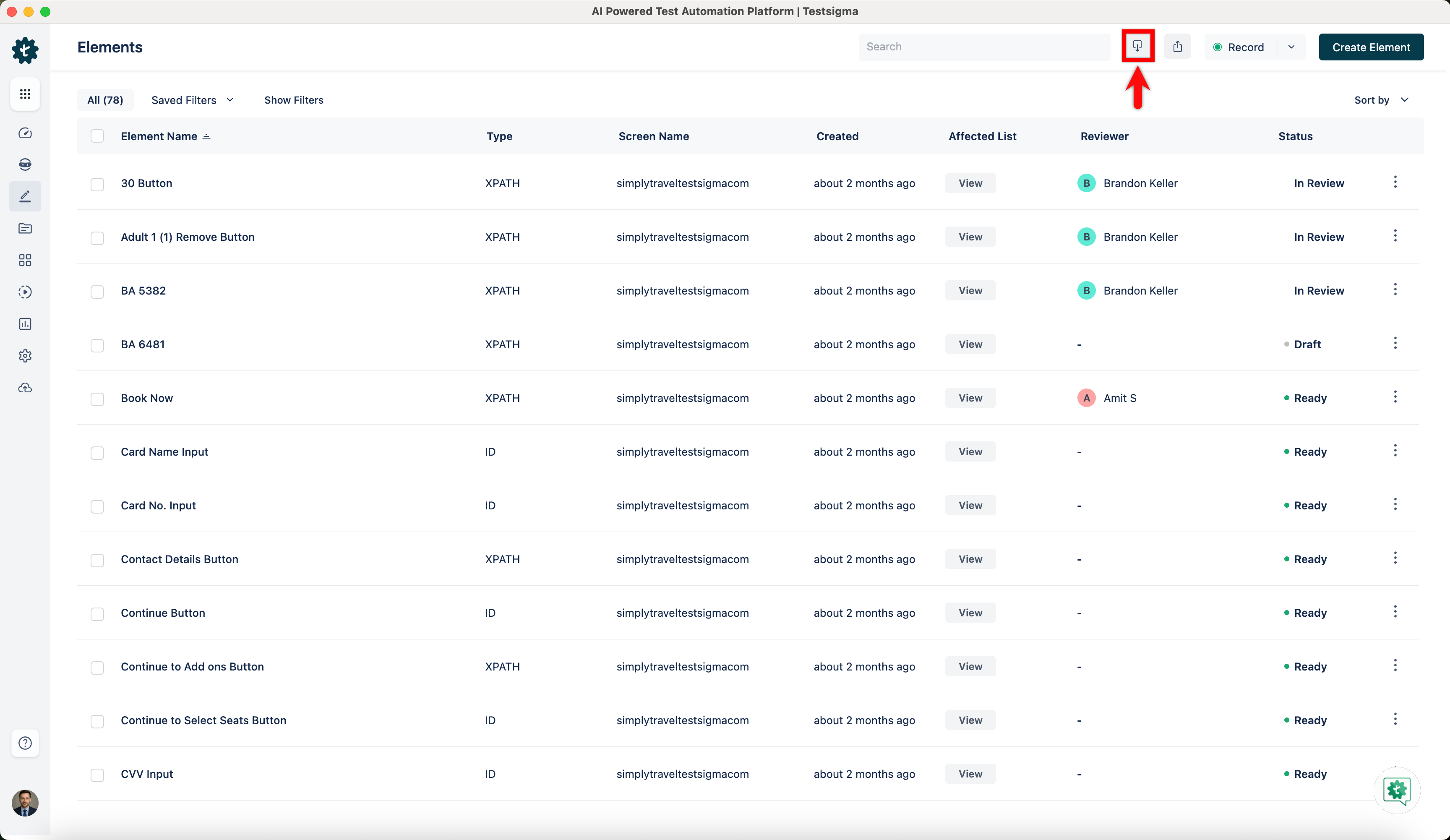
Click Import at the top right corner of the Elements list page.
-
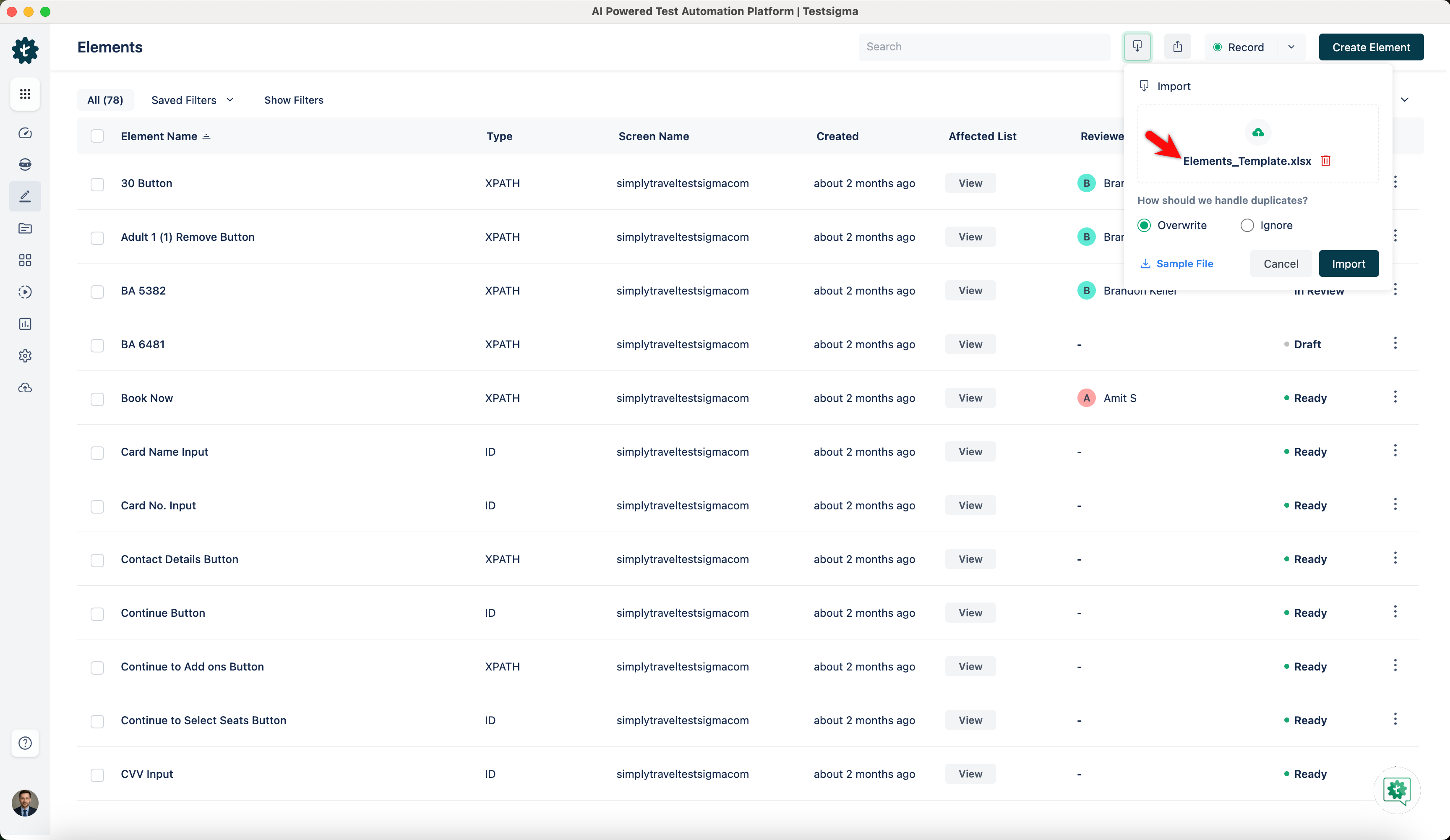
In the Import dialog, click Browse file and select a TSRx file from your local system.
-
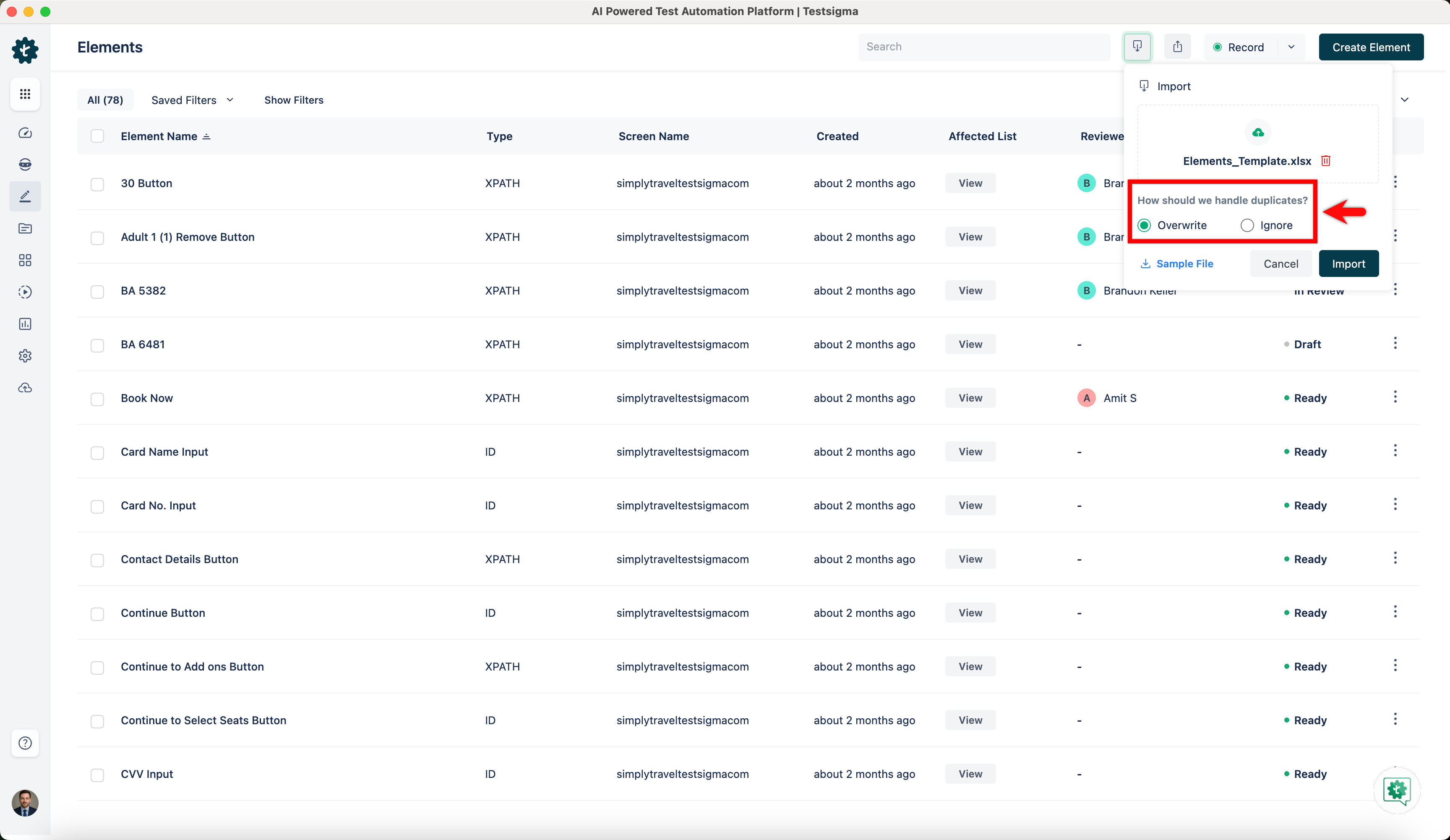
In the Import dialog, under How should we handle duplicates?, select one of the following:
- Overwrite to replace existing elements with the imported ones.
- Ignore to skip importing duplicate elements.
-
Click Import.
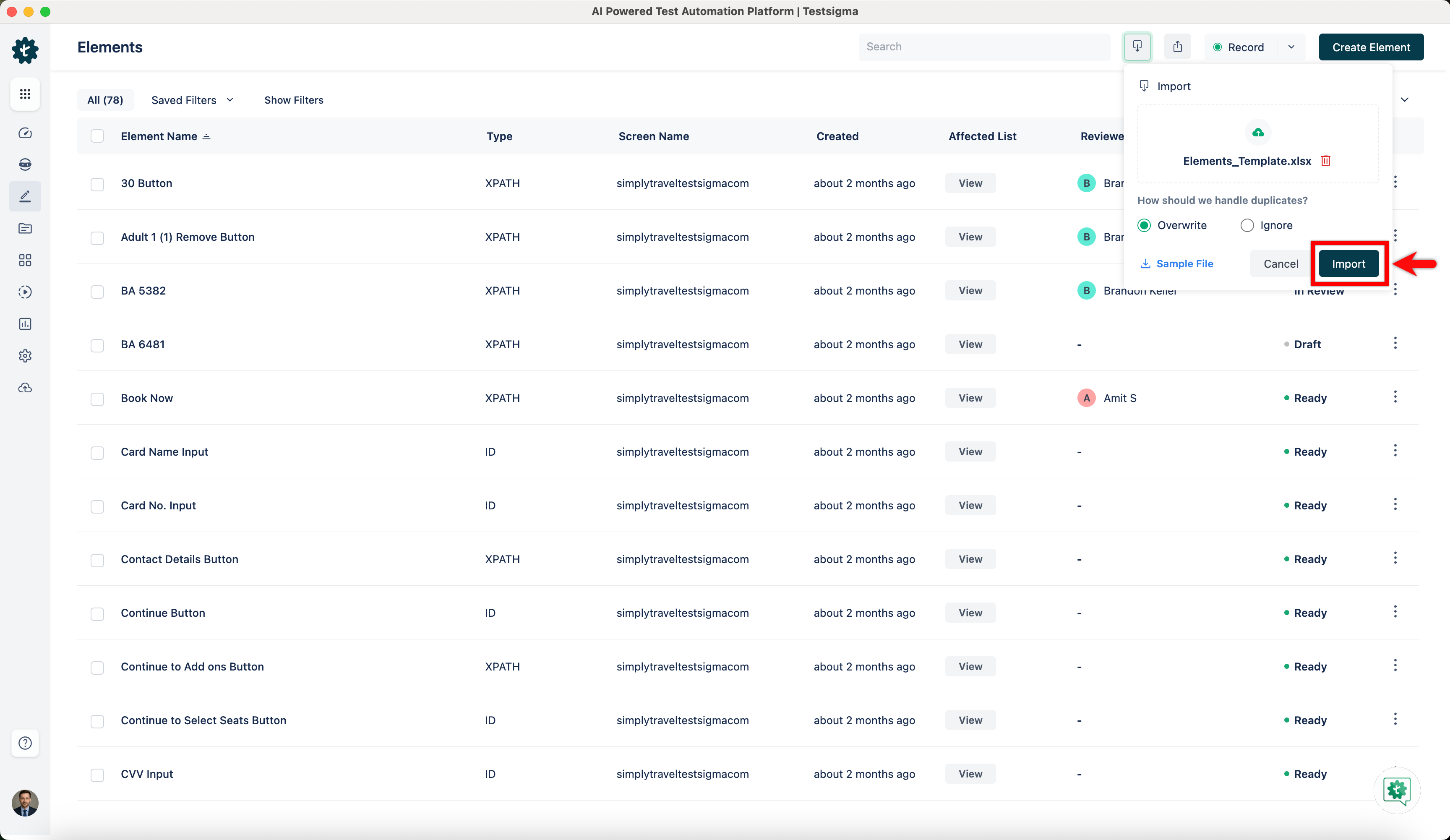
-
You can see the imported elements under Create Tests > Elements.