
API Reference
Testsigma API - Overview
Authorization
Section titled “Authorization”All Testsigma API Endpoints require authentication. The user authenticates the request using Bearer Token which is the user’s API Key.
“Authentication” : “Bearer <API_Key>”
To know more about generating and obtaining API Keys, refer to the documentation on generating API keys
Get IDs of Projects, Applications and Uploads
Section titled “Get IDs of Projects, Applications and Uploads”Testsigma has a set of endpoints to retrieve IDs of projects, applications, and uploads using APIs. This article discusses getting these IDs by using APIs.
Get IDs using Postman API
Section titled “Get IDs using Postman API”-
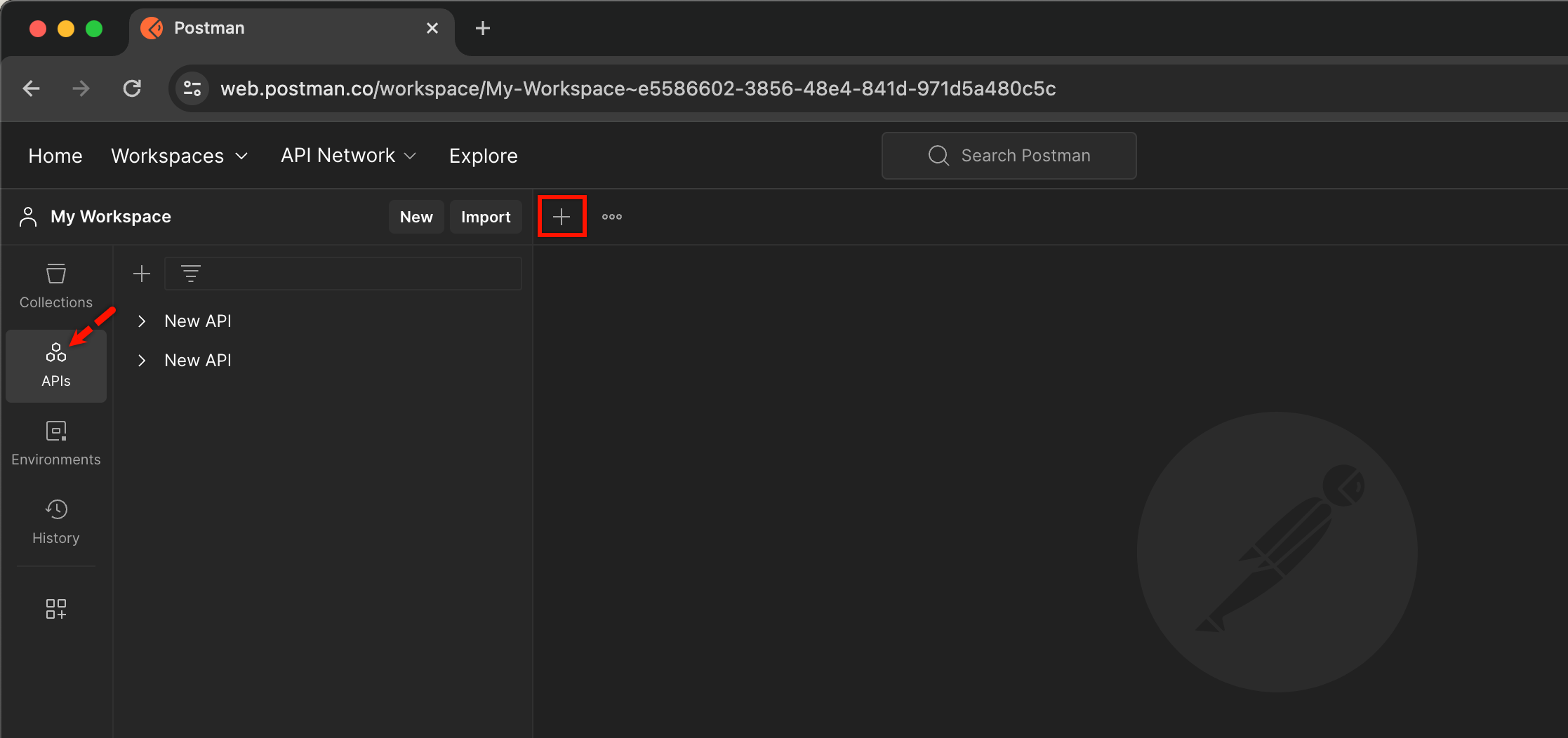
From My Workspace, go to APIs and click on ‘+’ to open a new request.
-
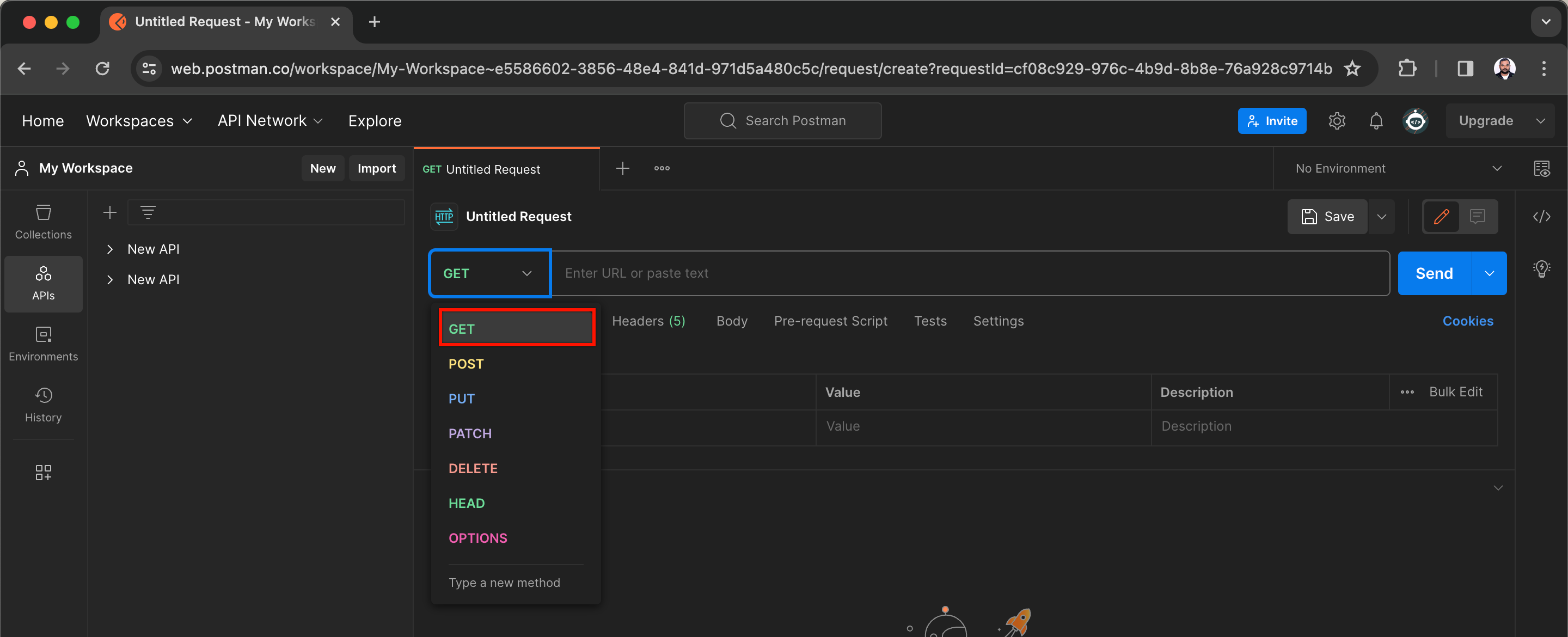
From the new request page, select GET from the method dropdown.
-
On the URL Textbox,
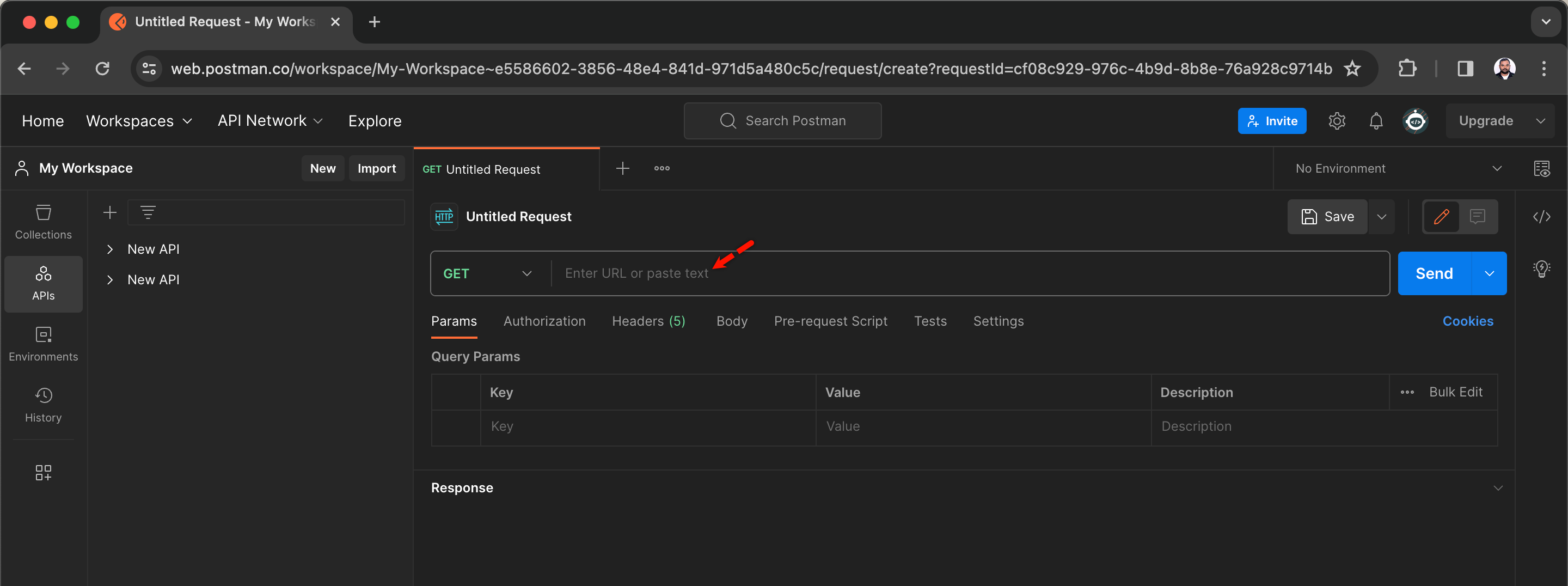
- Enter https://app.testsigma.com/api/v1/projects to get project IDs.
- Enter https://app.testsigma.com/api/v1/applications to get application IDs.
- Enter https://app.testsigma.com/api/v1/uploads to get upload IDs.
Let’s use the first URL & retrieve the IDs of projects.
-
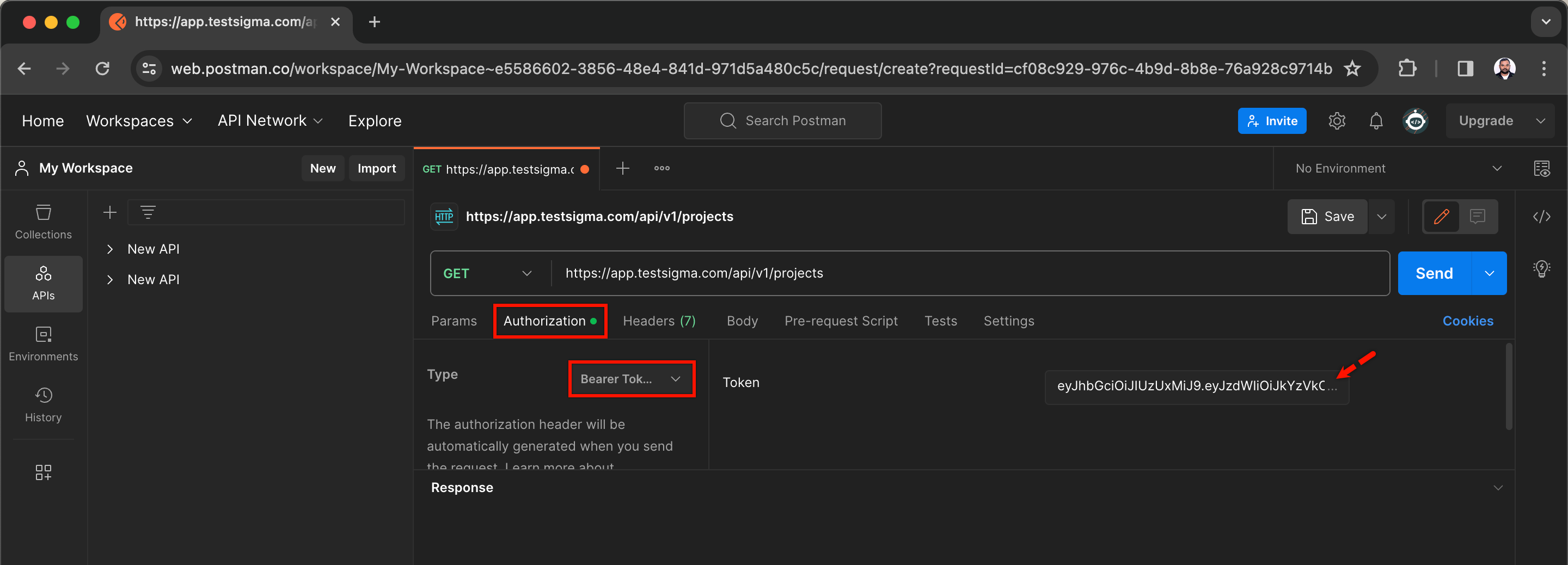
Click on Authorization, select Authorization type and enter the Token.
-
Click on Send to retrieve details of all projects.
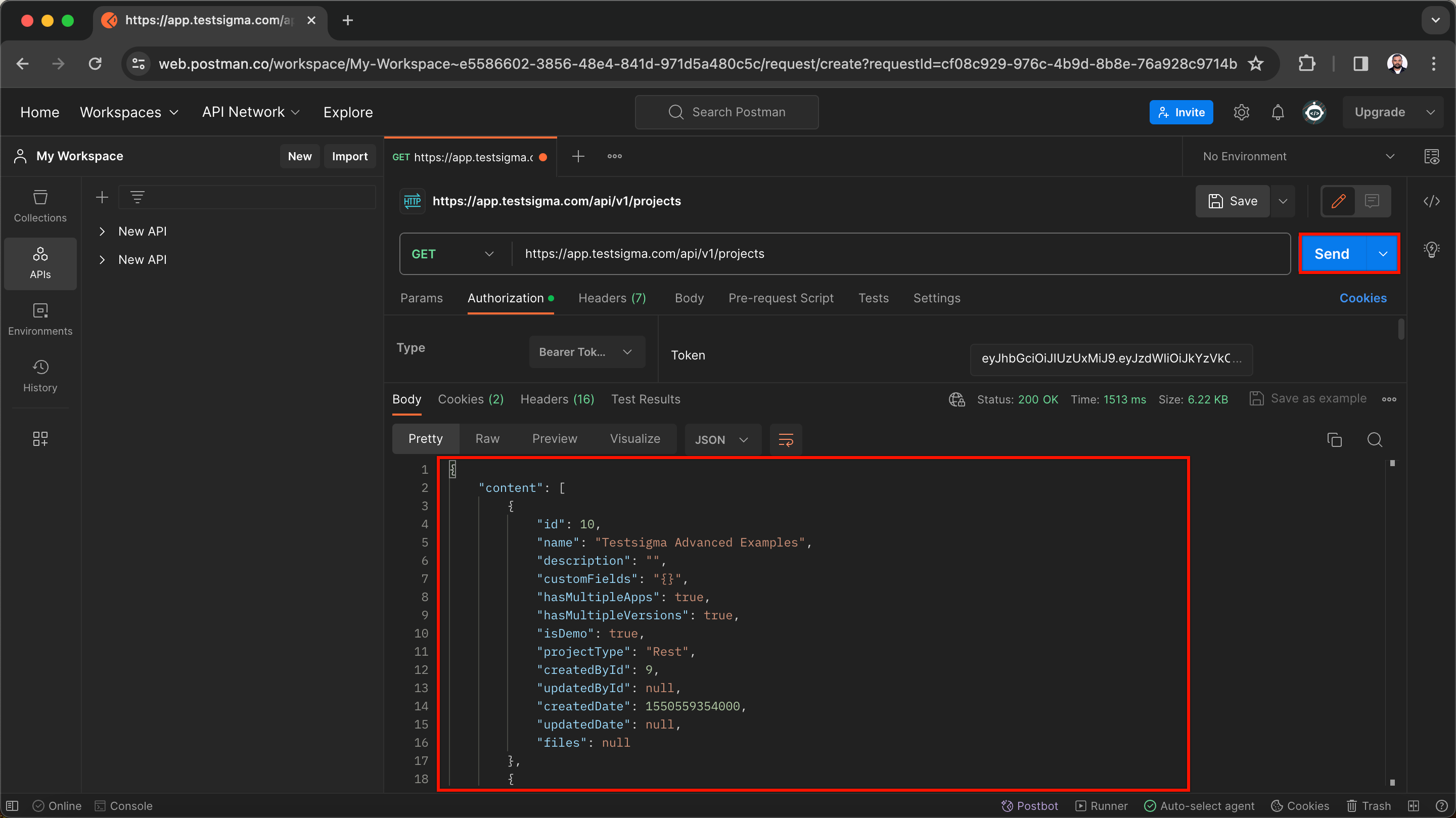
-
You’ll find IDs of all projects in the response body.
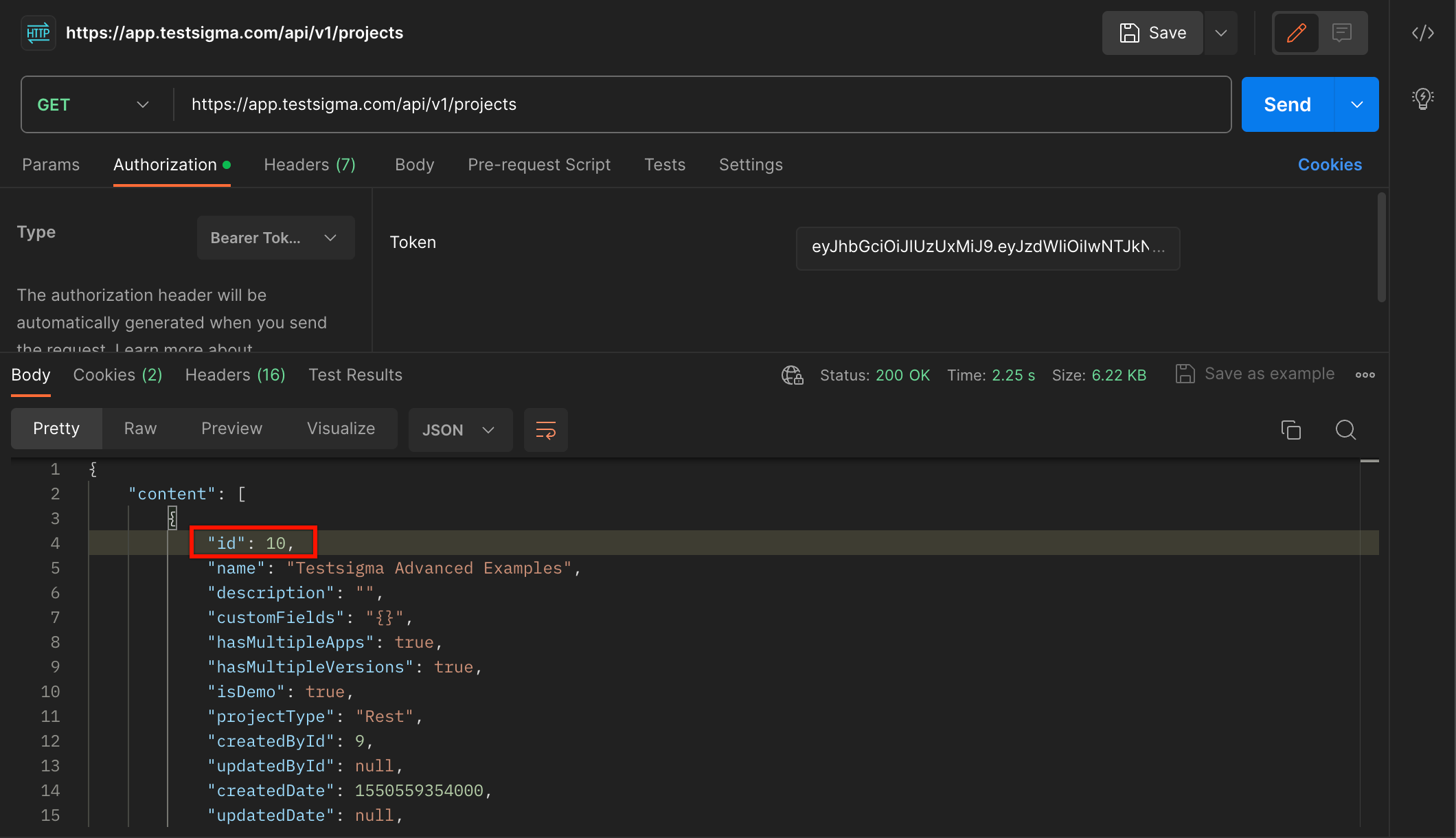
Follow the same steps from 4-6 with the other URLs mentioned in step 3 to get details of applications and uploads.
Get IDs using Testsigma API
Section titled “Get IDs using Testsigma API”-
Create a Test Case by navigating to Create Tests > Test Cases.
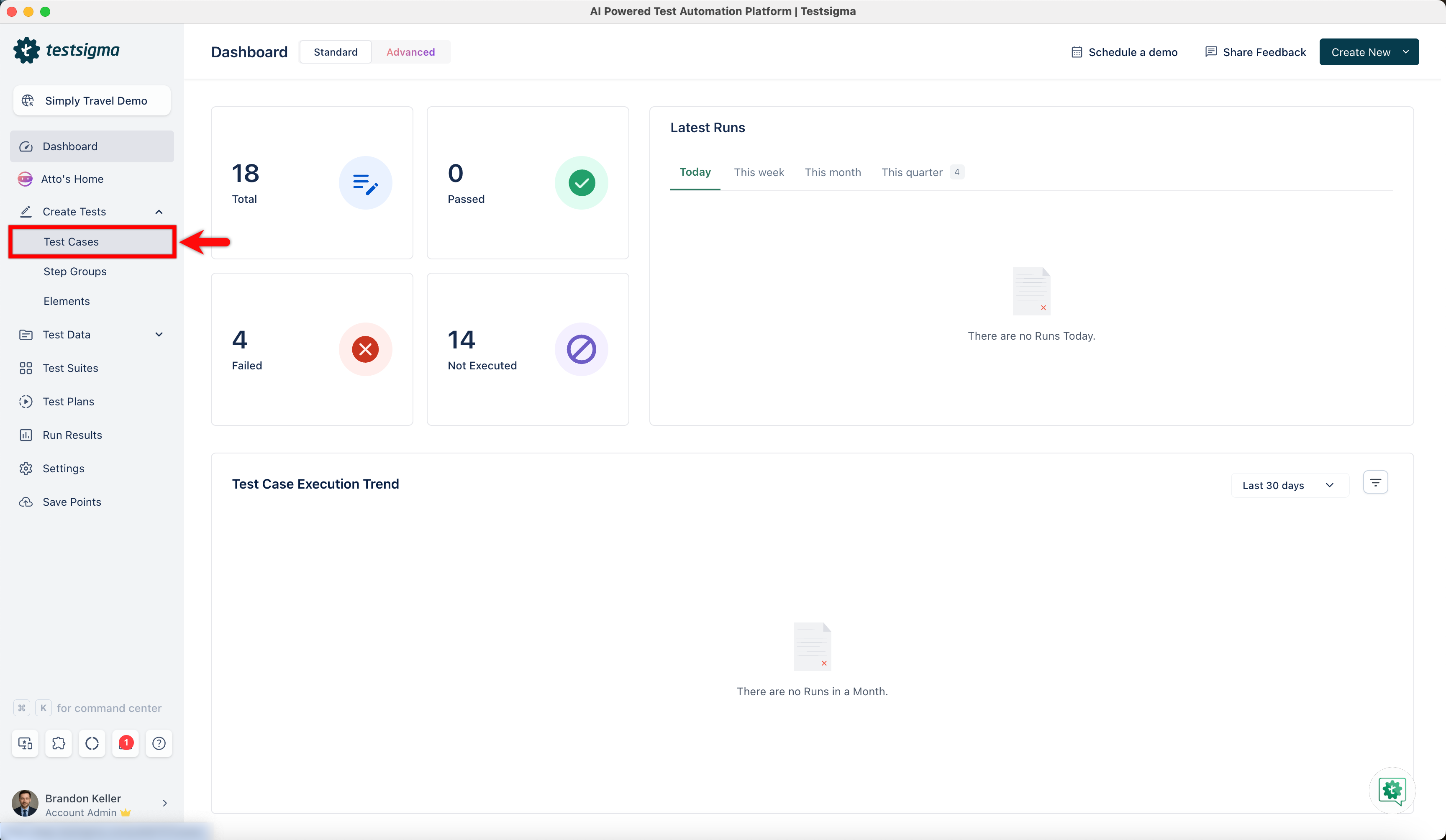
-
Click the options icon in the step and select REST API.
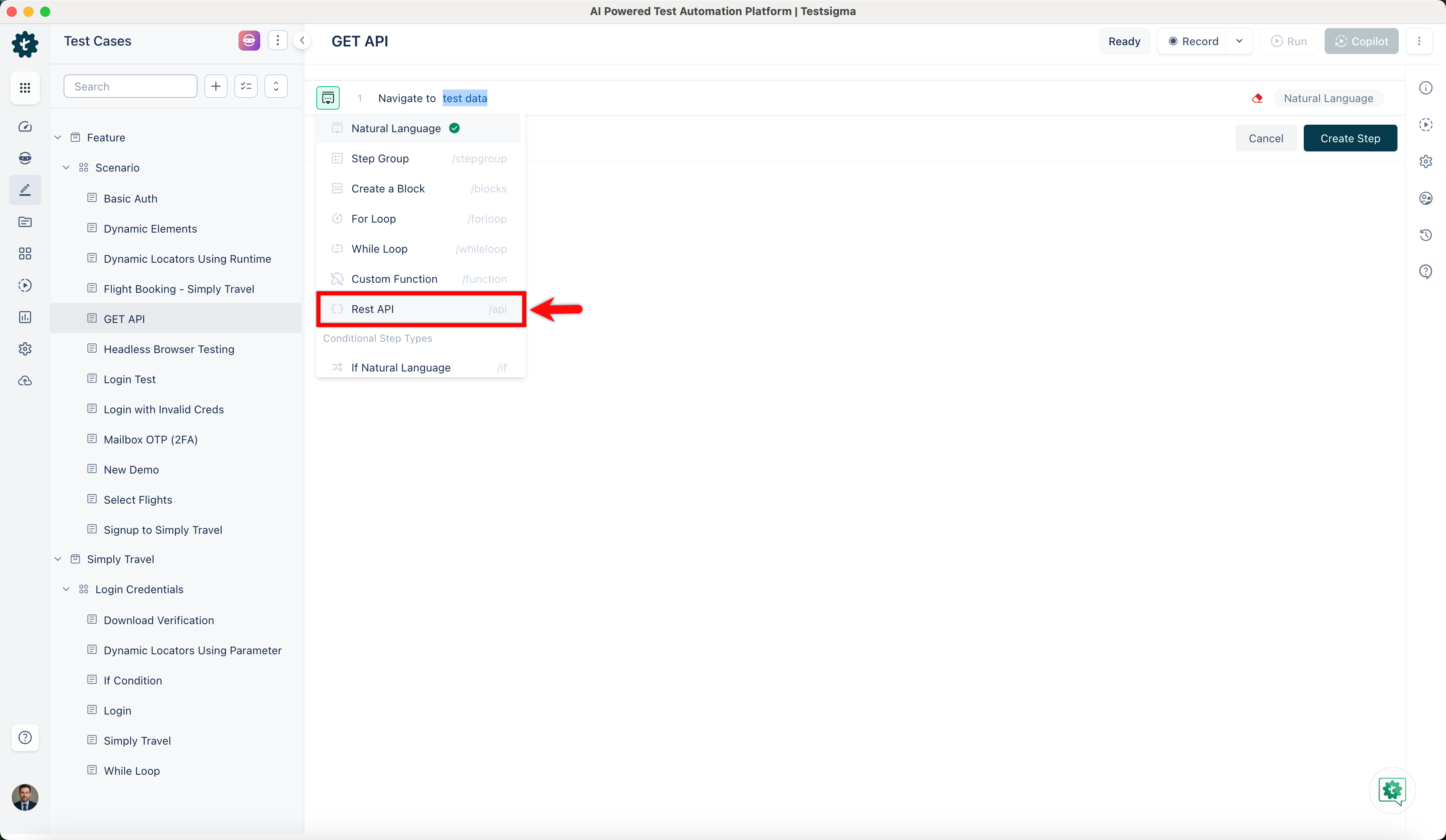
-
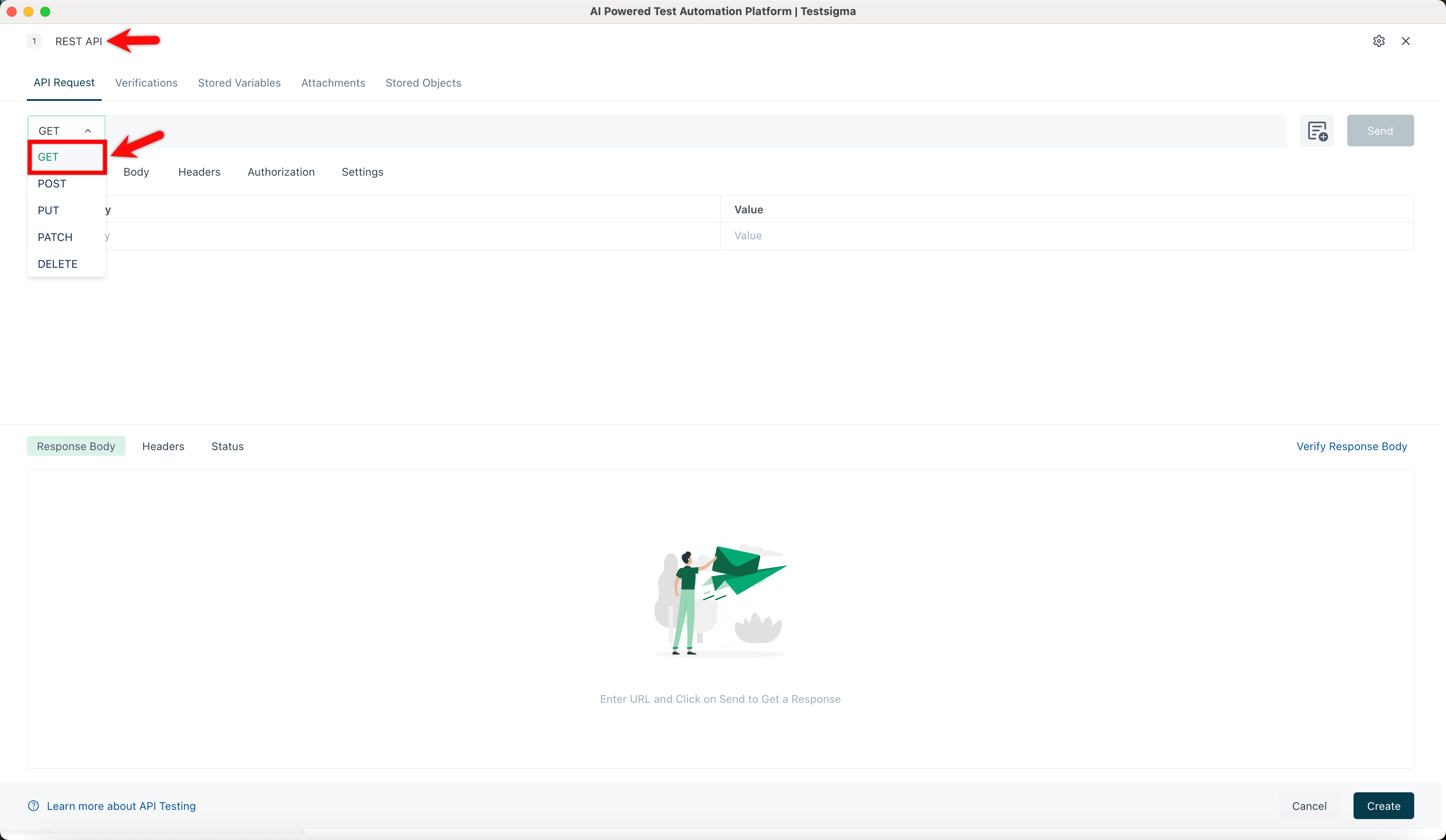
In the REST API page, enter a name and select GET from the method dropdown.
-
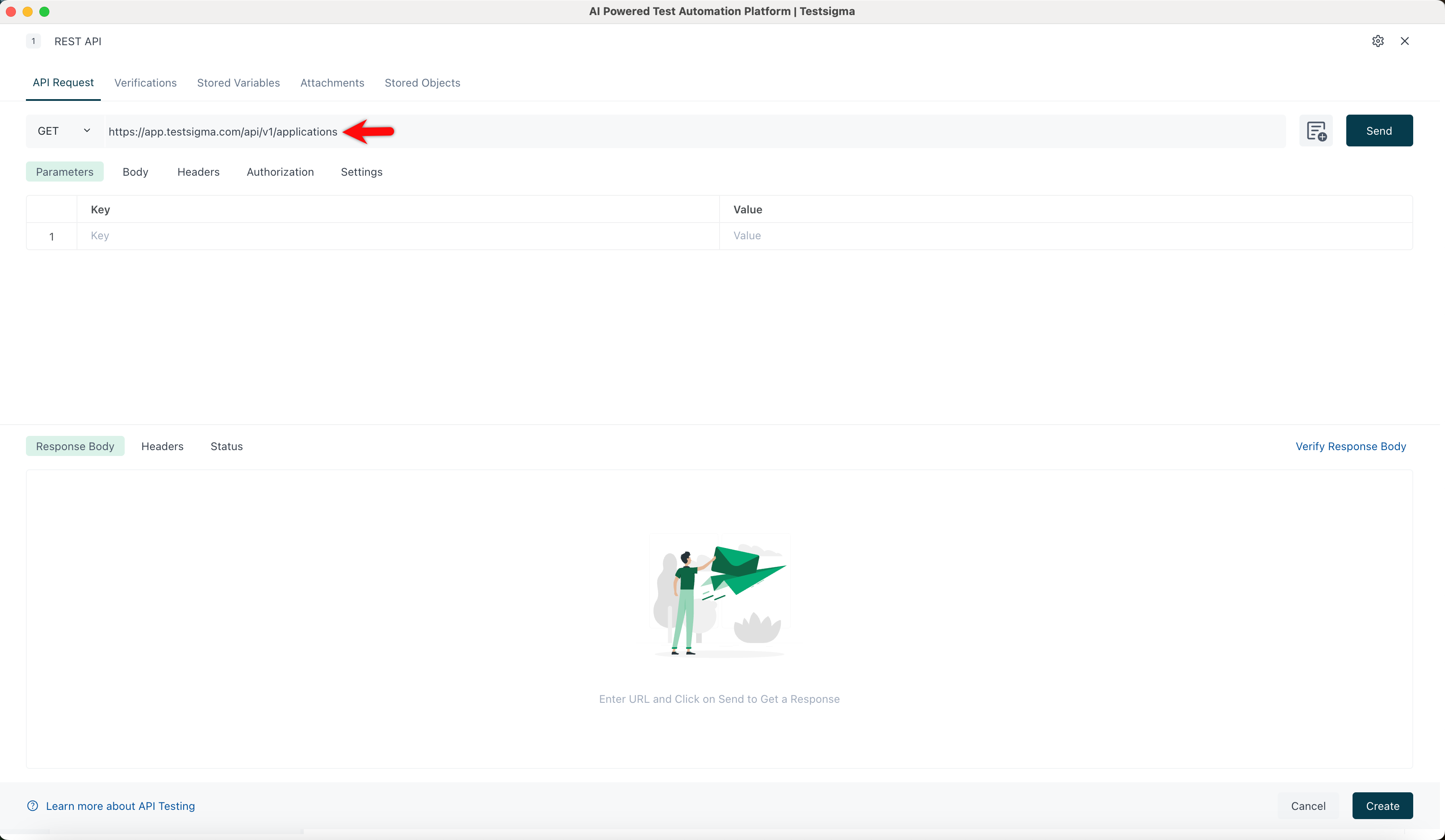
In the URL Textbox,
- Enter https://app.testsigma.com/api/v1/projects to get project IDs.
- Enter https://app.testsigma.com/api/v1/applications to get application IDs.
- Enter https://app.testsigma.com/api/v1/uploads to get upload IDs.
Let’s use the second URL & retrieve the IDs of applications.
-
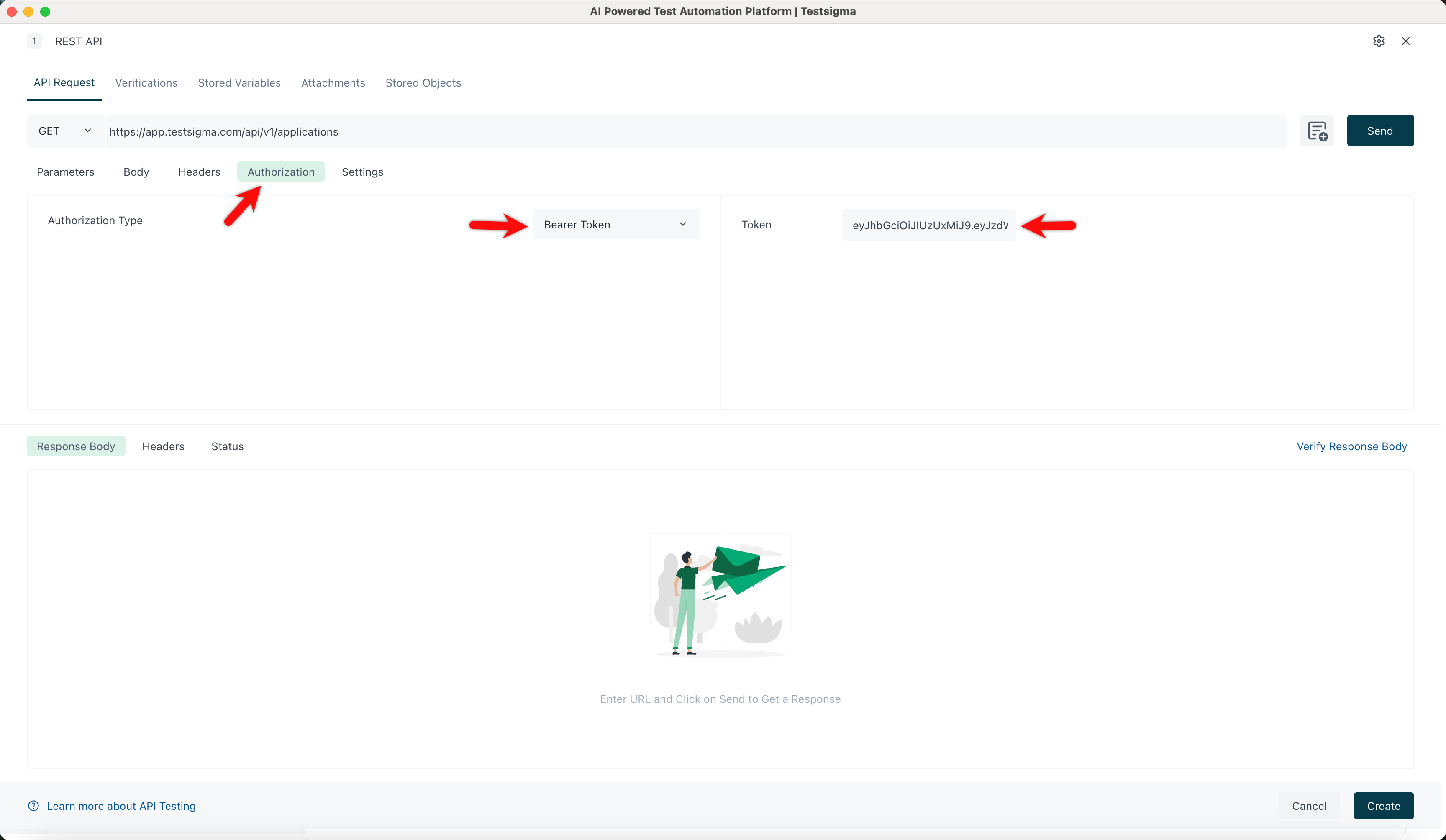
Click Authorization, select Authorization type and enter the Token.
-
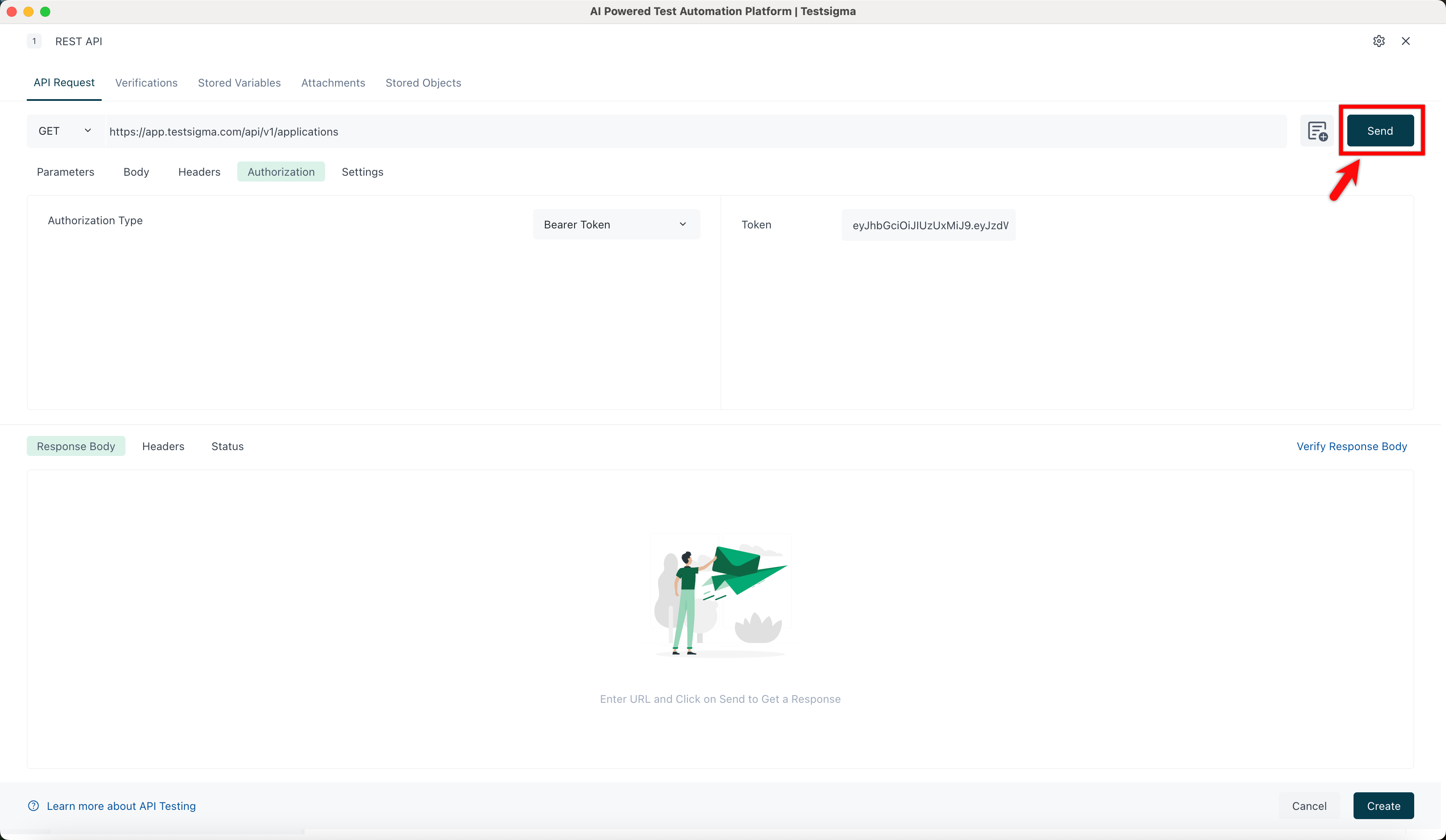
Click Send to retrieve details of all applications.
-
You’ll find IDs of all applications in the response body.
Available REST API Endpoints
Section titled “Available REST API Endpoints”Advanced Use Cases
Section titled “Advanced Use Cases”Here are some advanced use cases for Testsigma APIs:
-
Documentation on triggering multiple application type test plans
-
Documentation on triggering test plan remotely and wait until Completion