
Test Data
EmailFunctions Function Type
Prerequisites
Before you begin, ensure that you have referred to:
Selecting EmailFunctions as a Function Type for Data Generator
Section titled “Selecting EmailFunctions as a Function Type for Data Generator”-
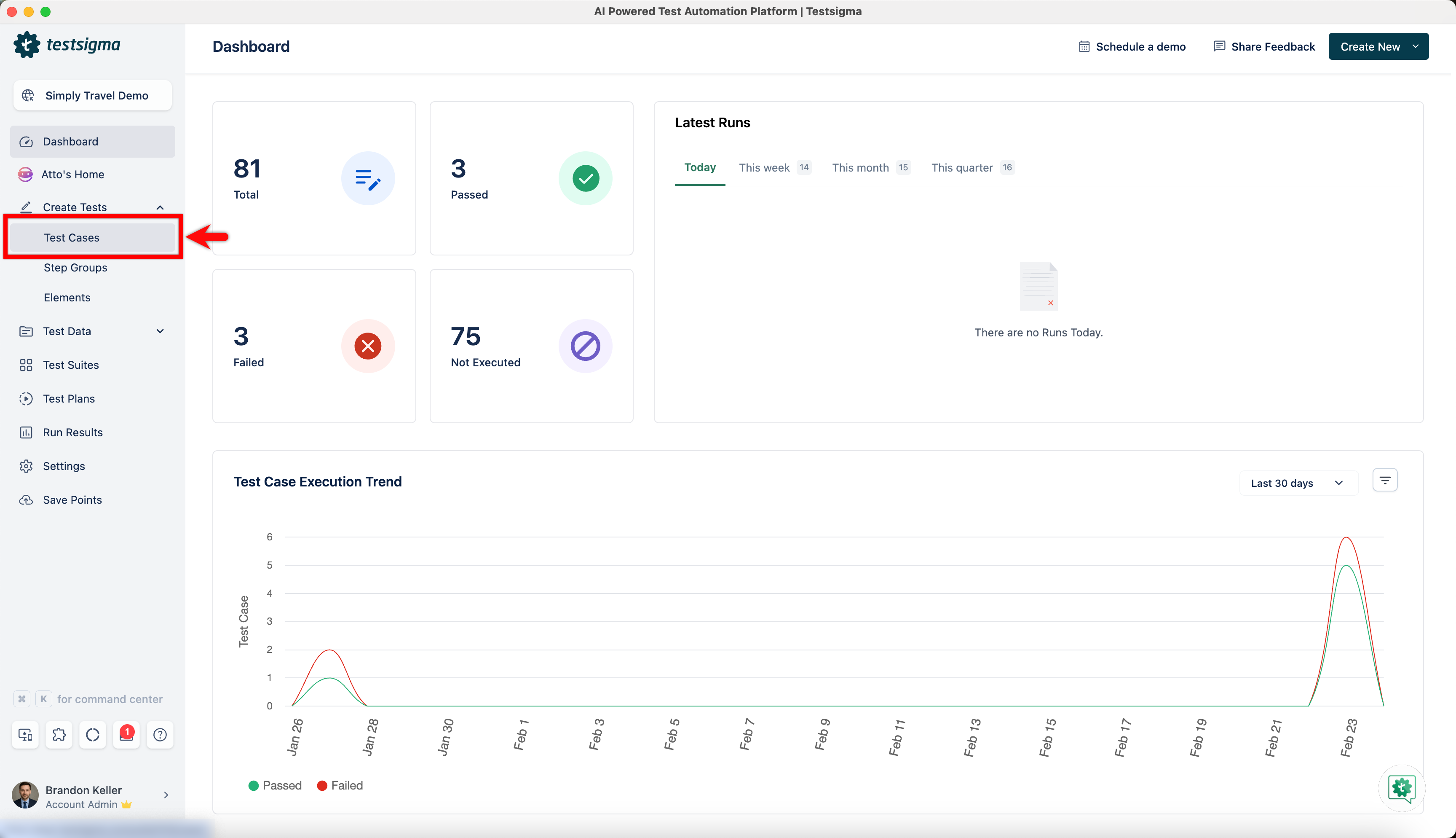
From the left navigation bar, go to Create Tests > Test Cases and create a new test case.
-
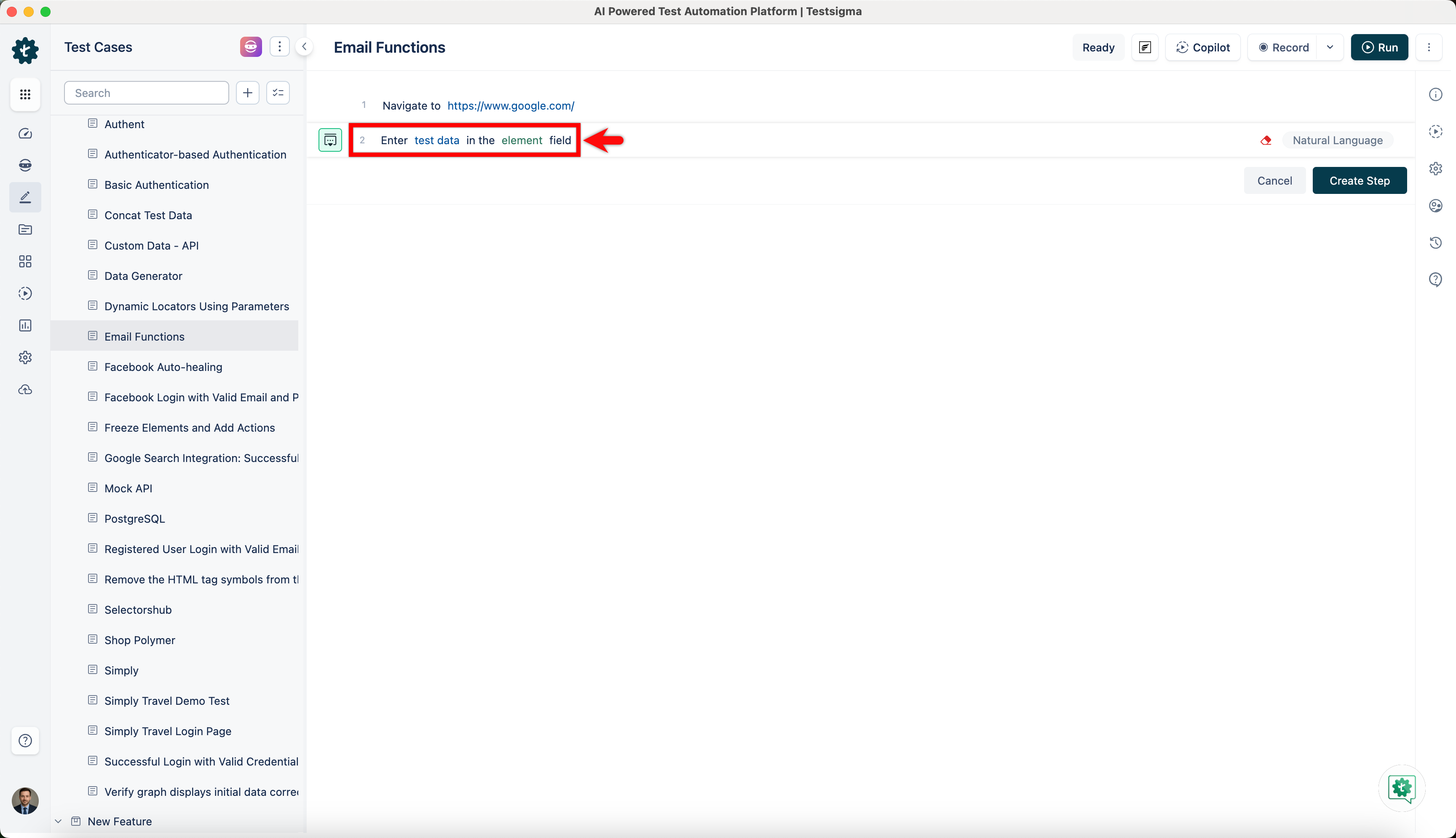
Use NLP to create a new step in the test case and include a placeholder for test data.
-
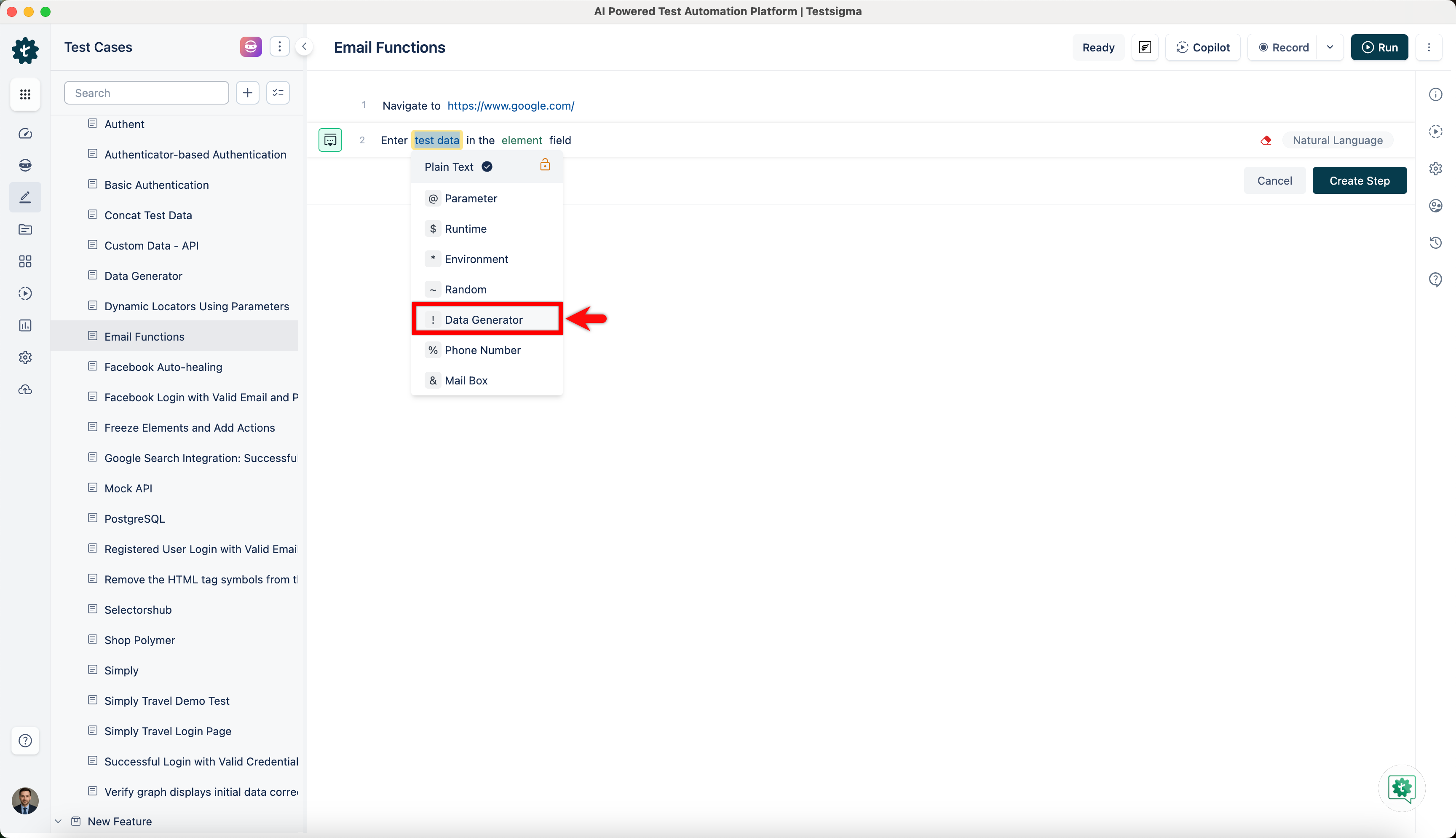
Click on the test data placeholder. From the Test Data Types dropdown menu, select the ! Data Generator option.
-
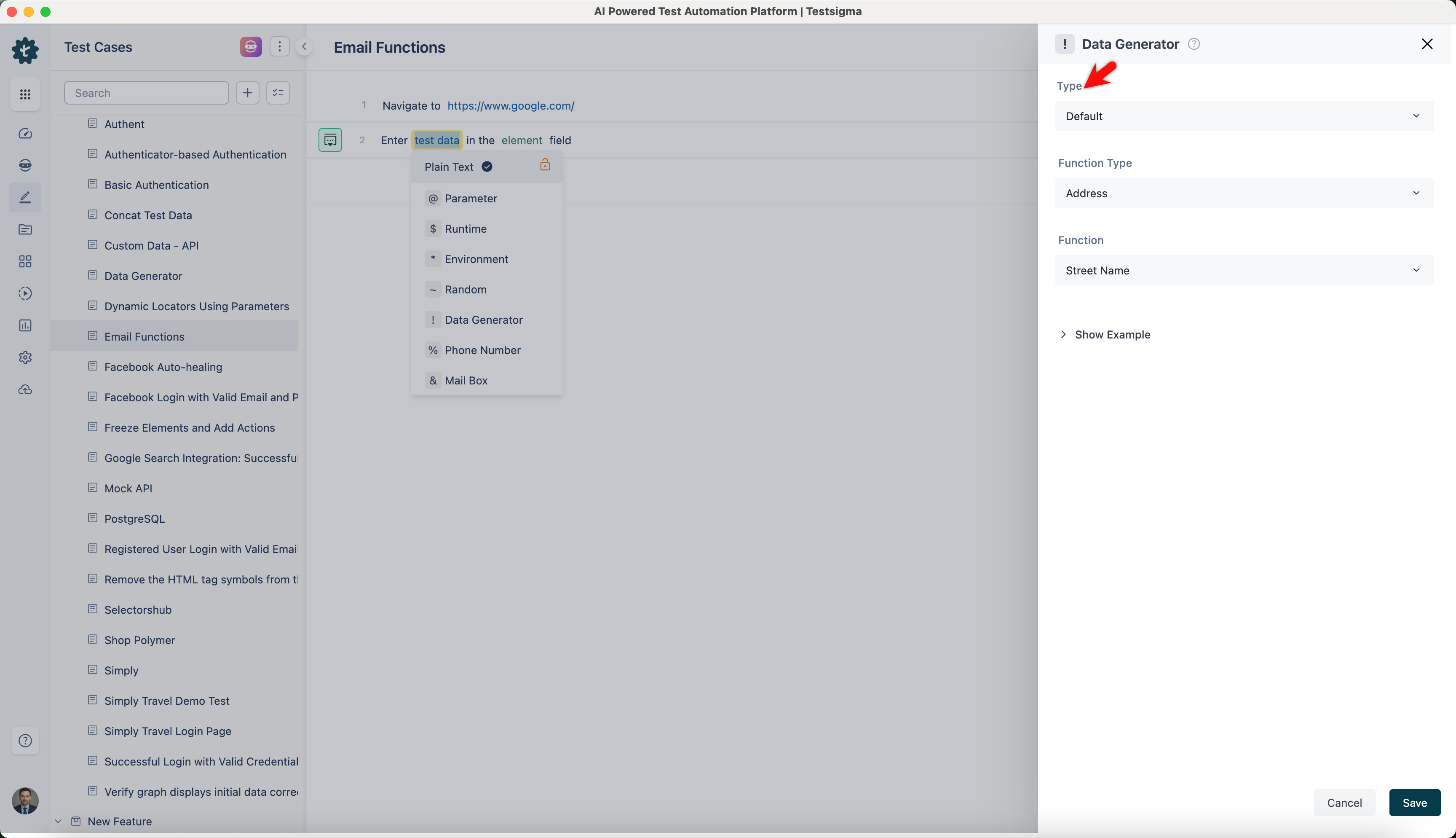
On the ! Data Generators overlay, select the Type to Default. This will enable you to use a collection of built-in test data generators.
-
Select EmailFunctions from the Function Type dropdown list.
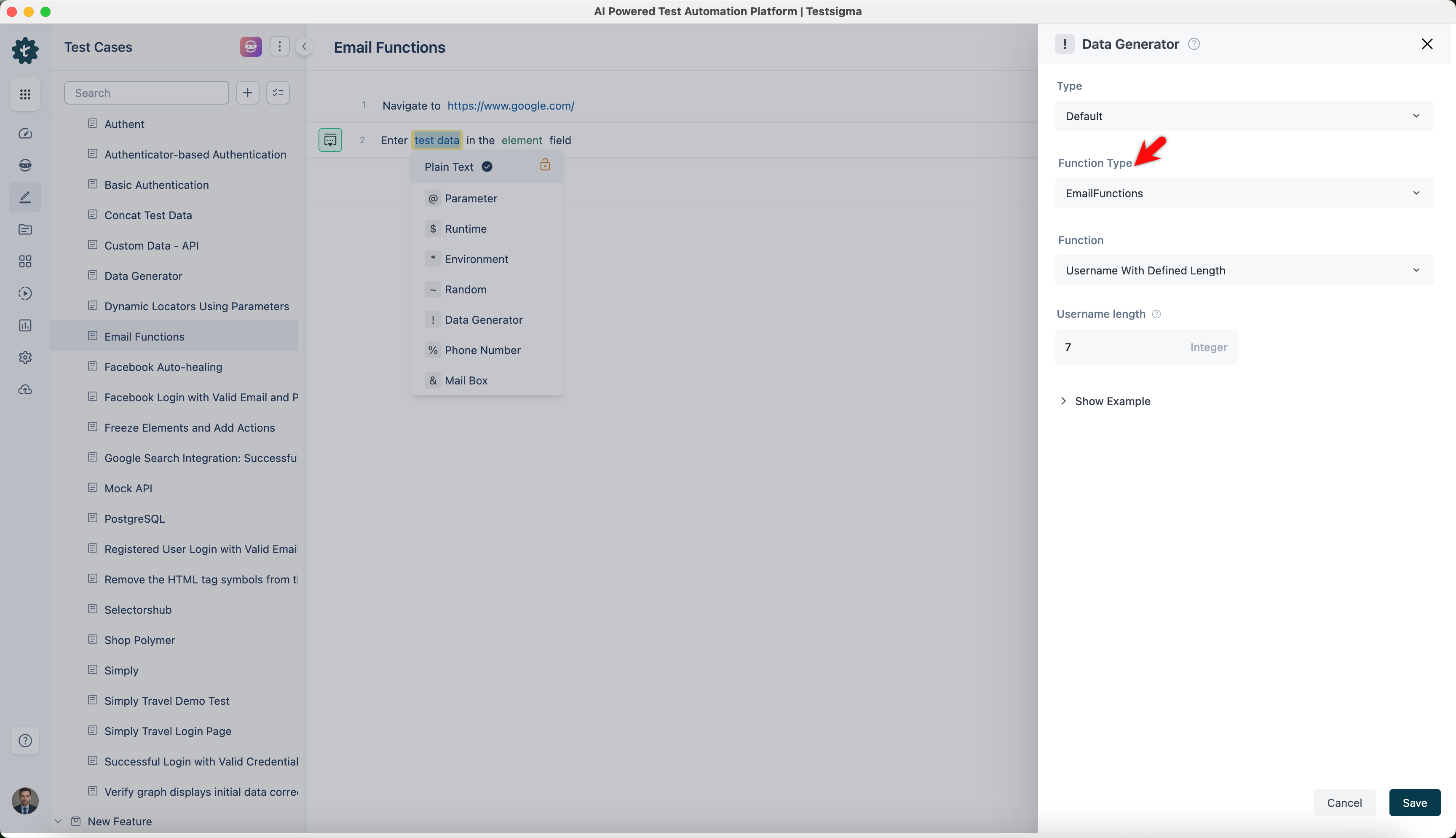
Username
Section titled “Username”- Allows you to generate a username with a specified length. This is useful for creating usernames for registration forms or login systems.
ℹ️Example:
| Input | Output |
|---|---|
| username length: 10 | johnsmith1 |
| username length: 6 | sarah5 |
| username length: 10 | sarahglenn |
| username length: 6 | robert |
Random Apha Numeric Email
Section titled “Random Apha Numeric Email”- Enables you to generate a random alphanumeric email address with a specified username length. This is ideal for generating unique email addresses for temporary registrations or testing environments.
ℹ️ Example:
| Input | Output |
|---|---|
| username length: 8 | abc12345@example.com |
| username length: 12 | xyz67890abcd@example.com |
| username length: 10 | pqrs9876@example.com |
| username length: 6 | mno345@example.com |
Random Apha Numeric Email with Domain
Section titled “Random Apha Numeric Email with Domain”- Allows you to generate a random alphanumeric email address with a specified username length and domain. This is suitable for creating email addresses with specific domains for internal systems or controlled environments.
ℹ️ Example:
| Input | Output |
|---|---|
| username length: 10 Domain: mydomain.com |
user1234ab@mydomain.com |
| username length: 8 Domain: example.org |
test5678@example.org |
| username length: 12 Domain: mail.com |
alpha890beta@mail.com |
| username length: 6 Domain: customdomain.com |
abc456@customdomain.com |
Random Email with Domain
Section titled “Random Email with Domain”- Enables you to generate a random email address with a specified username length and domain. This is useful for generating realistic email addresses for customer databases or user profiles with specified domains.
ℹ️ Example:
| Input | Output |
|---|---|
| username length: 6 Domain: sample.com |
user12@sample.com |
| username length: 8 Domain: example.com |
test4567@example.com |
| username length: 10 Domain: domain.org |
randomuser@domain.org |
| username length: 7 Domain: mail.net |
abc1234@mail.net |
Random Email
Section titled “Random Email”- Allows you to generate a random email address with a specified username length. This is useful for general purposes, ensuring uniqueness and randomness in email addresses.
ℹ️ Example:
| Input | Output |
|---|---|
| username length: 12 | randomuser@domain.com |
| username length: 10 | sampleuser@domain.com |
| username length: 8 | testuser@domain.com |
| username length: 6 | user01@domain.com |