
Elements
Locating Dynamic Elements in Date Widget
Fetch Today’s Date
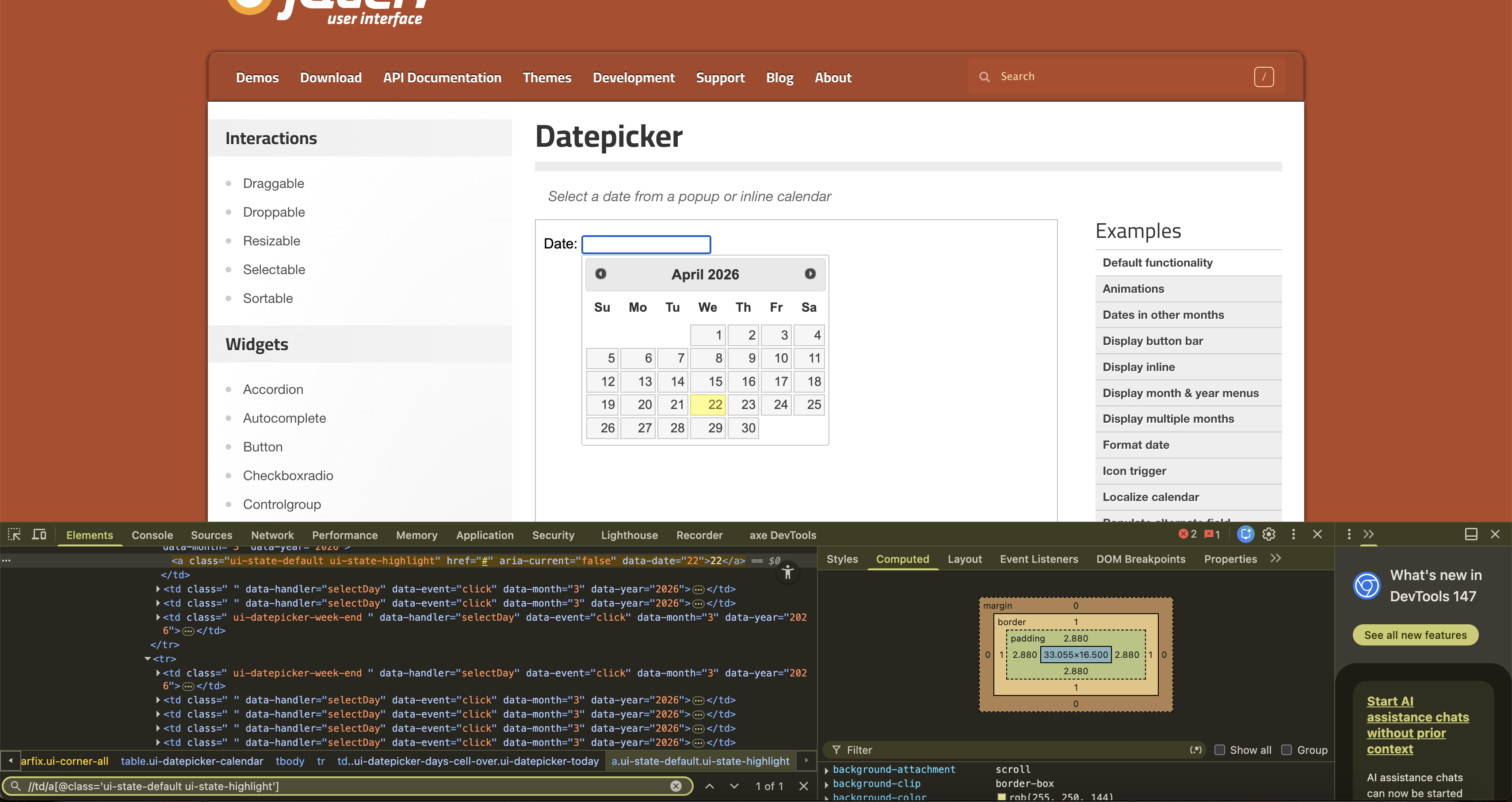
Section titled “Fetch Today’s Date”In most cases, there will be a distinct class name for today’s date html element. This will be different for different date libraries, but a pattern exists. We need to find this pattern to get the XPath for today.
In this case, we have JqueryUI’s date picker, where you can see that the class name consists of highlight. So, we can write XPath for today as:
//td/a[@class='ui-state-default ui-state-highlight']
Fetch Tomorrow’s Date
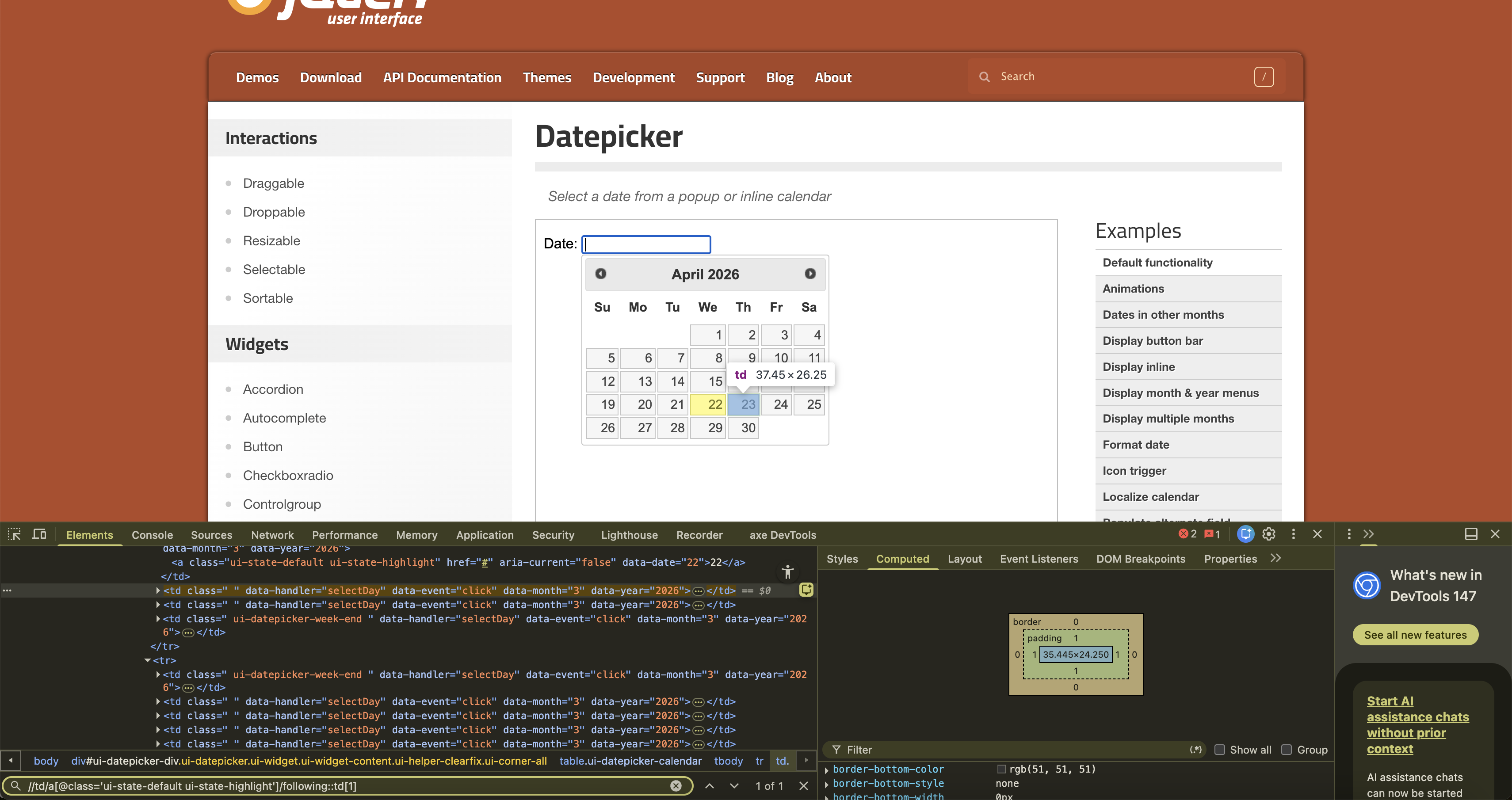
Section titled “Fetch Tomorrow’s Date”Based on the above example, we have XPath for today. For the next day, i.e., tomorrow, it would be the following ‘td’ element as shown below:
//td/a[@class='ui-state-default ui-state-highlight']/following::td[1]
Fetch ‘Today + 7 days’ Date
Section titled “Fetch ‘Today + 7 days’ Date”Based on the above example, we have XPath for today and tomorrow. For the 7th day, i.e., seven days from today, it would be the following td element with postion=7 as shown below:
//td/a[@class='ui-state-default ui-state-highlight']/following::td[7]