
Skip to content
Testsigma DOCS

Windows Lite

Creating a Windows Project & Application


Creating a Windows (Lite) application in Testsigma is simple!

Go to one of your existing projects and create a new Windows (Lite) application, or create a new project and add a Windows (Lite) application to it. This article discusses creating a project and adding a Windows (Lite) application to the project in Testsigma.

For more information, refer to the documentation on creating projects and documentation on creating applications.


Steps to Create a Windows (Lite) Project and Application

Section titled “Steps to Create a Windows (Lite) Project and Application”
  1. Navigate to Project on the left-nav bar, and click New Project.
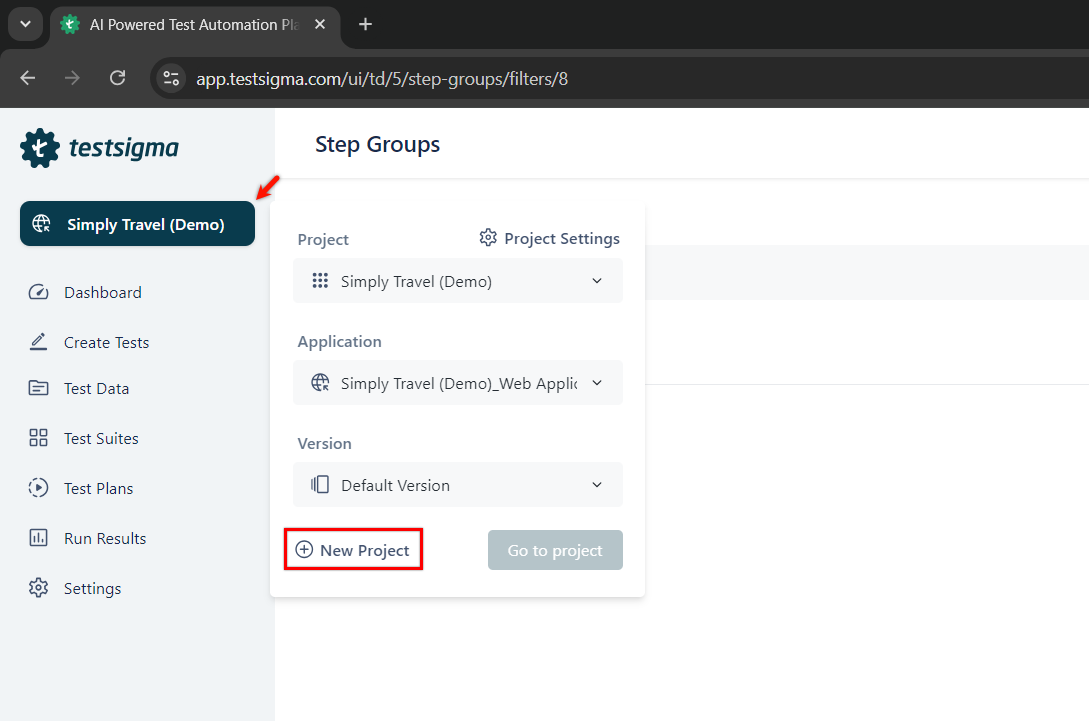
    Project

  2. On the New project page,

    • Enter Project name and choose Windows (Lite) from the Application type dropdown.
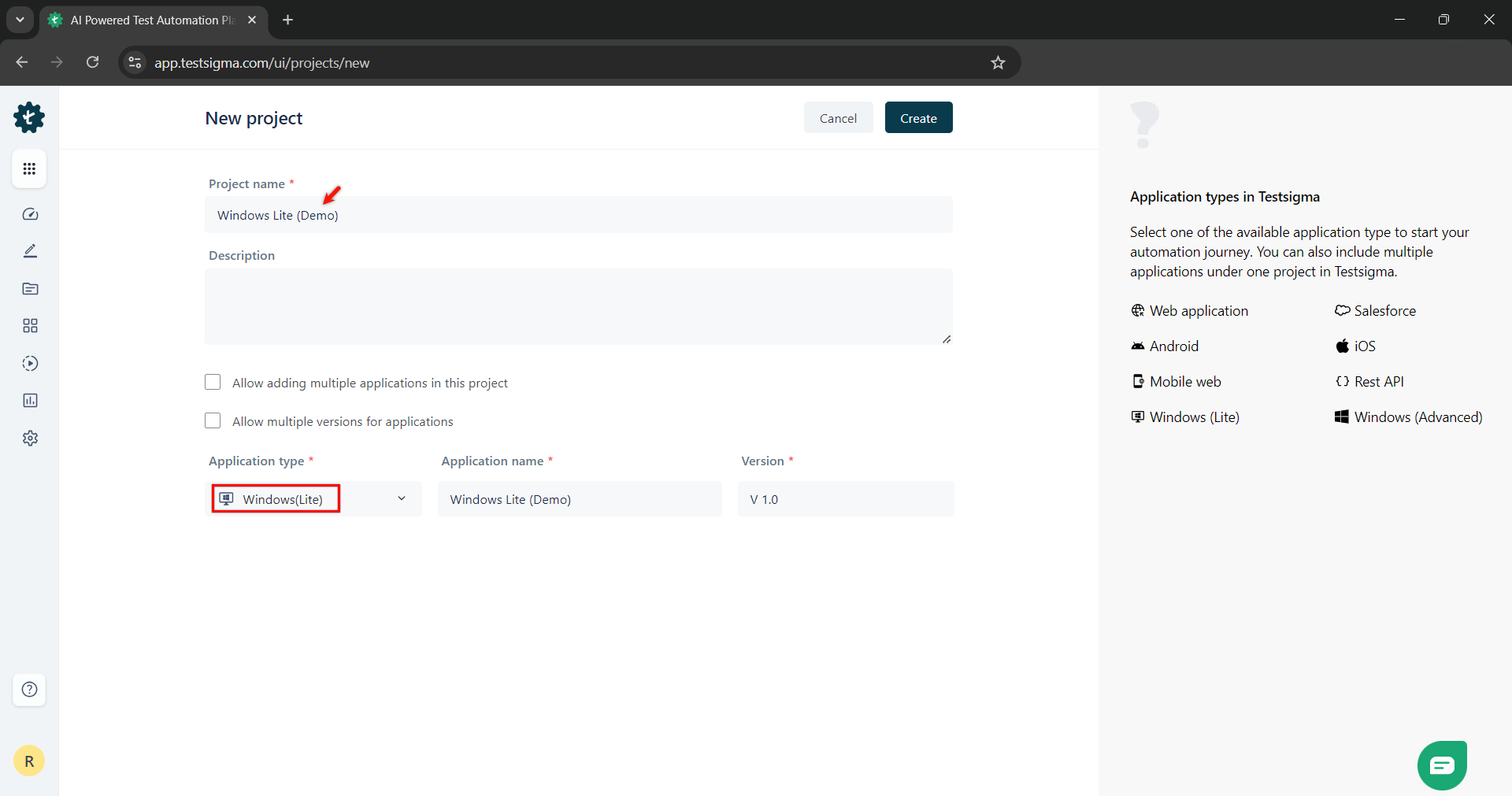
      Project Name

    • Enter Application name, Version and click Create.
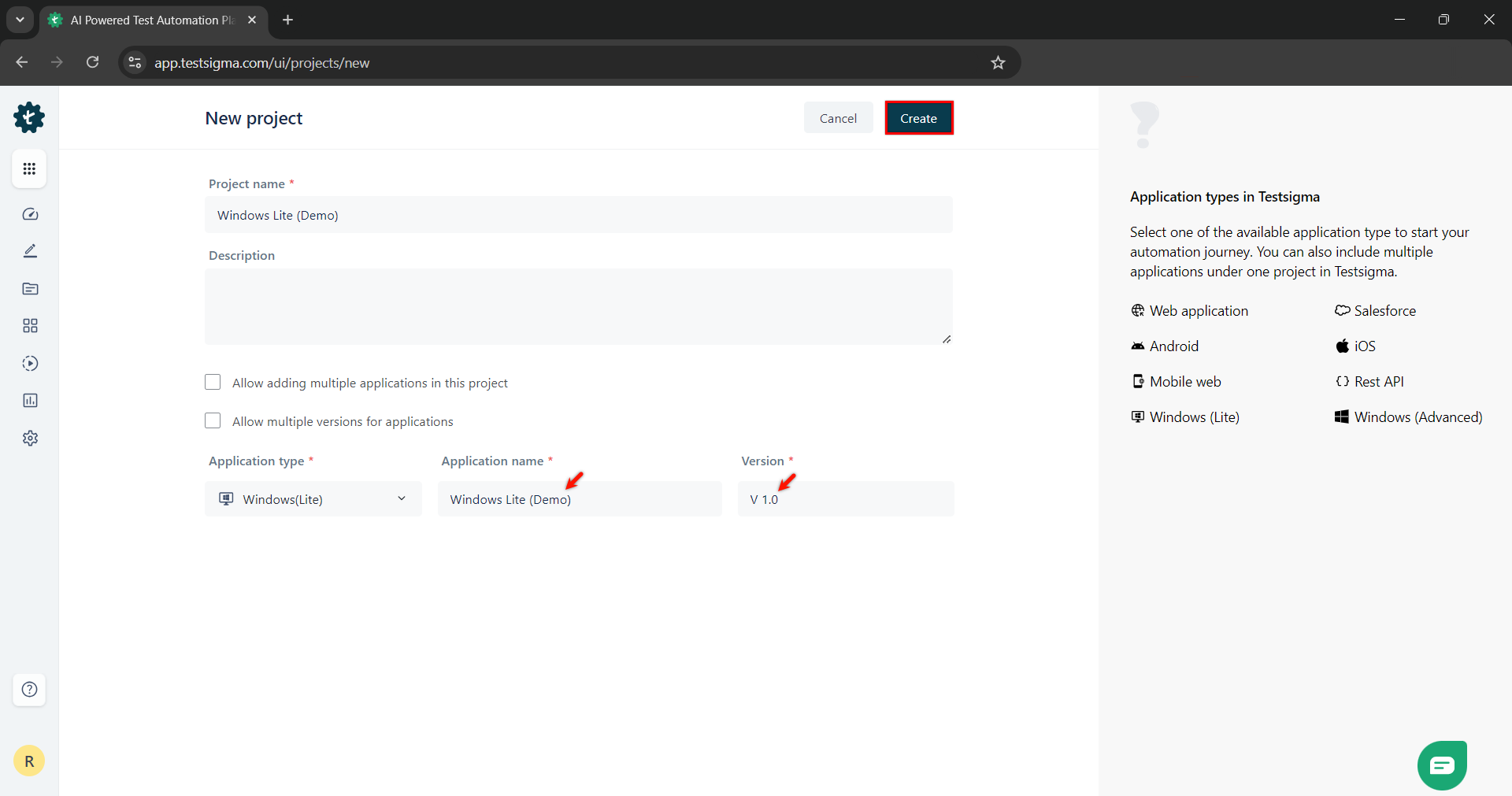
      Create Project