
Test Data
PhoneNumberFunctions Function Type
Prerequisites
Before you begin, ensure that you have referred to:
Selecting PhoneNumberFunctions as a Function Type for Data Generator
Section titled “Selecting PhoneNumberFunctions as a Function Type for Data Generator”-
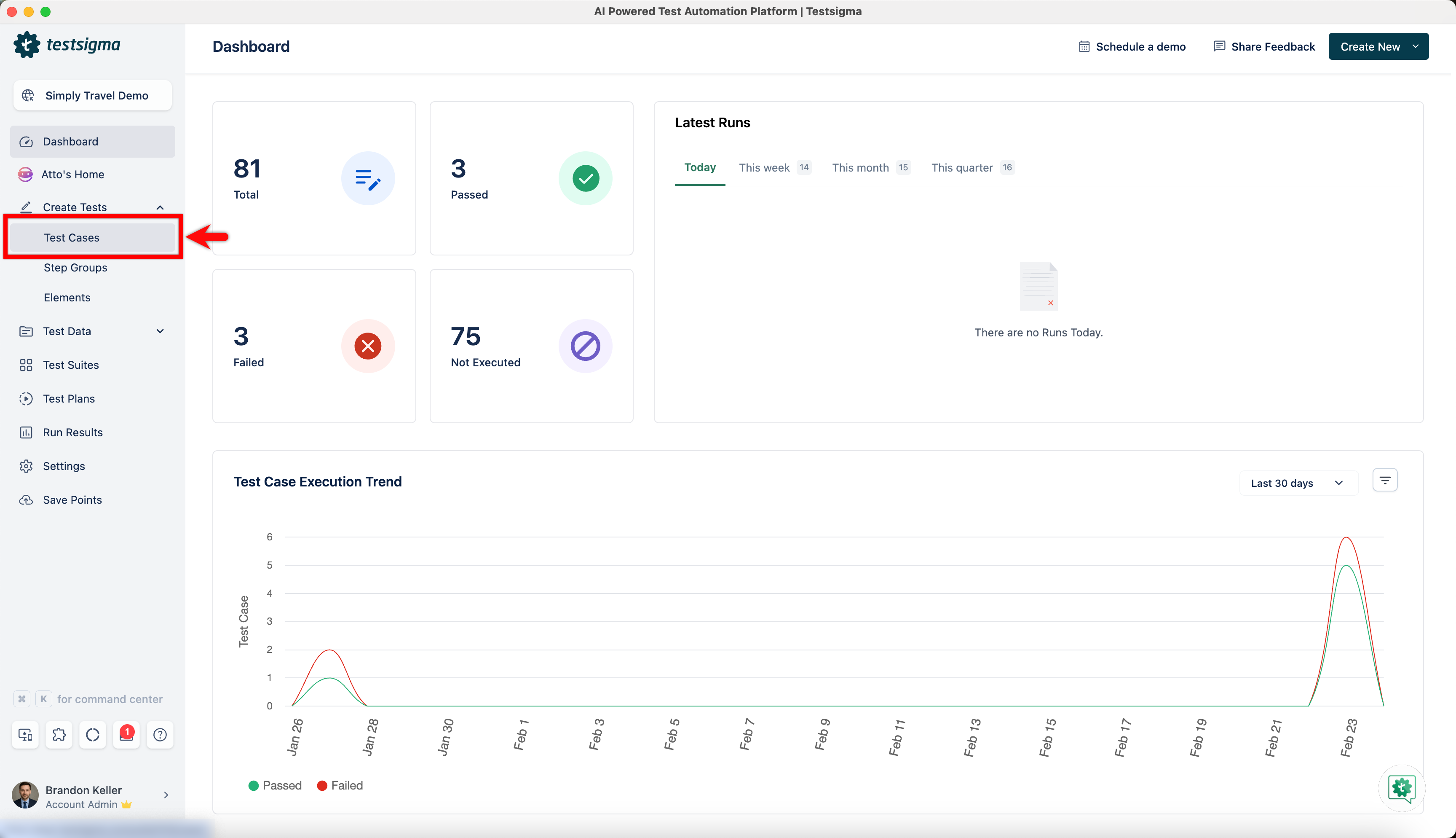
From the left navigation bar, go to Create Tests > Test Cases and create a new test case.
-
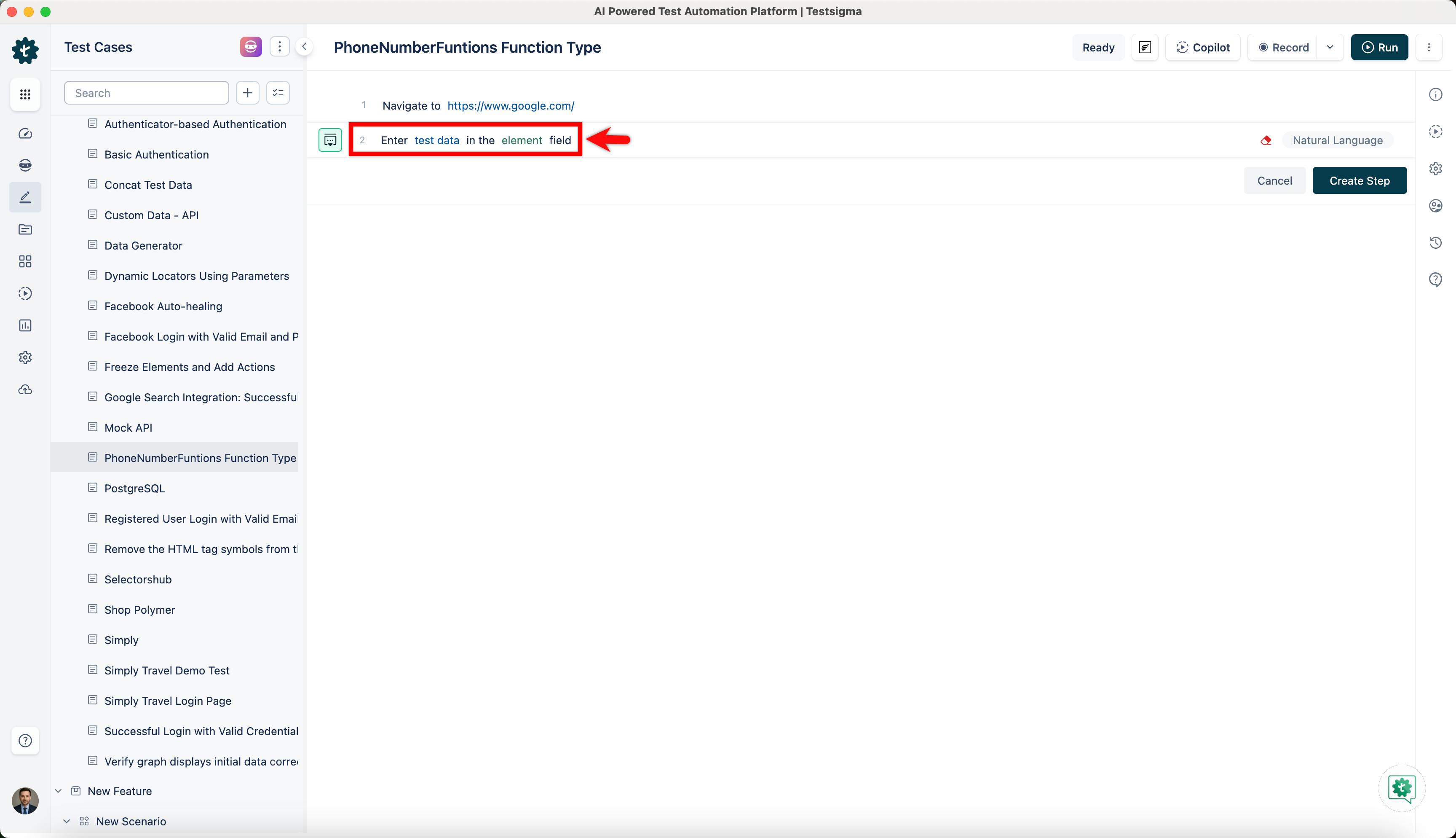
Use NLP to create a new step in the test case and include a placeholder for test data.
-
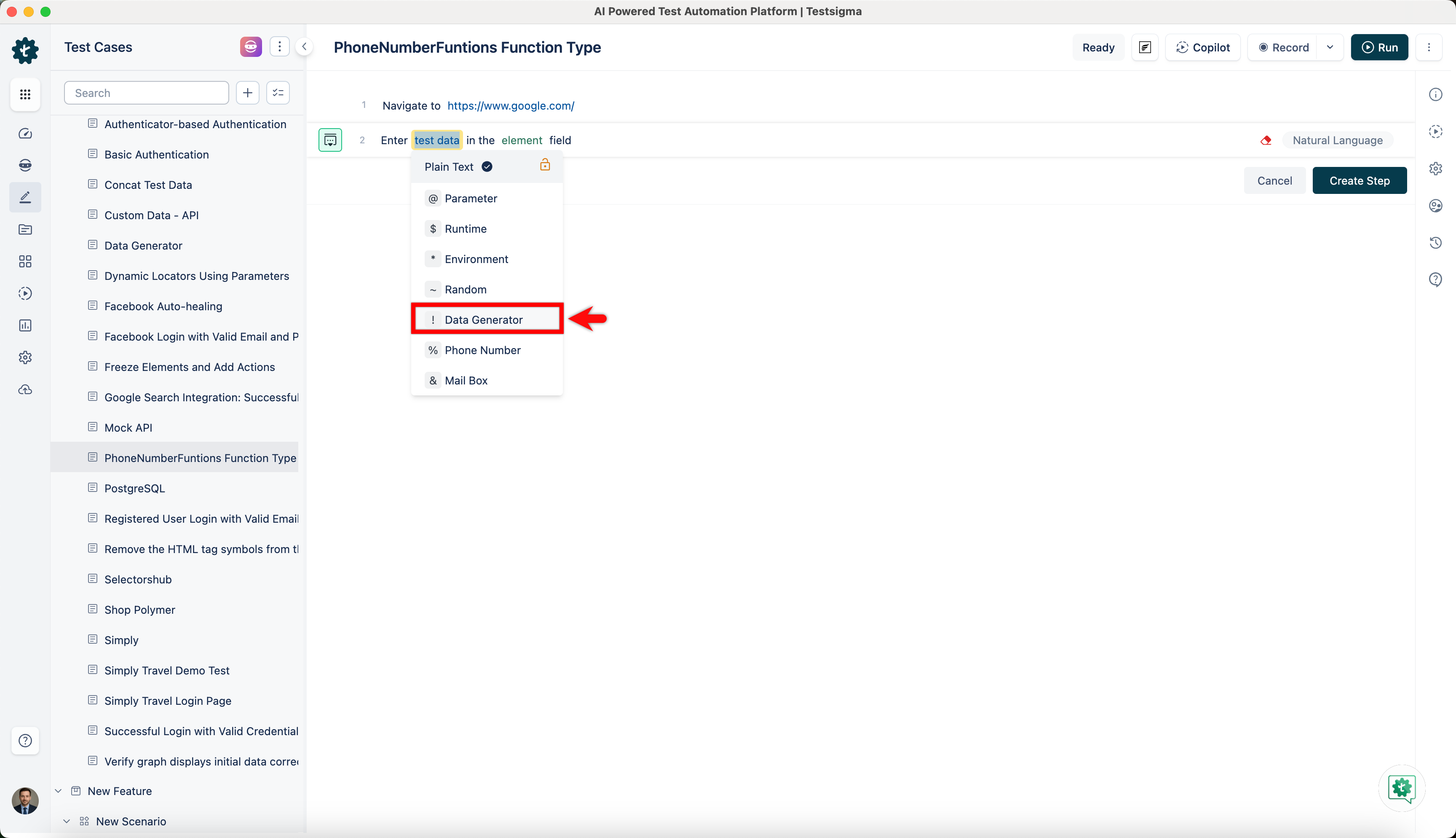
Click on the test data placeholder. From the Test Data Types dropdown menu, select the ! Data Generator option.
-
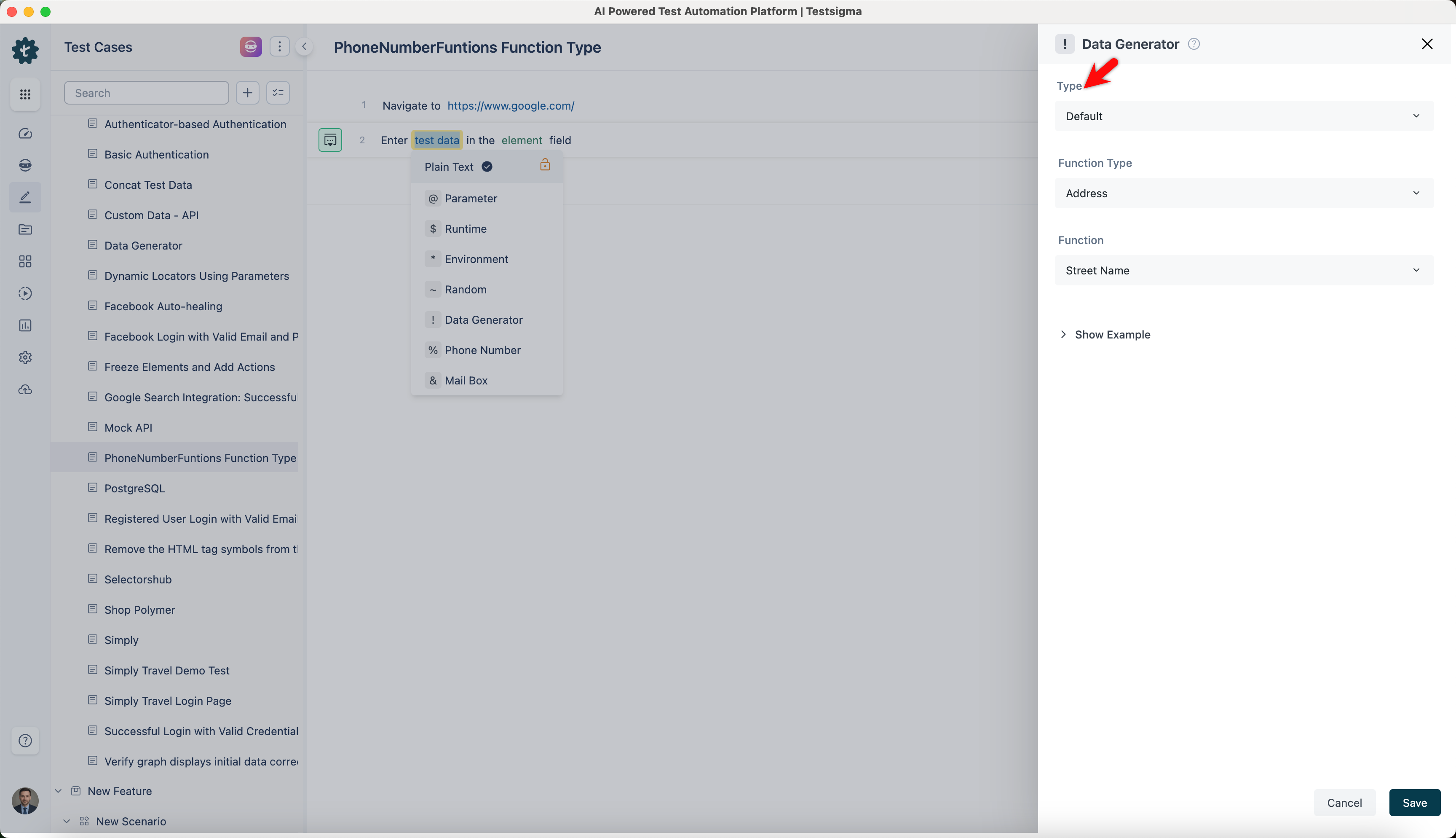
On the ! Data Generators overlay, select the Type to Default. This will enable you to use a collection of built-in test data generators.
-
Select PhoneNumberFunctions from the Function Type dropdown list.
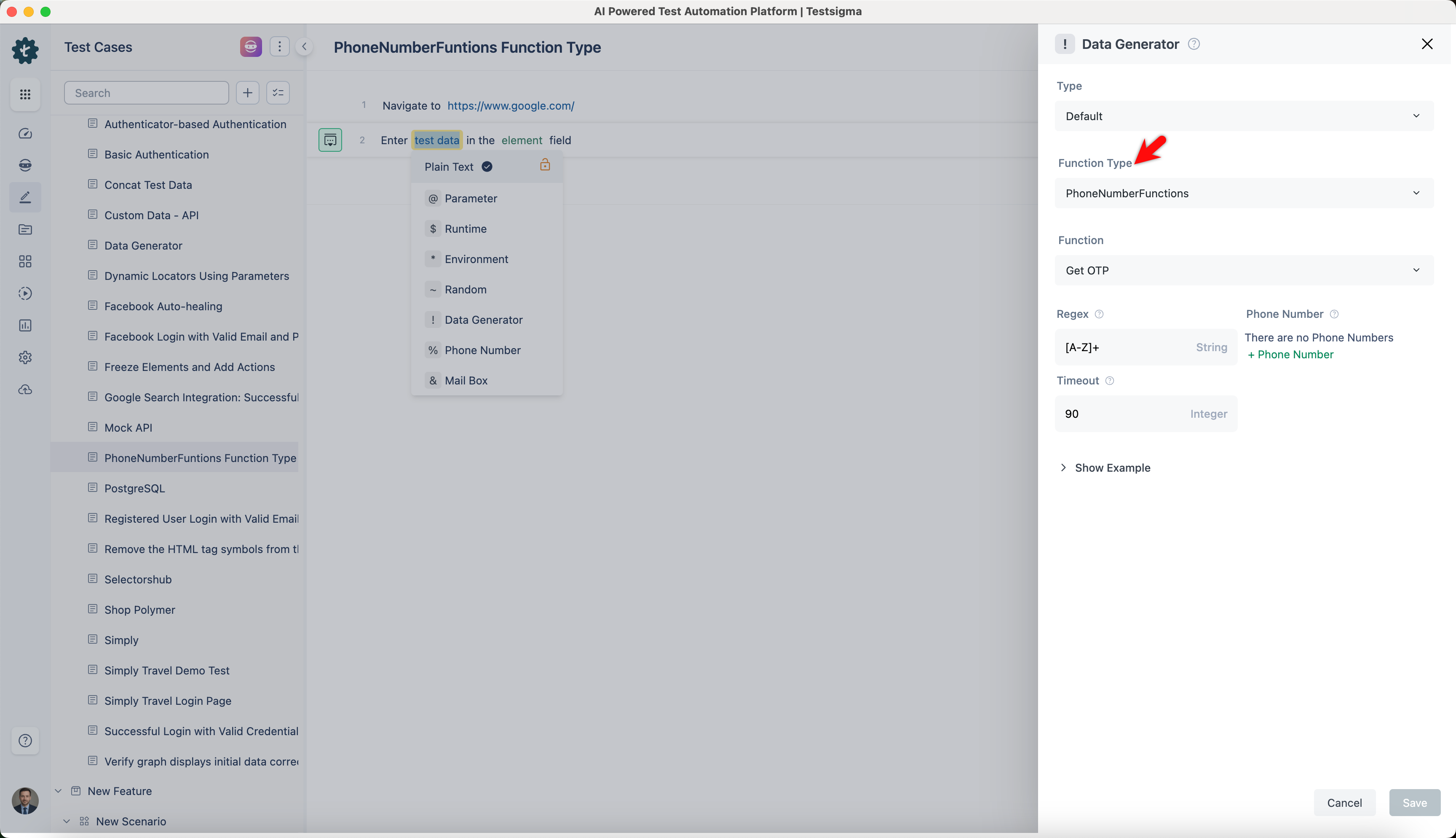
Get OTP
Section titled “Get OTP”- Enables you to get an OTP for phone numbers matching a specified regular expression within a set timeout.
- It is useful when you verify phone numbers during registration or login.
ℹ️Examples:
| Input | Output |
|---|---|
|
Regex: \d{4} Select Phone Number Timeout: 30 |
1234 |
|
Regex: \d{6} Select Phone Number Timeout: 600 |
654321 |
|
Regex: \d{4,6} Select Phone Number Timeout: 120 |
4982, 789012 |
|
Regex: \d{5} Select Phone Number Timeout: 45 |
45178 |