Projects
Manage Requirements
Prerequisites
Before you begin, ensure that you have referred to:
Create a Requirement
Section titled “Create a Requirement”-
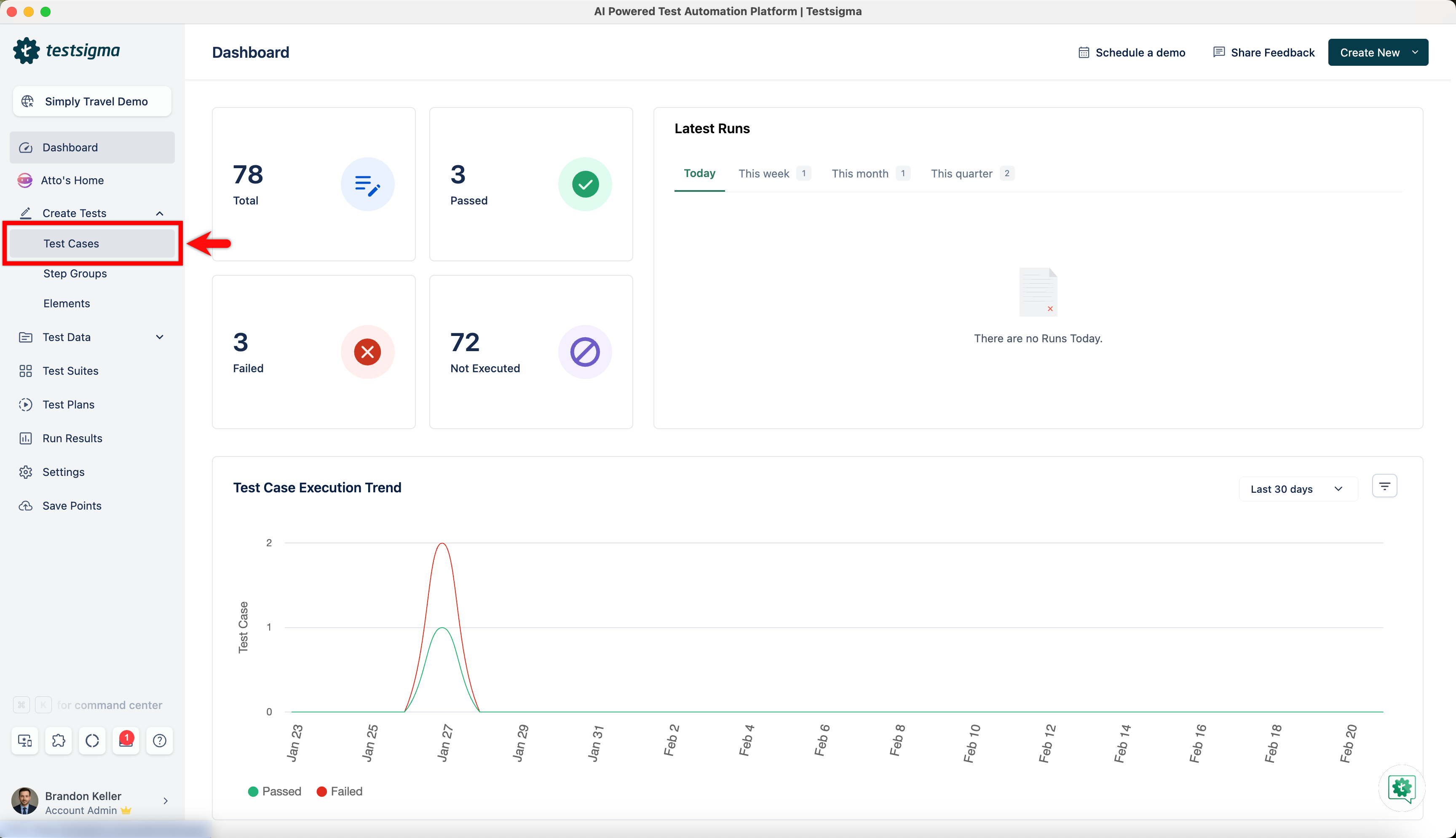
From the left navigation bar, go to Create Tests > Test Cases.
-
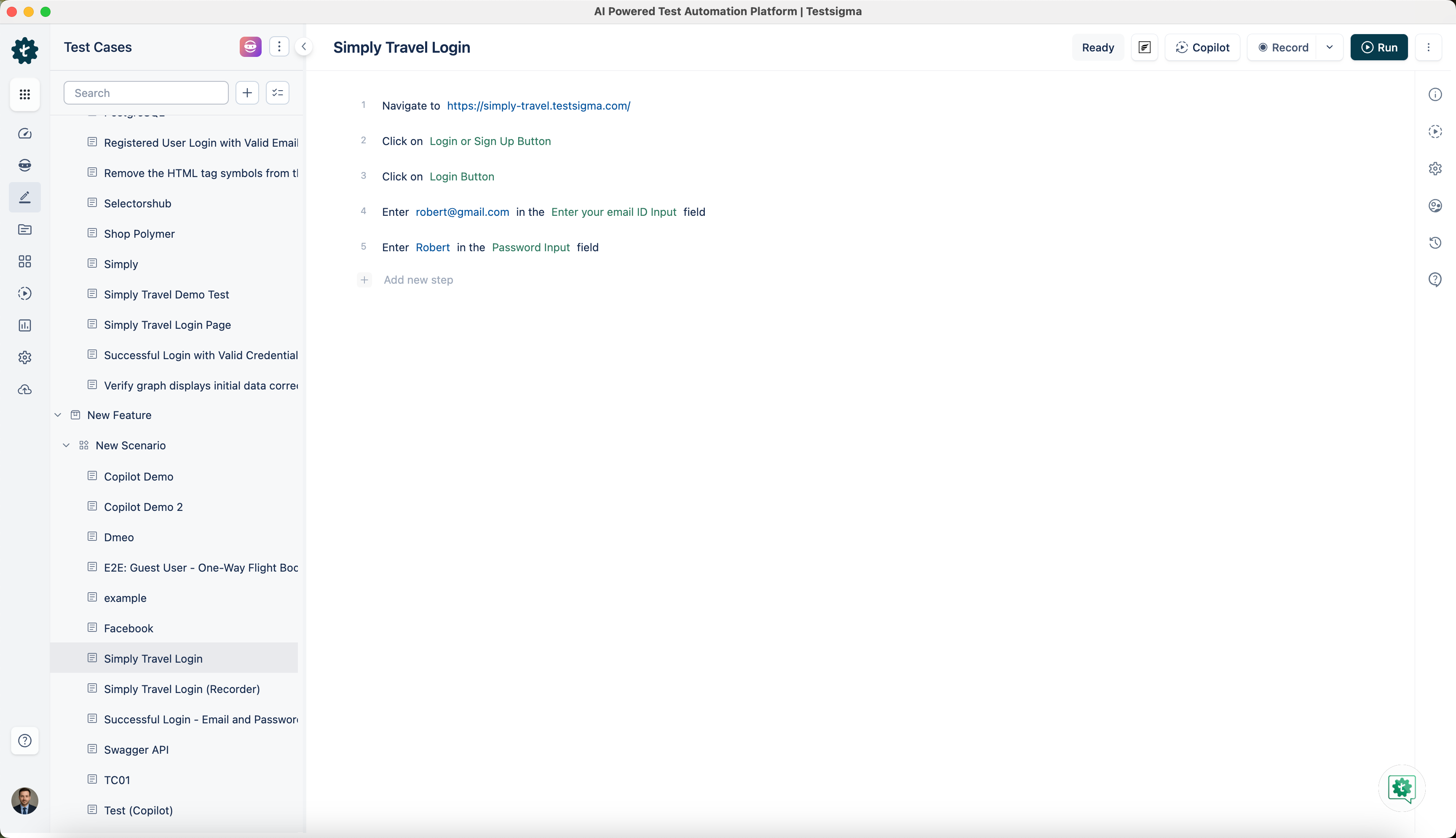
In the Test Case Explorer section, expand any Feature & Scenario and select a test case.
-
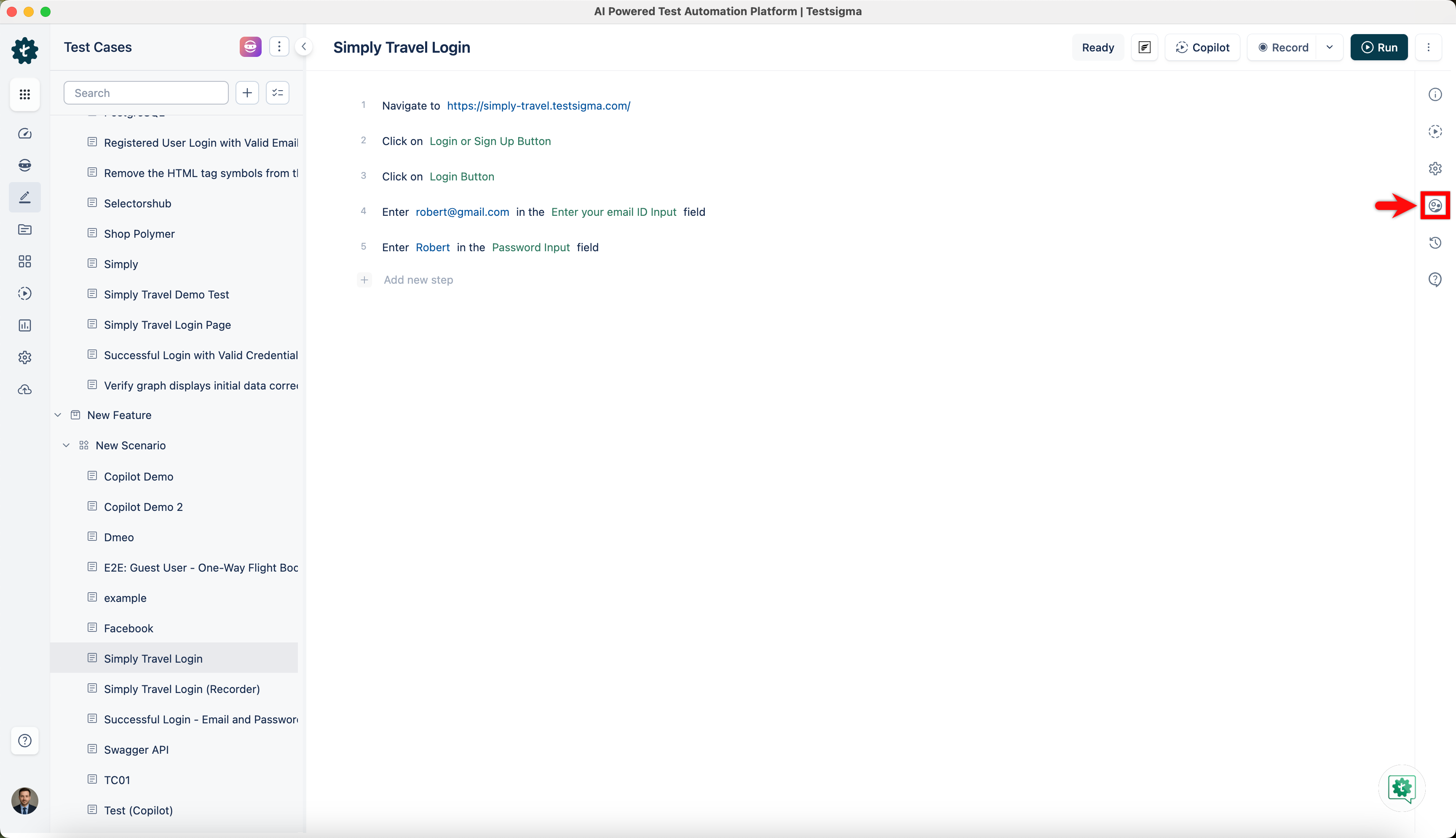
In the Utility Panel, click Manage Test Case.
-
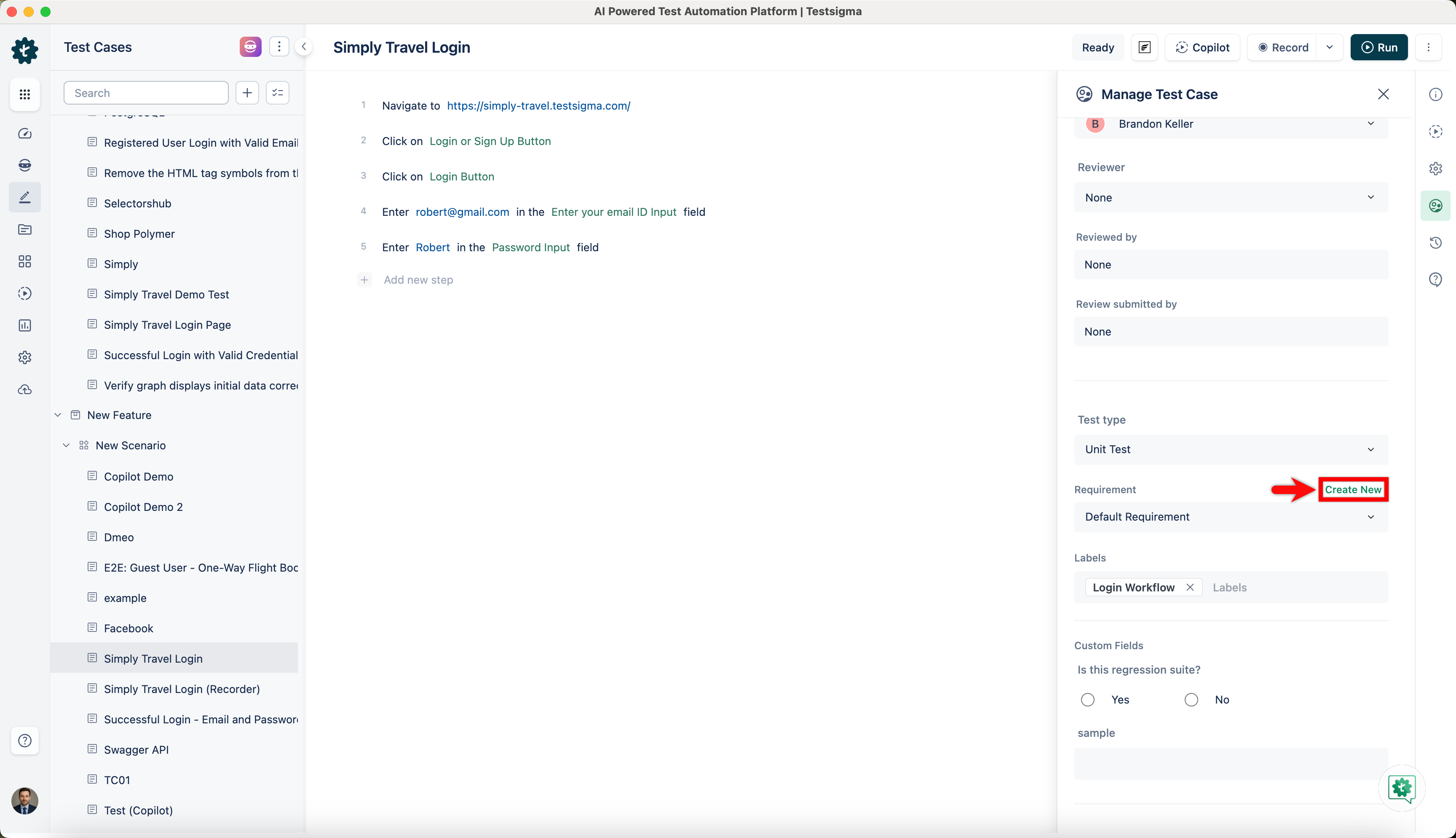
In the Manage Test Case overlay, click Create New in the Requirement field.
-
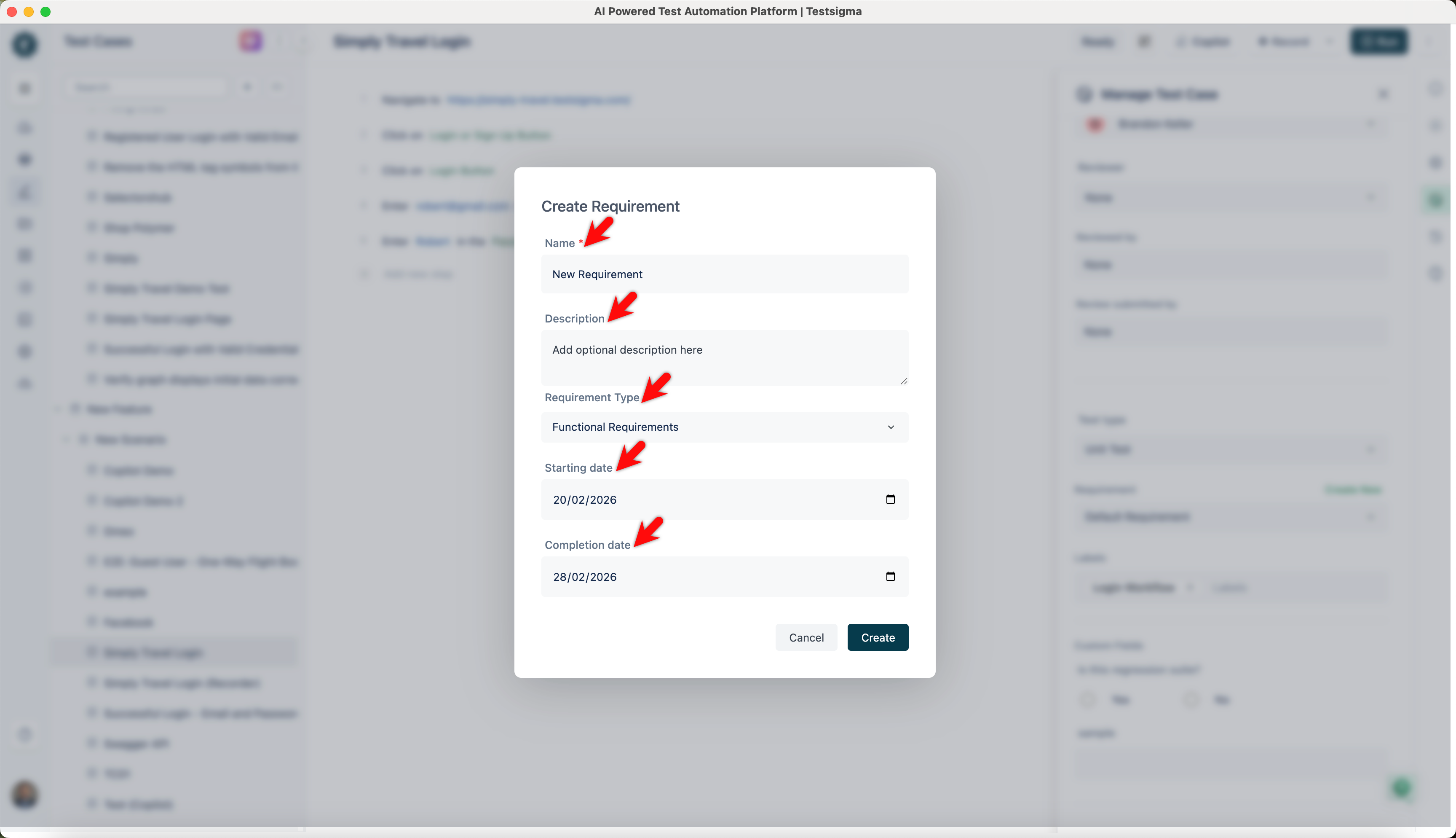
The Create Requirement dialog, add the following:
- Enter the Name and an optional Description.
- Select the Type from the dropdown menu.
- Choose the Start Date and Completion Date based on the testing requirement timeline.
-
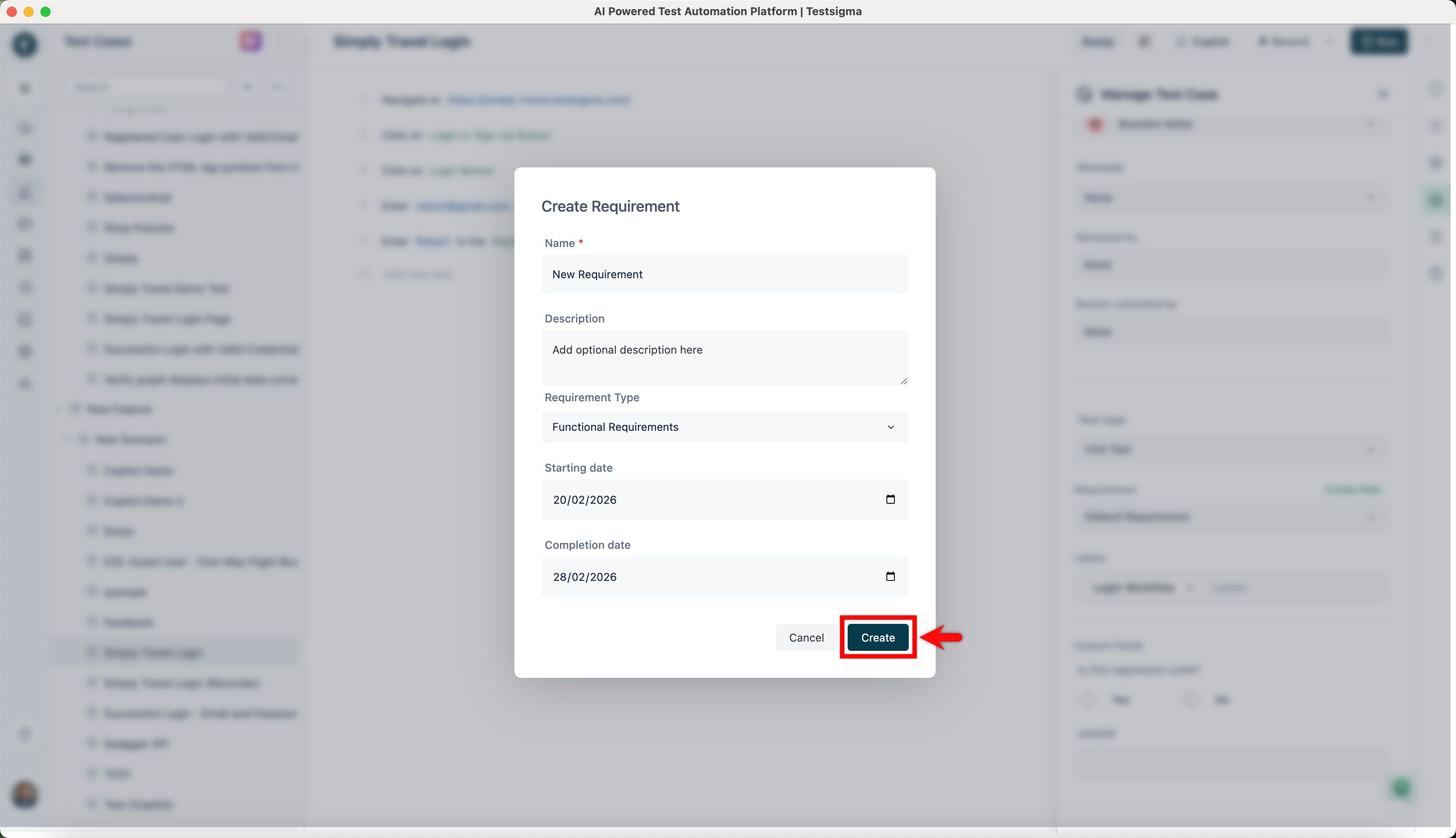
Click Create.
Edit a Requirement
Section titled “Edit a Requirement”-
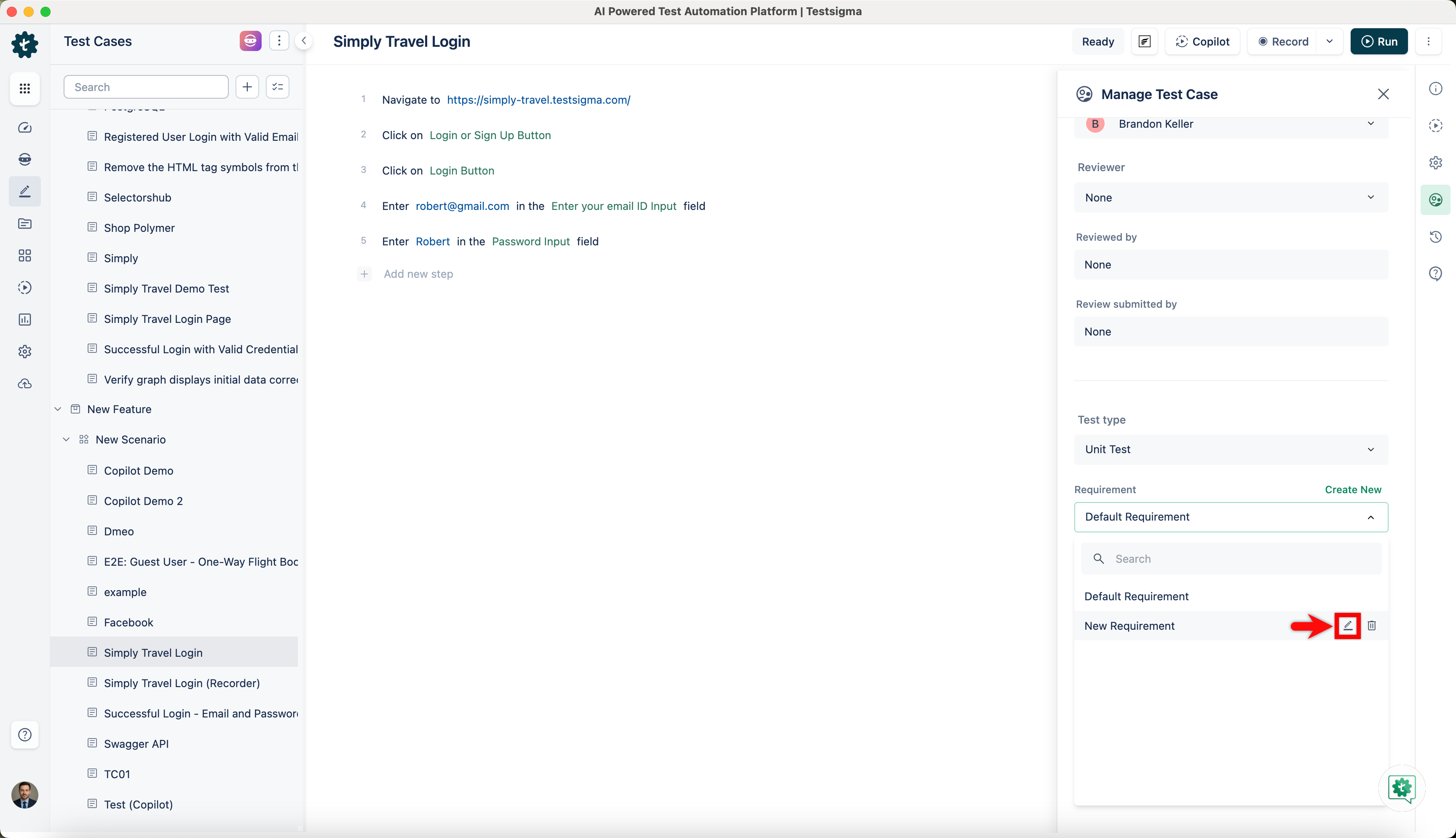
In the Manage Test Case overlay, expand the requirement field and click Edit for a requirement.
-
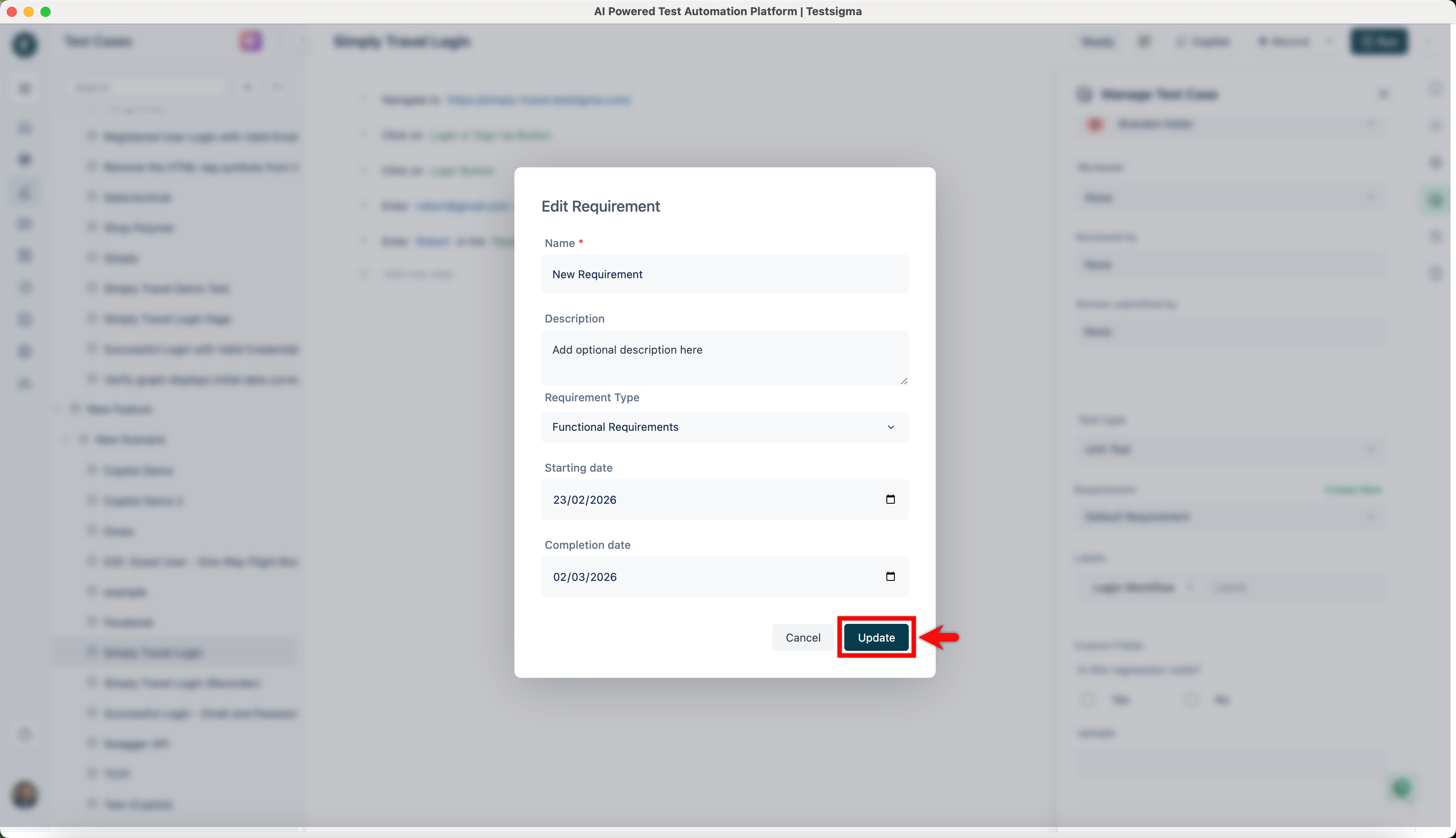
In the Edit Requirement dialog, edit the required details and click Update.
Delete a Requirement
Section titled “Delete a Requirement”-
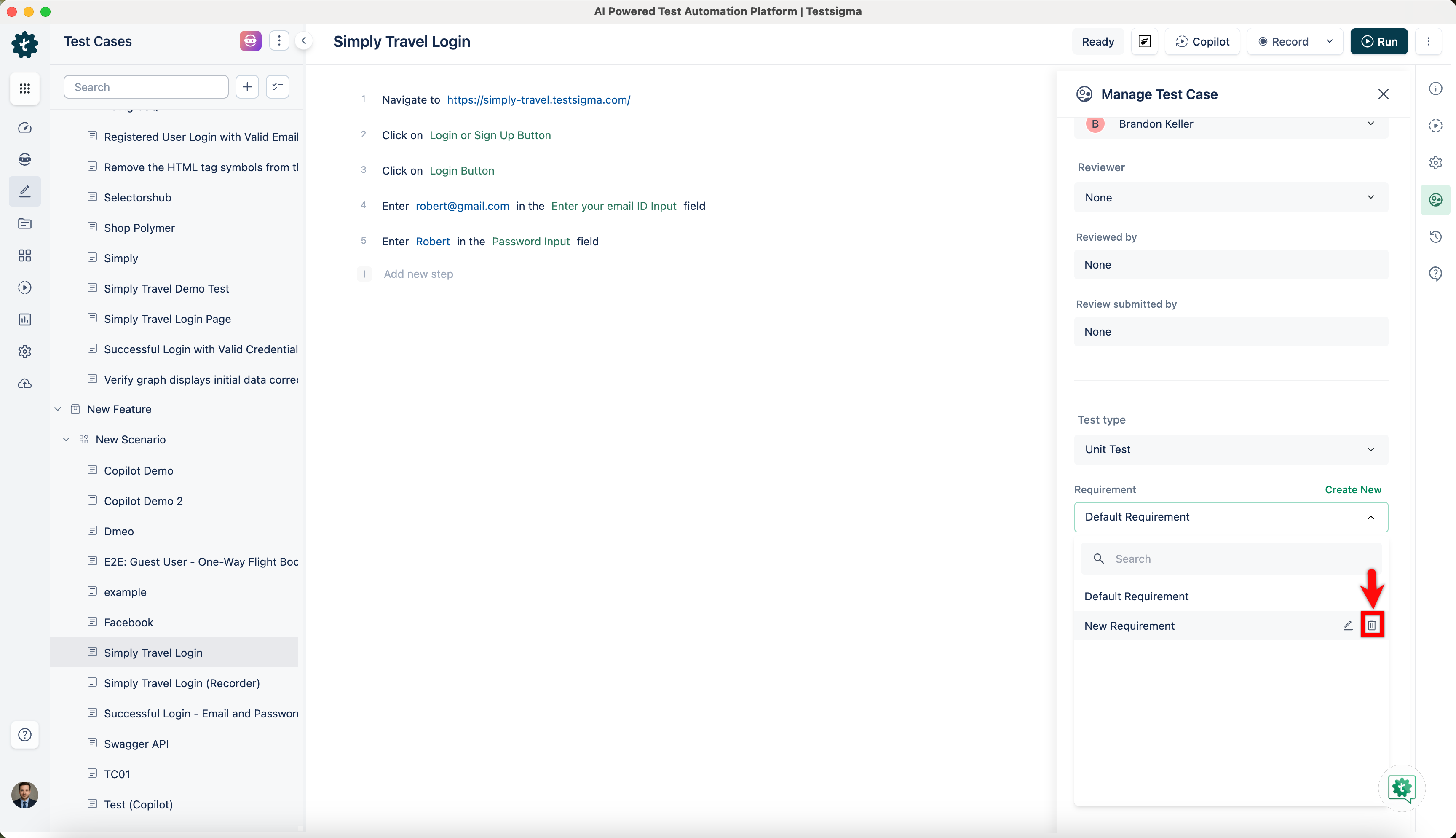
In the Manage Test Case overlay, expand the requirement field and click Delete for a requirement.
-
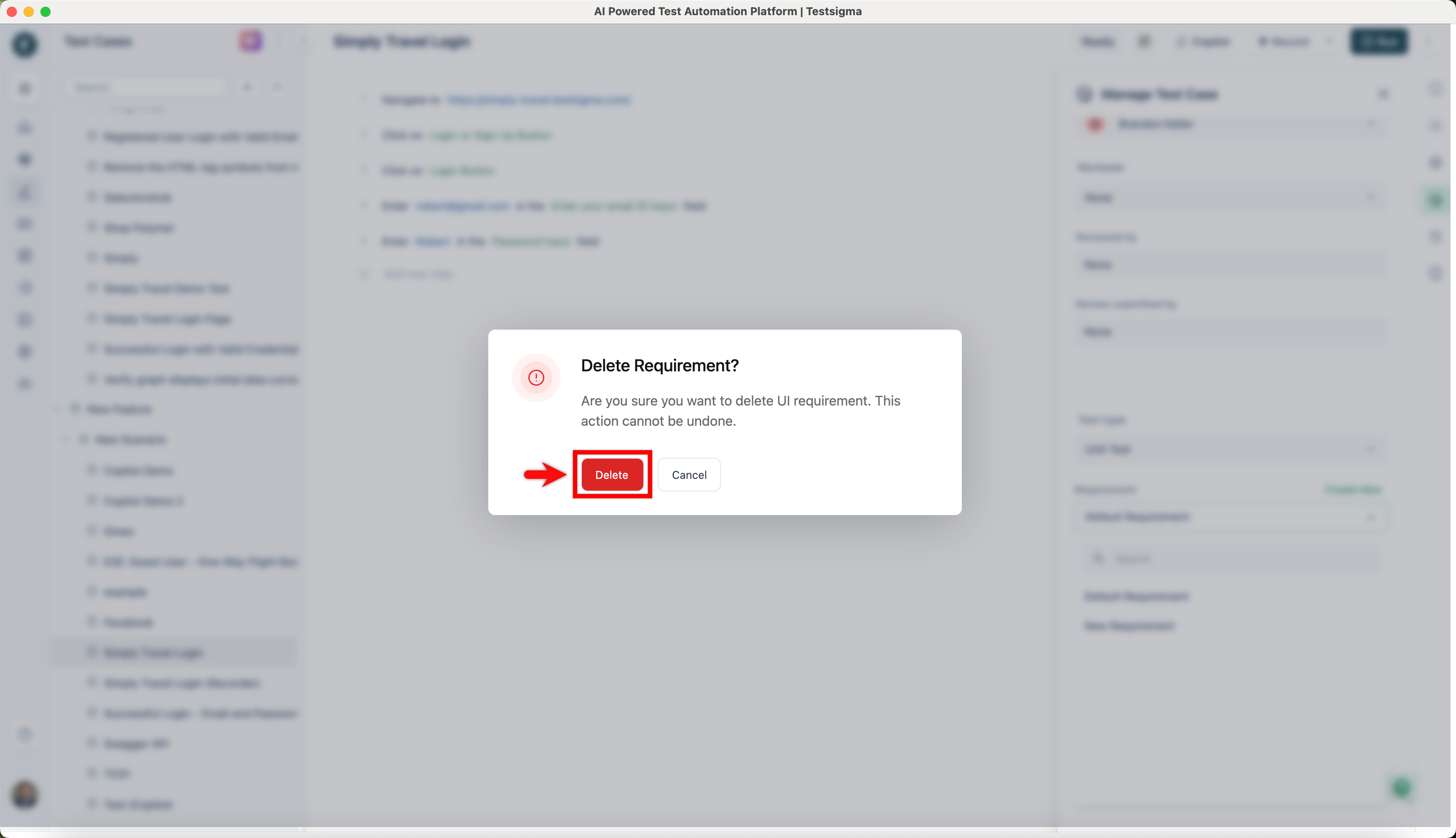
In the Delete Requirement dialog, click on Delete.