Salesforce Testing
Automating Listview Table NLPs
Prerequisites
Before you begin, ensure that you have referred to:
- Documentation on Salesforce Connected App.
- Documentation on Salesforce Metadata connected to Testsigma.
Available NLPs to Automate Listview Table
Section titled “Available NLPs to Automate Listview Table”-
From the left navigation bar, go to Create Tests > Test Cases and click on Create Test Case.
-
From the Test Case Details page, you can create the test steps using inbuilt NLPs.
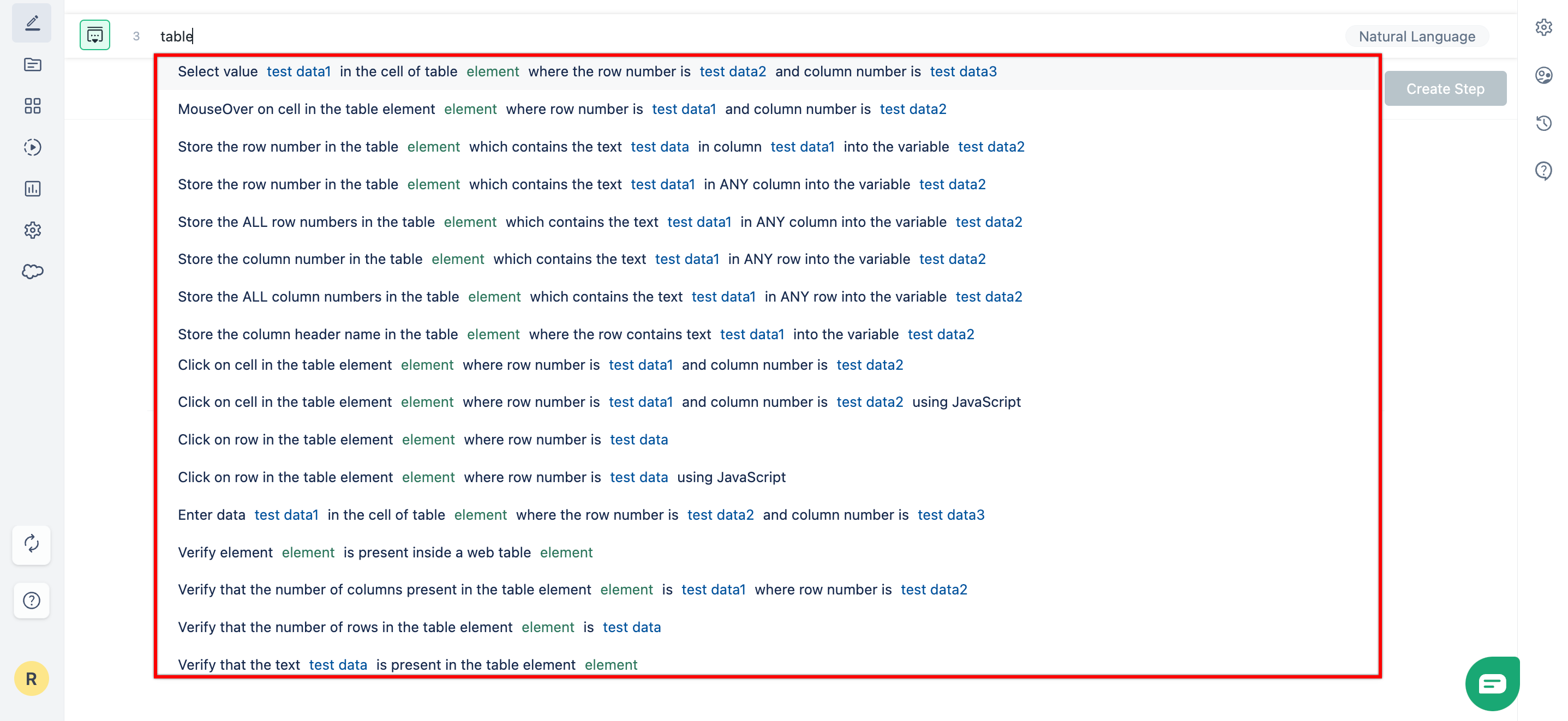
Here are the available NLPs to perform actions on Listview table in Salesforce:
Here’s a quick GIF demonstrating how to create table elements and use them in your Table NLPs.