AI Agents
Test Data Generator in Testsigma
Prerequisites
- Before you begin, enable AI Features from Settings > Preferences > Generative AI features.
Steps to Generate Test Data
Section titled “Steps to Generate Test Data”-
Navigate to Create Tests > Test Cases and select the test case for which you want to generate test data.
-
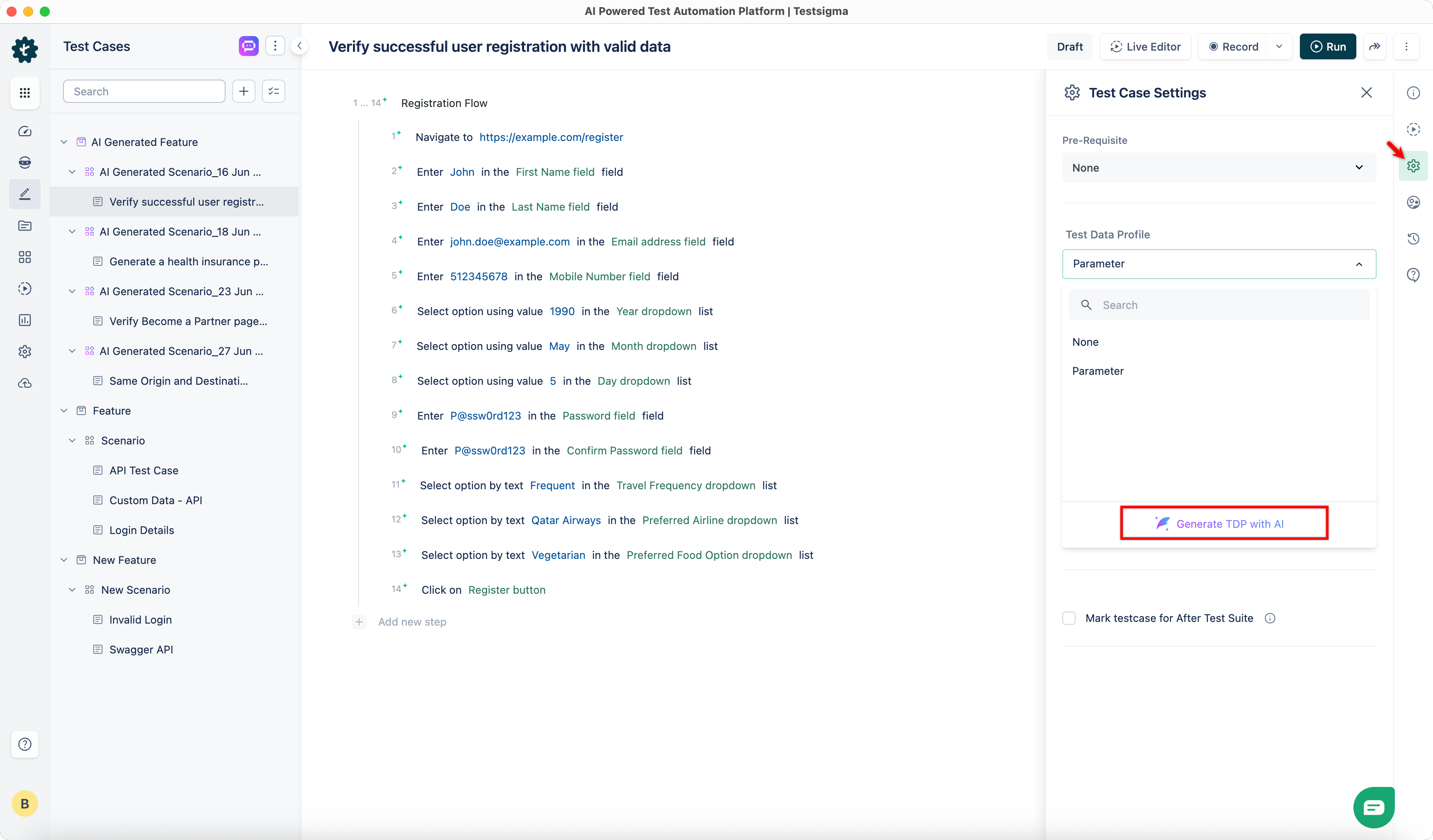
From the Test Case Details page, go to Test Case Settings in the Utility Panel.
-
Click Test Data Profile.
-
Click Generate TDP with AI.
-
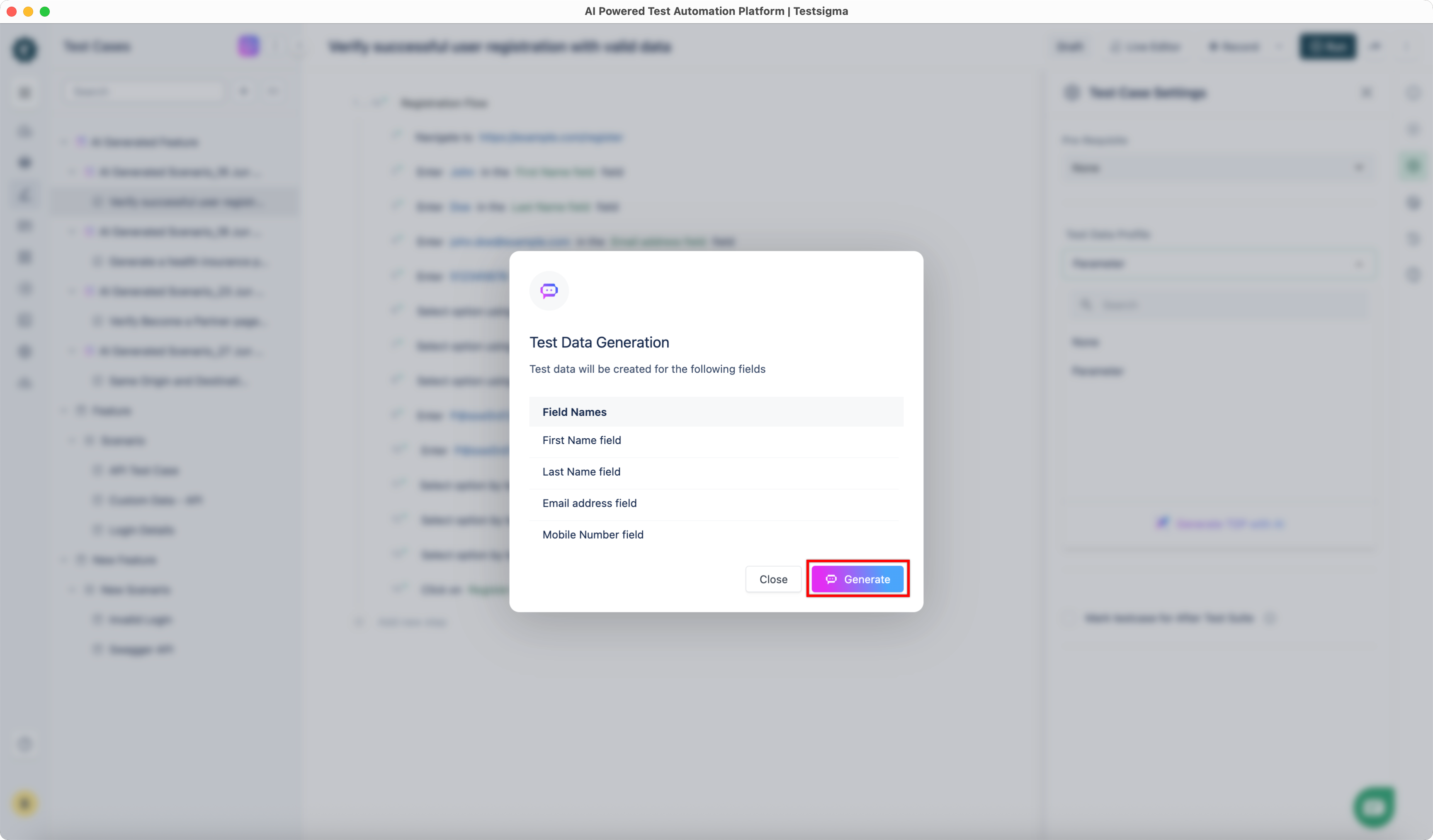
In the Test Data Generation dialog, review the fields for which you want to generate data.
-
Click Generate.
-
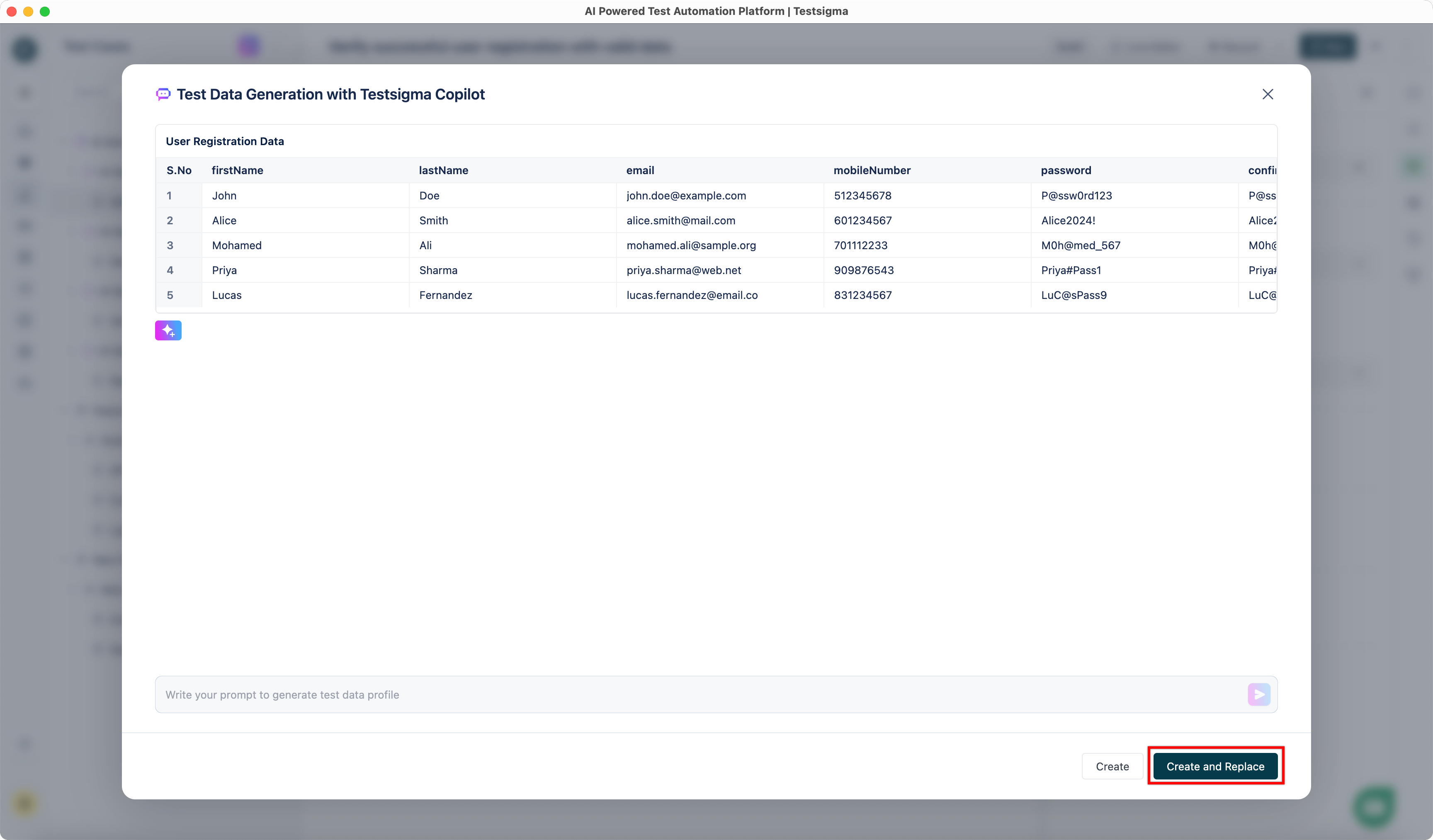
Wait for the Test Data Generator to create data for the selected fields.
-
You can click Add more rows to generate additional data.
-
You can also provide prompts to customize the data further.
For example, we successfully changed the entire dataset to reflect the Indian context with a simple prompt.
-
Once satisfied with the generated dataset, click Create and Replace.