Projects
Manage Application Versions
Prerequisites
Before you begin, ensure that you have referred to:
Create Application Version
Section titled “Create Application Version”-
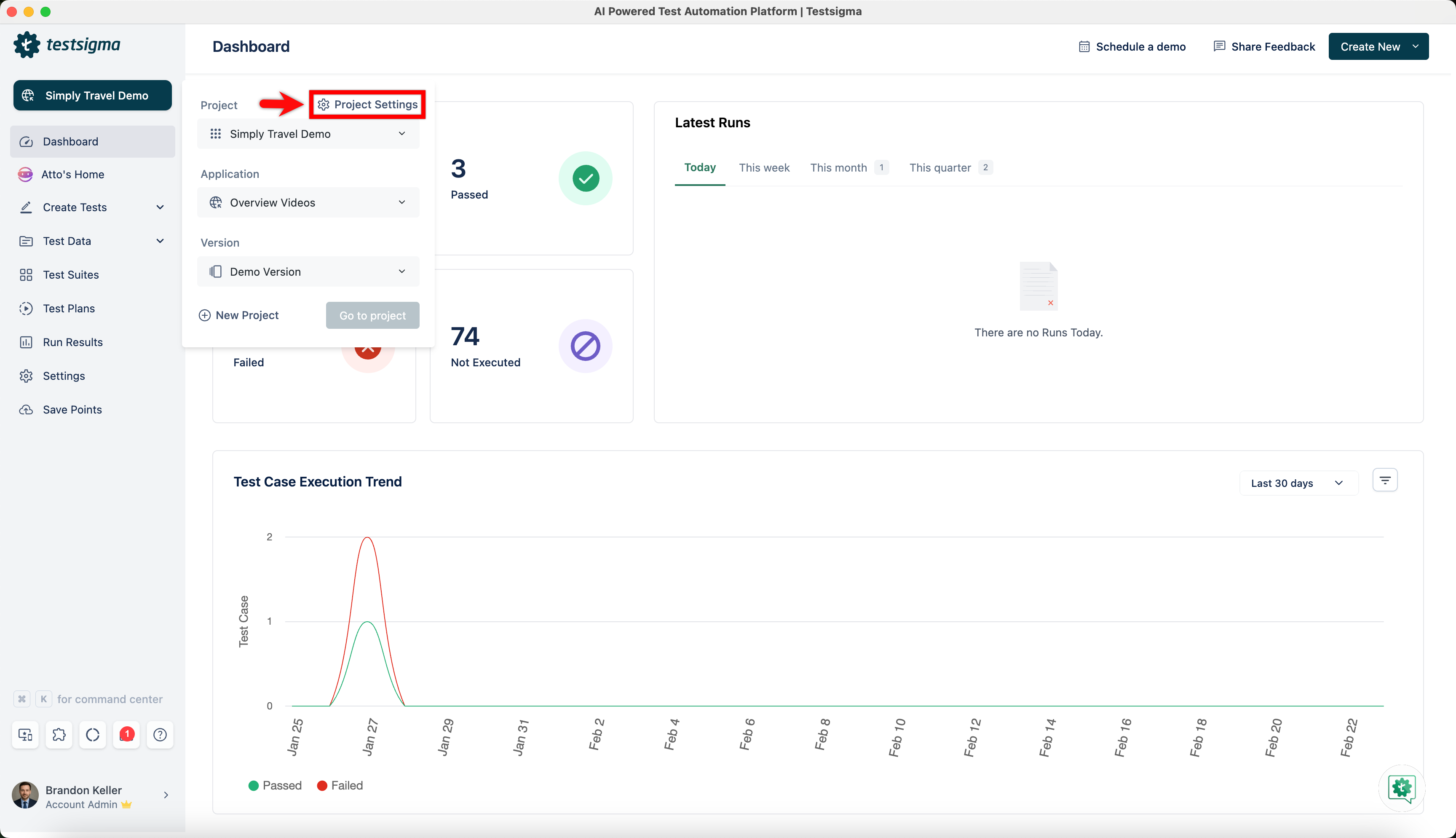
From the left navigation bar, Navigate to Project Settings.
-
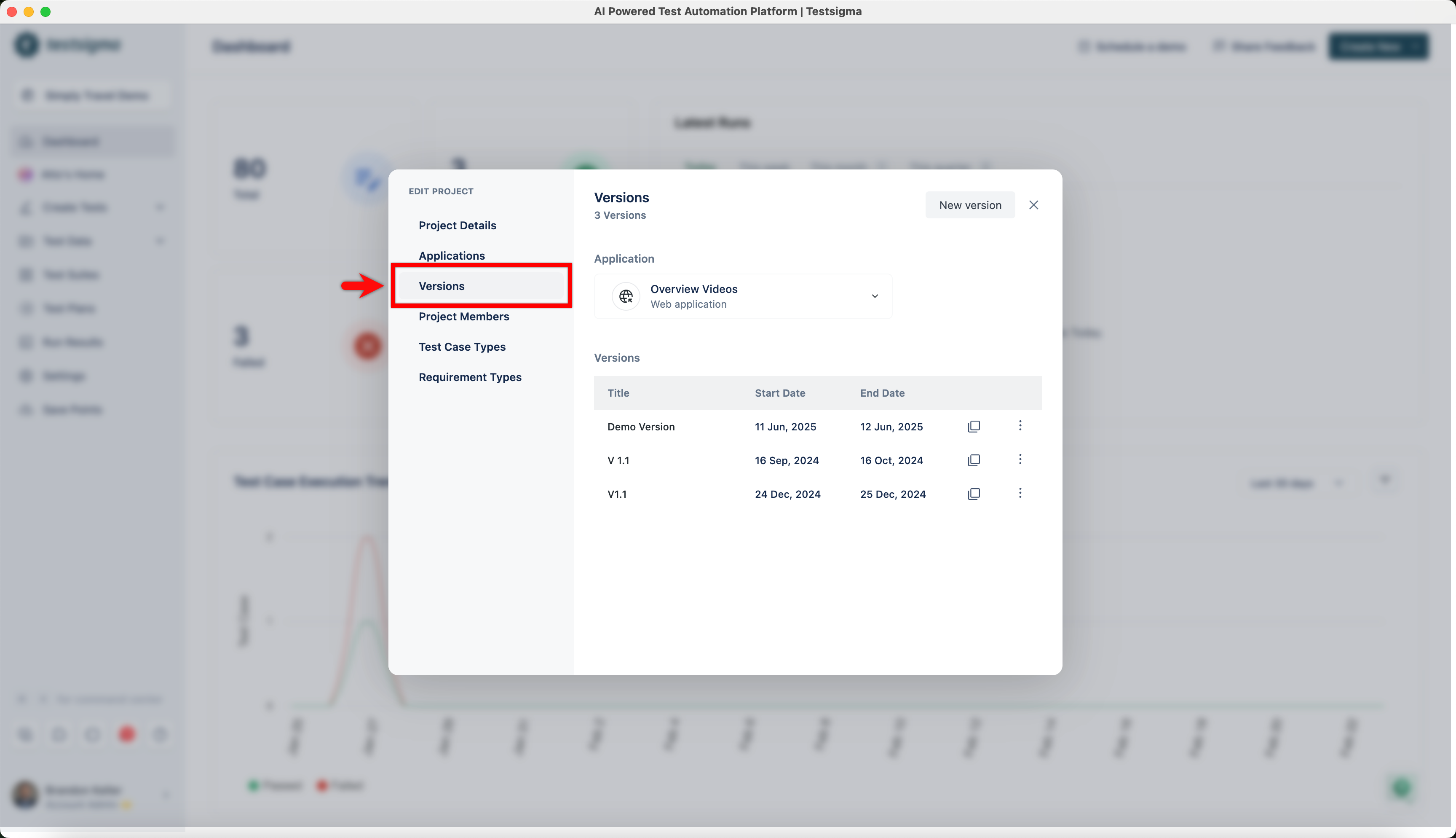
In the Edit Project dialog, click Versions in the left panel.
-
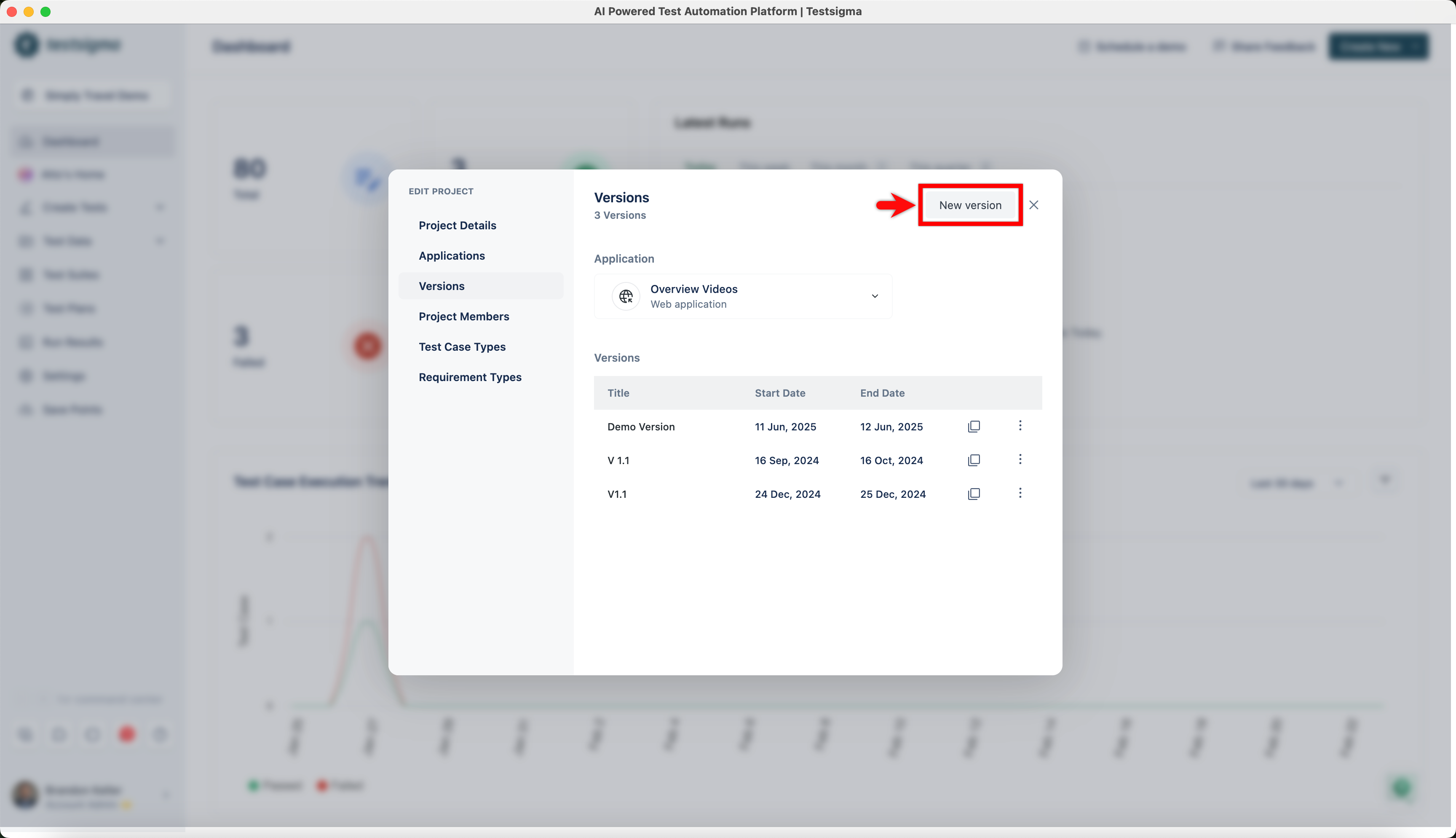
In the Versions screen, click New version.
-
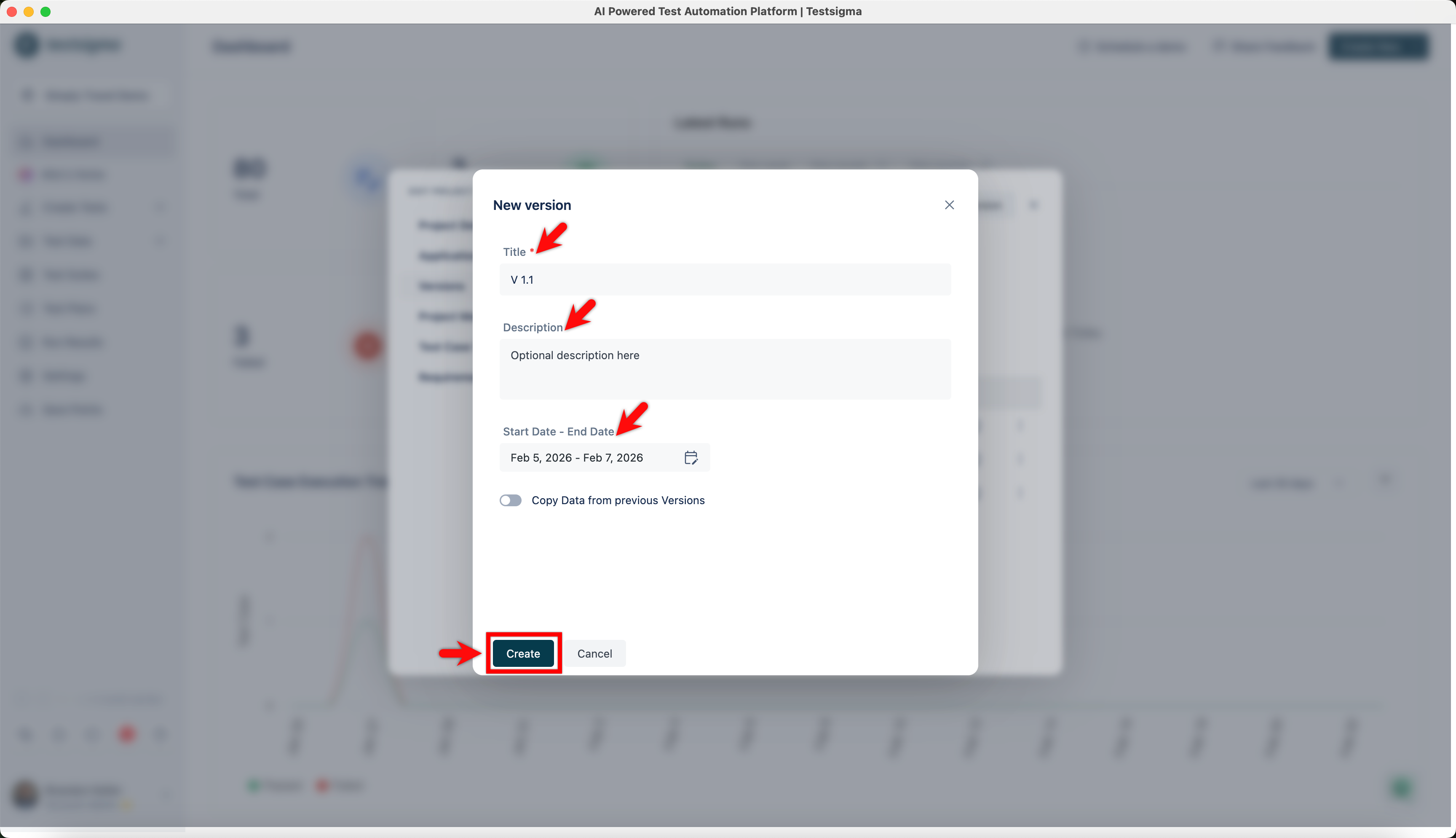
In the New Version dialog, enter Name, Description, and Start Date - End Date, and click Create.
-
A new version will be created.
Edit Application Version
Section titled “Edit Application Version”-
From the left navigation bar, Navigate to Project Settings.
-
In the Edit Project dialog, click Versions in the left panel.
-
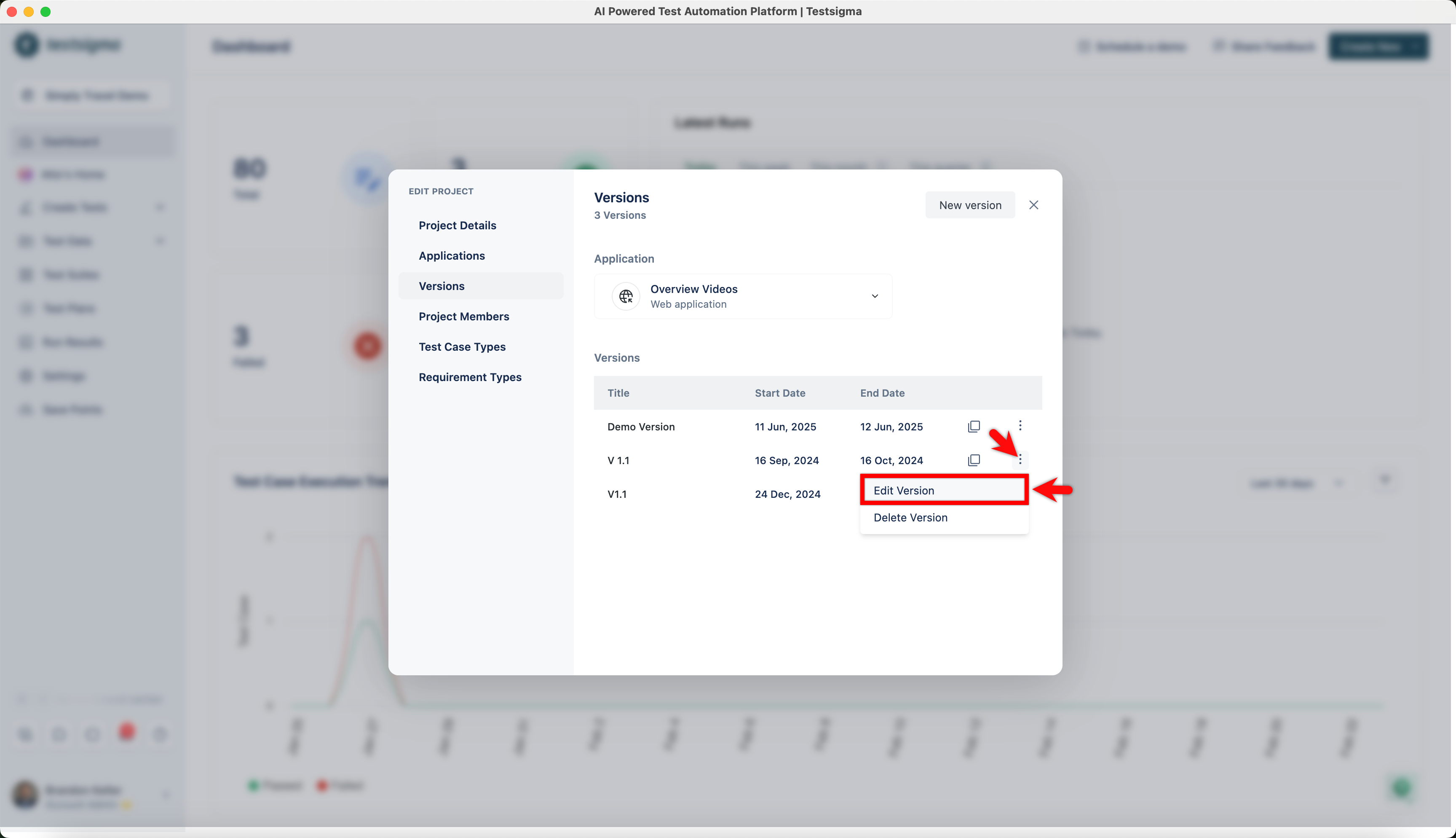
In the Versions screen, click the kebab menu next to a version and click Edit Version.
-
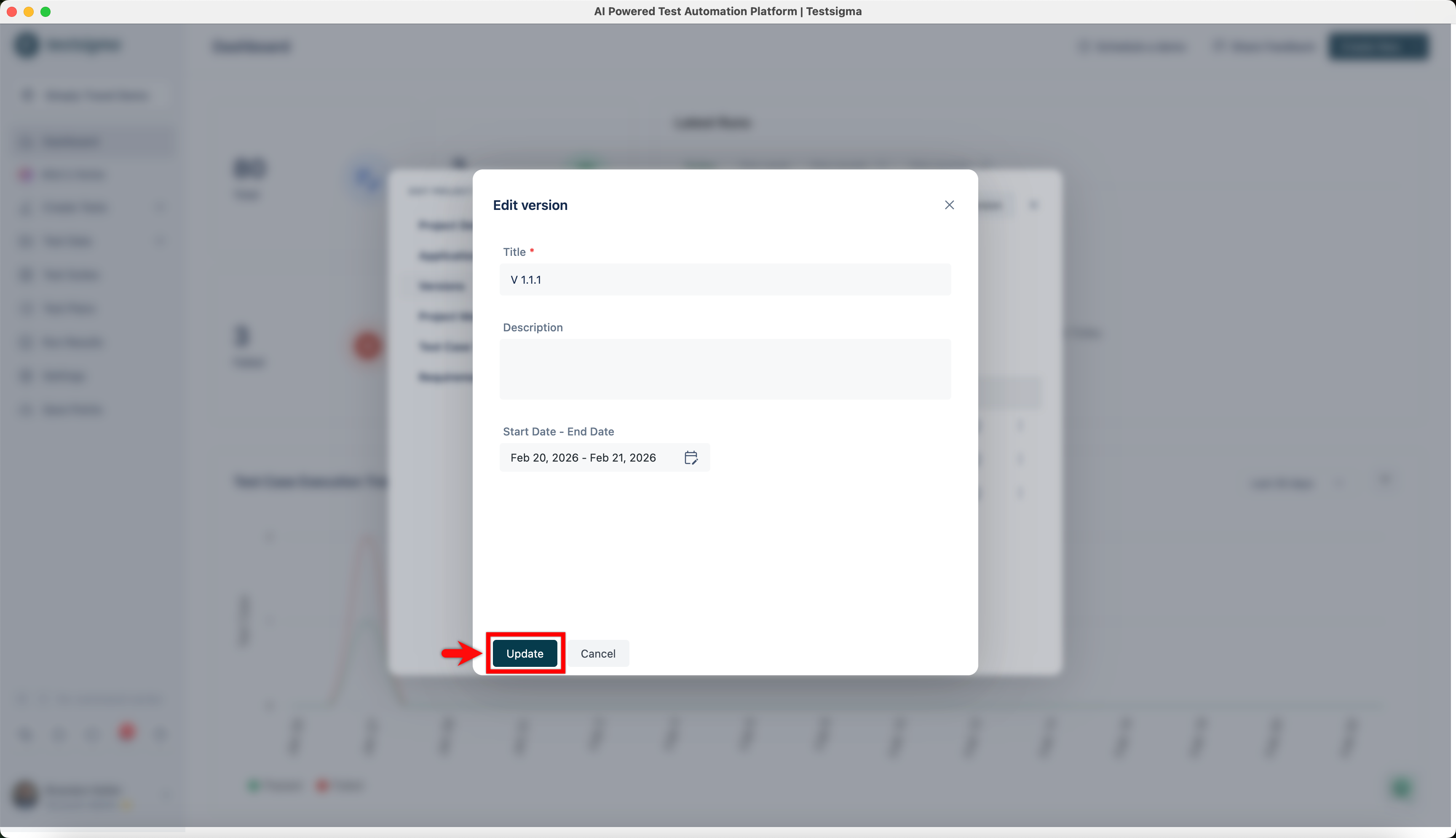
Make the changes and click Update.
Delete Application Version
Section titled “Delete Application Version”-
From the left navigation bar, Navigate to Project Settings.
-
In the Edit Project dialog, click Versions in the left panel.
-
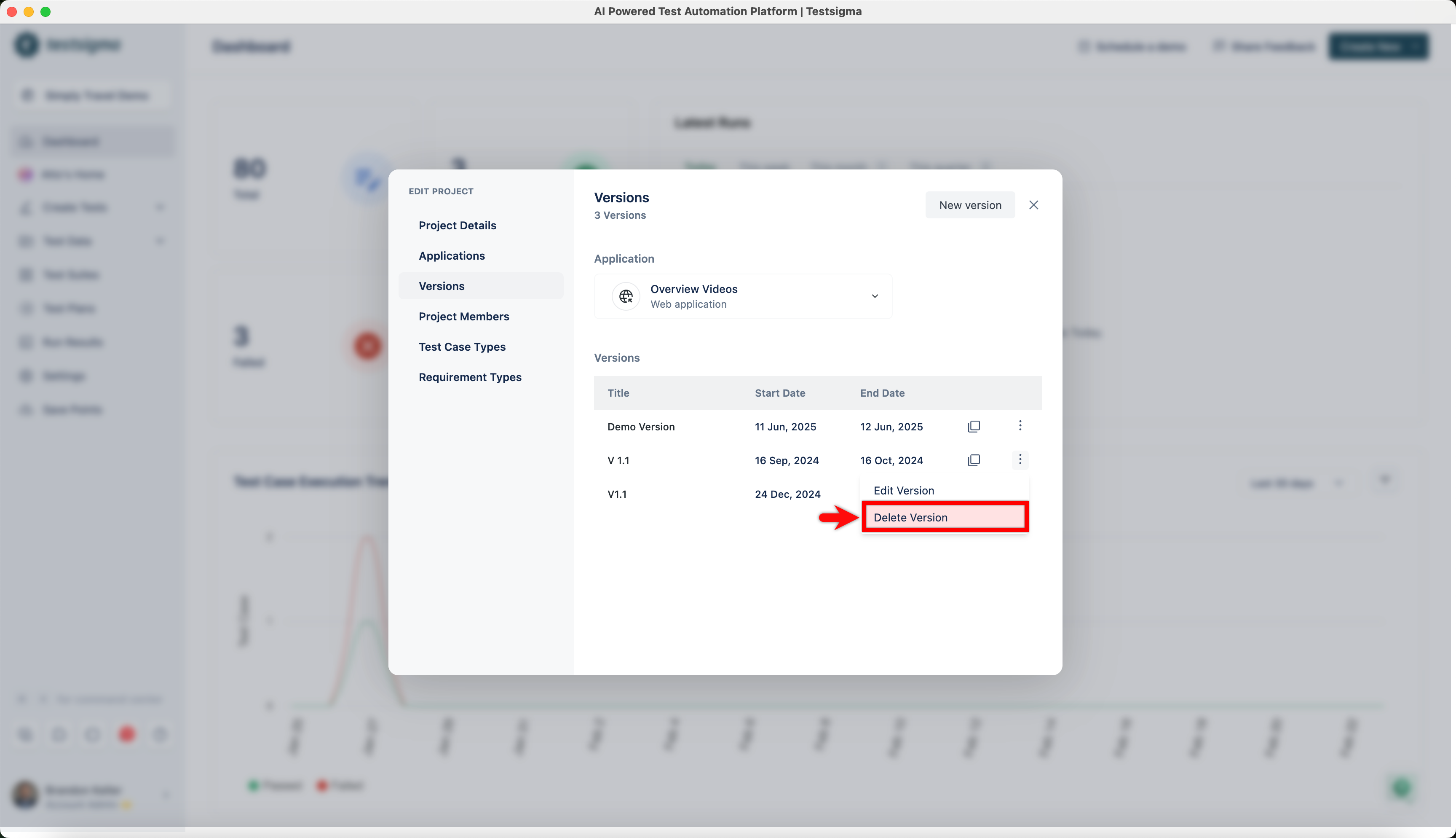
In the Versions screen, click the kebab menu next to a version and click Delete Version.
-
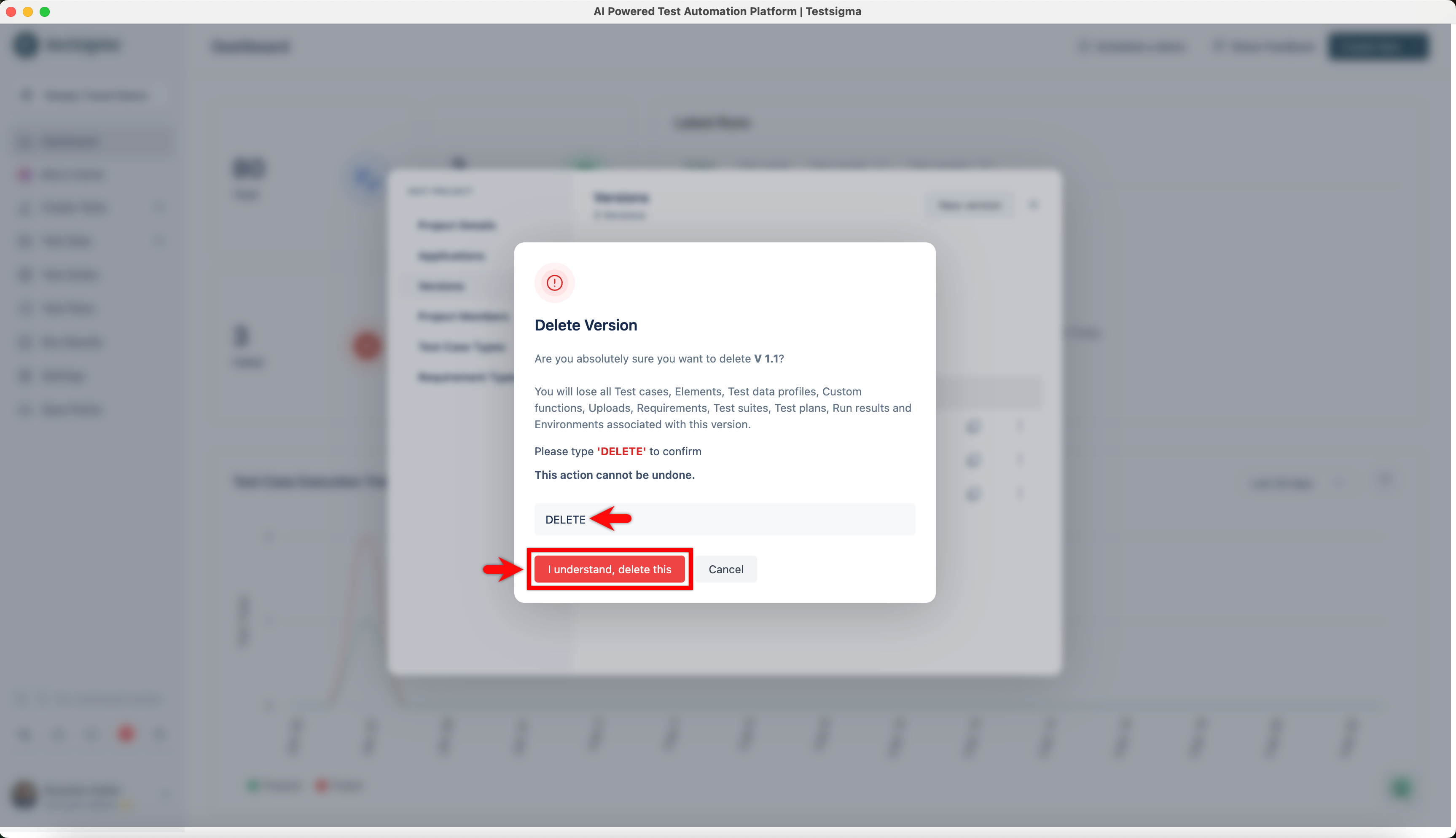
On the Delete Version? dialog, enter DELETE and click I understand, delete this.
Getting Version ID
Section titled “Getting Version ID”-
From the left navigation bar, Navigate to Project Settings.
-
In the Edit Project dialog, click Versions in the left panel.
-
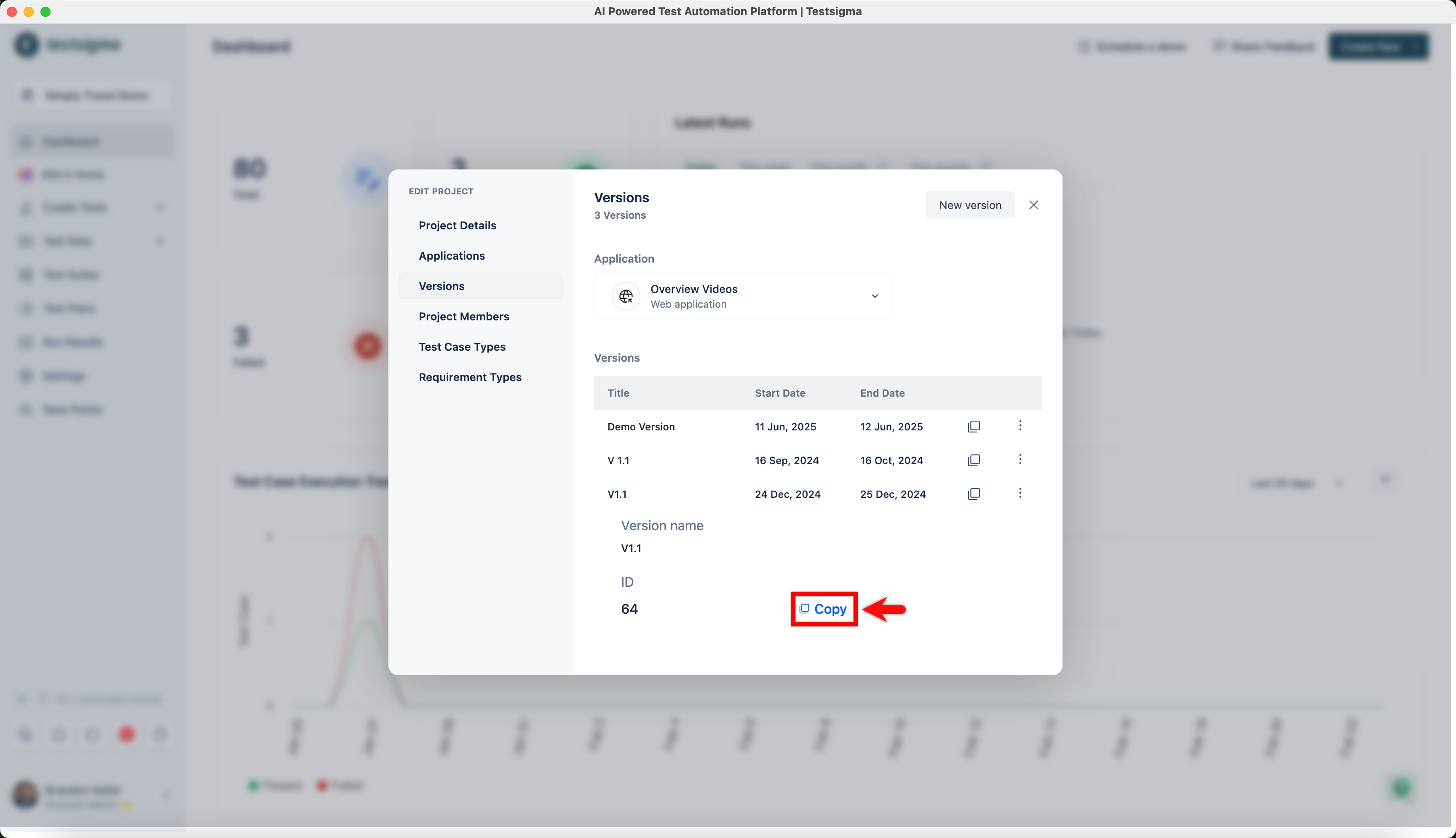
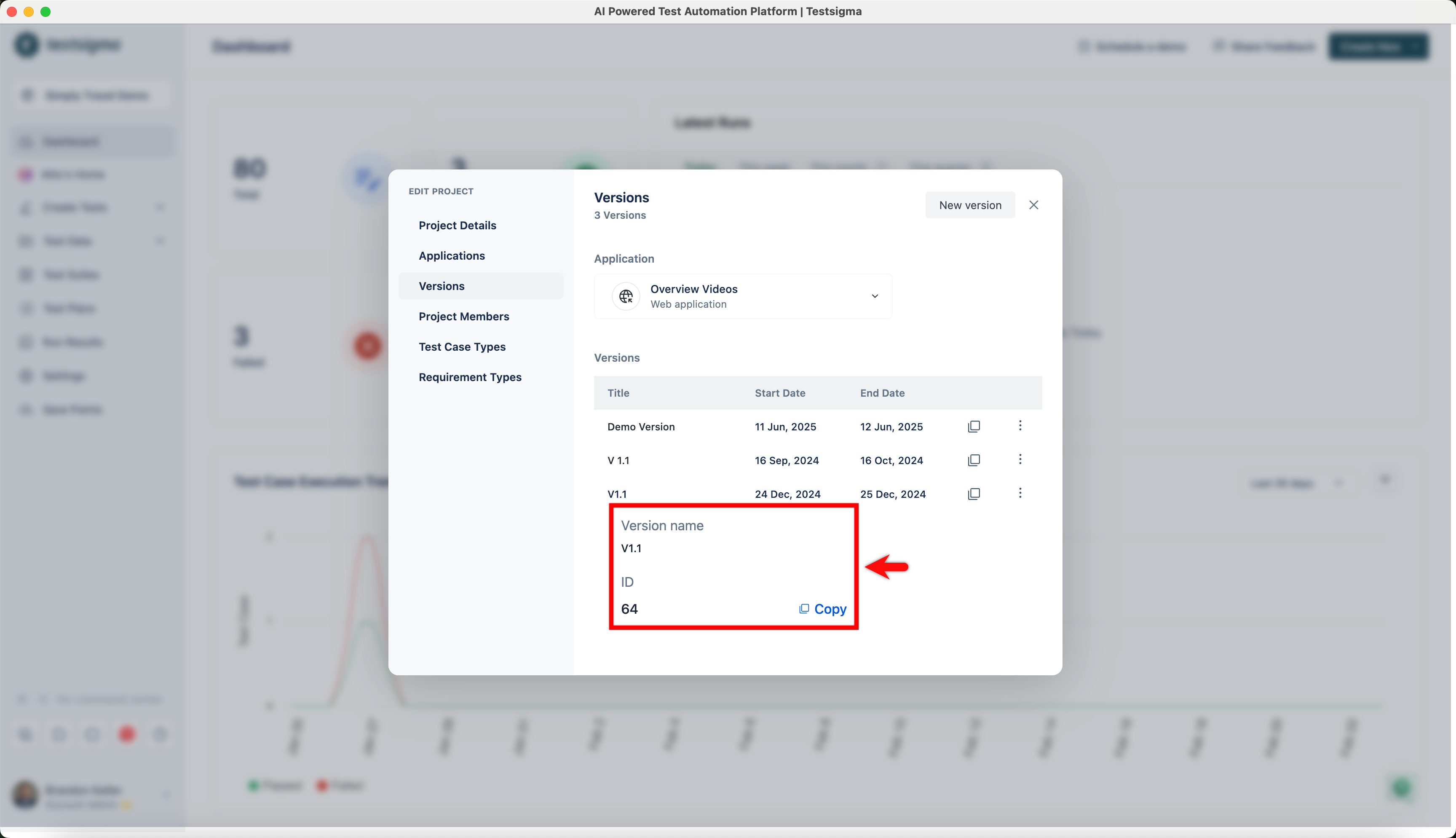
In the EDIT PROJECT dialog, hover over the version name to view its ID.
-
Click Copy to copy the version ID.