
Add-ons
Update an Addon in Testsigma
Prerequisites
Before updating an addon, ensure that:
- You have referred to the documentation on creating add-ons.
- You have an Understanding of the programming language (usually Java) and frameworks.
- You have referred to the documentation on how addons work in Testsigma, including actions and configurations.
Steps to Update an Addon
Section titled “Steps to Update an Addon”-
Modify the addon’s code to fix issues, add features, or adjust settings. Compress the file into Zipped Format.
-
From the left navigation bar, go to Addons and click Add-ons from the dropdown.
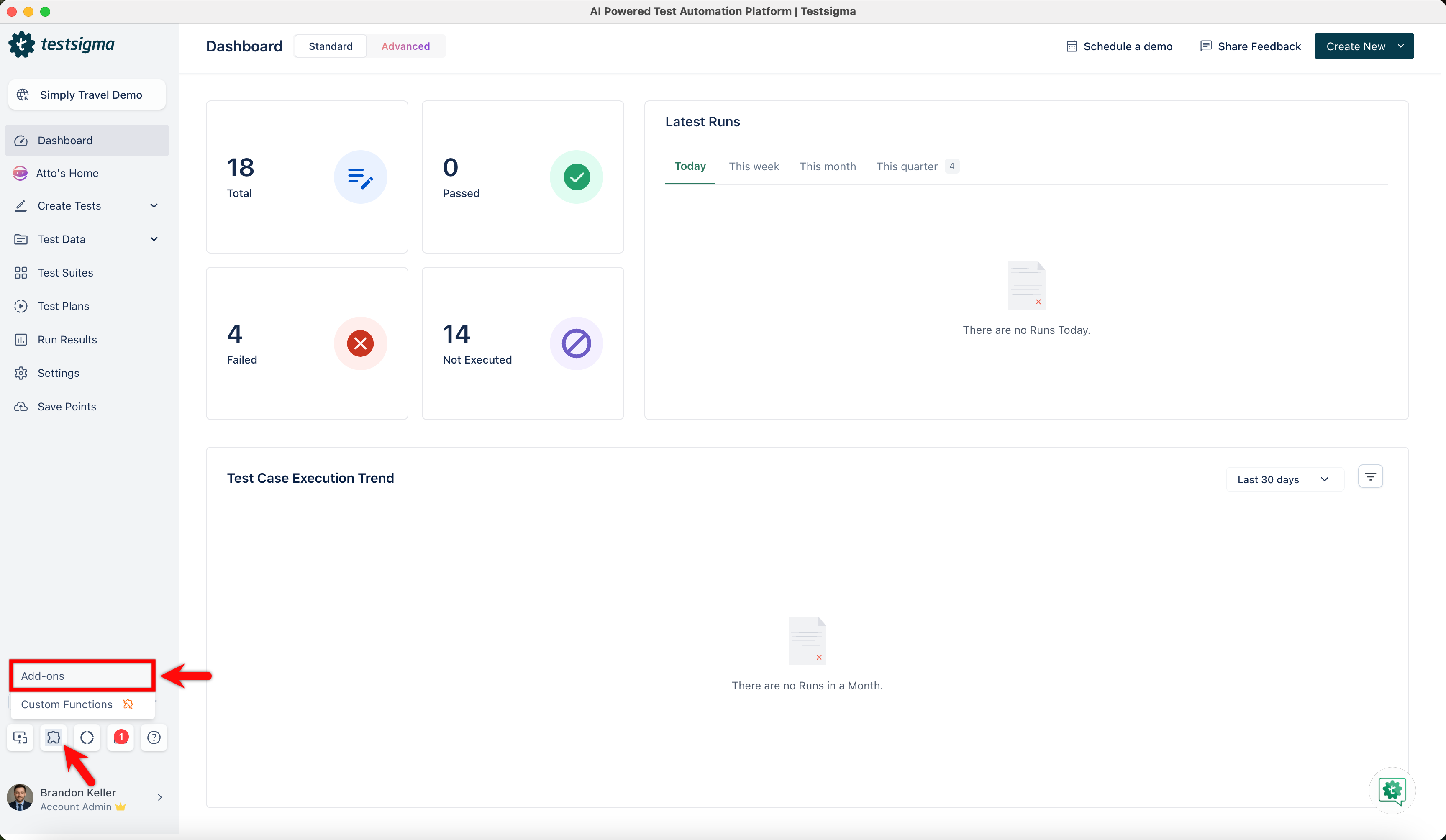
-
In the Addons page, go to the My Addons tab.
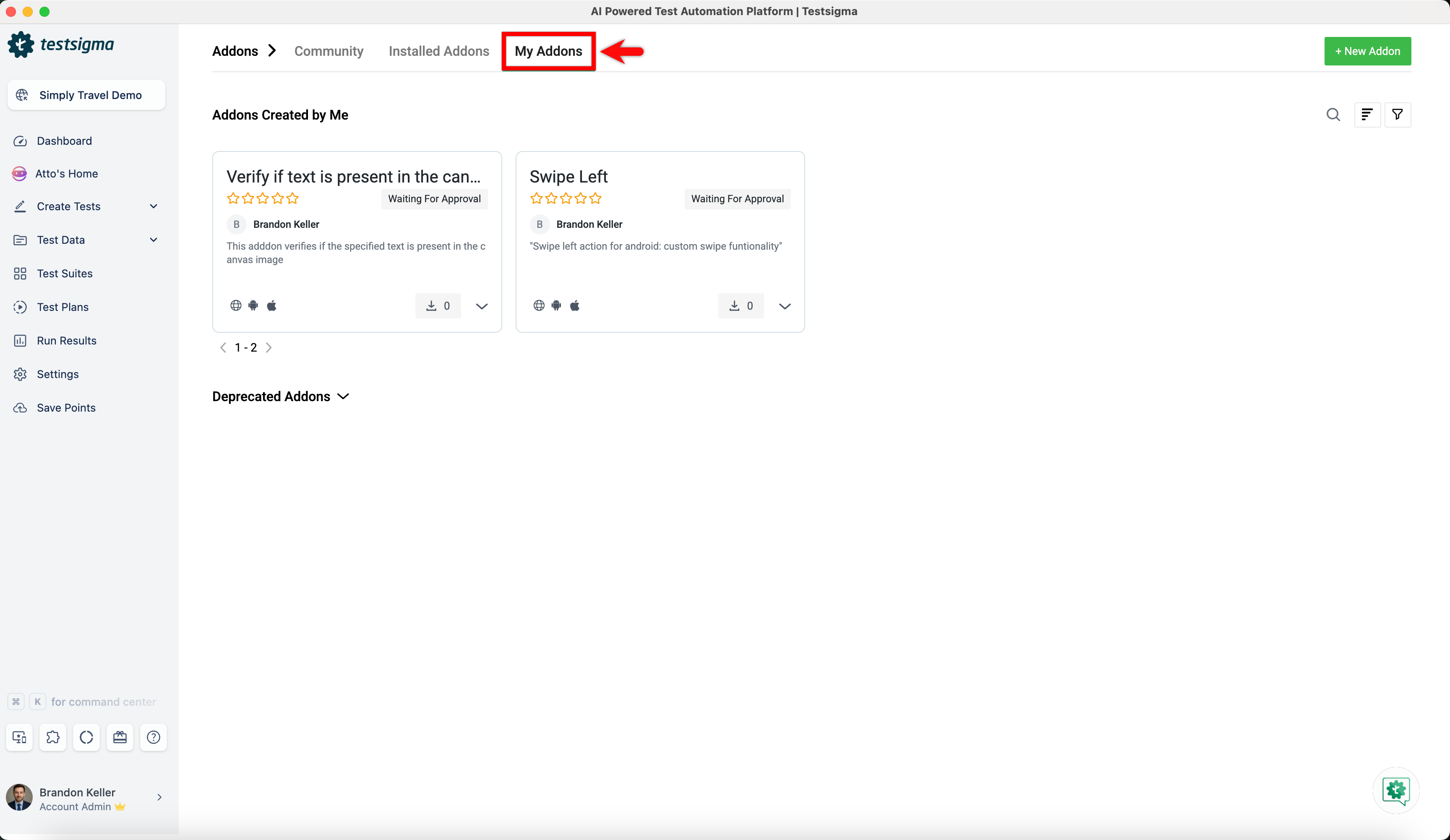
-
Click the dropdown icon on the required addon and select Upload Code.
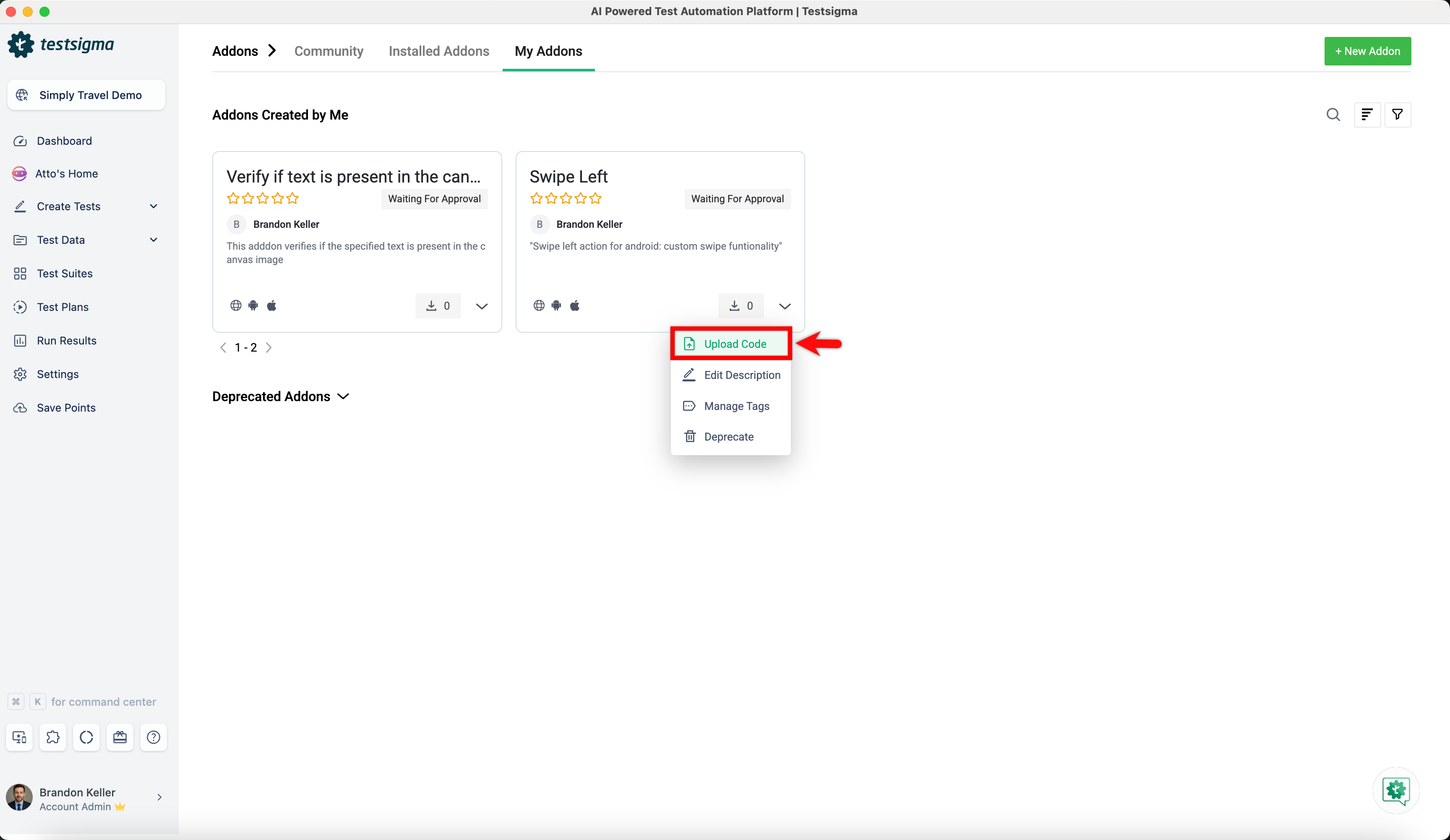
-
In the Upload Zip File dialog, upload the requird zipped file and click Update.
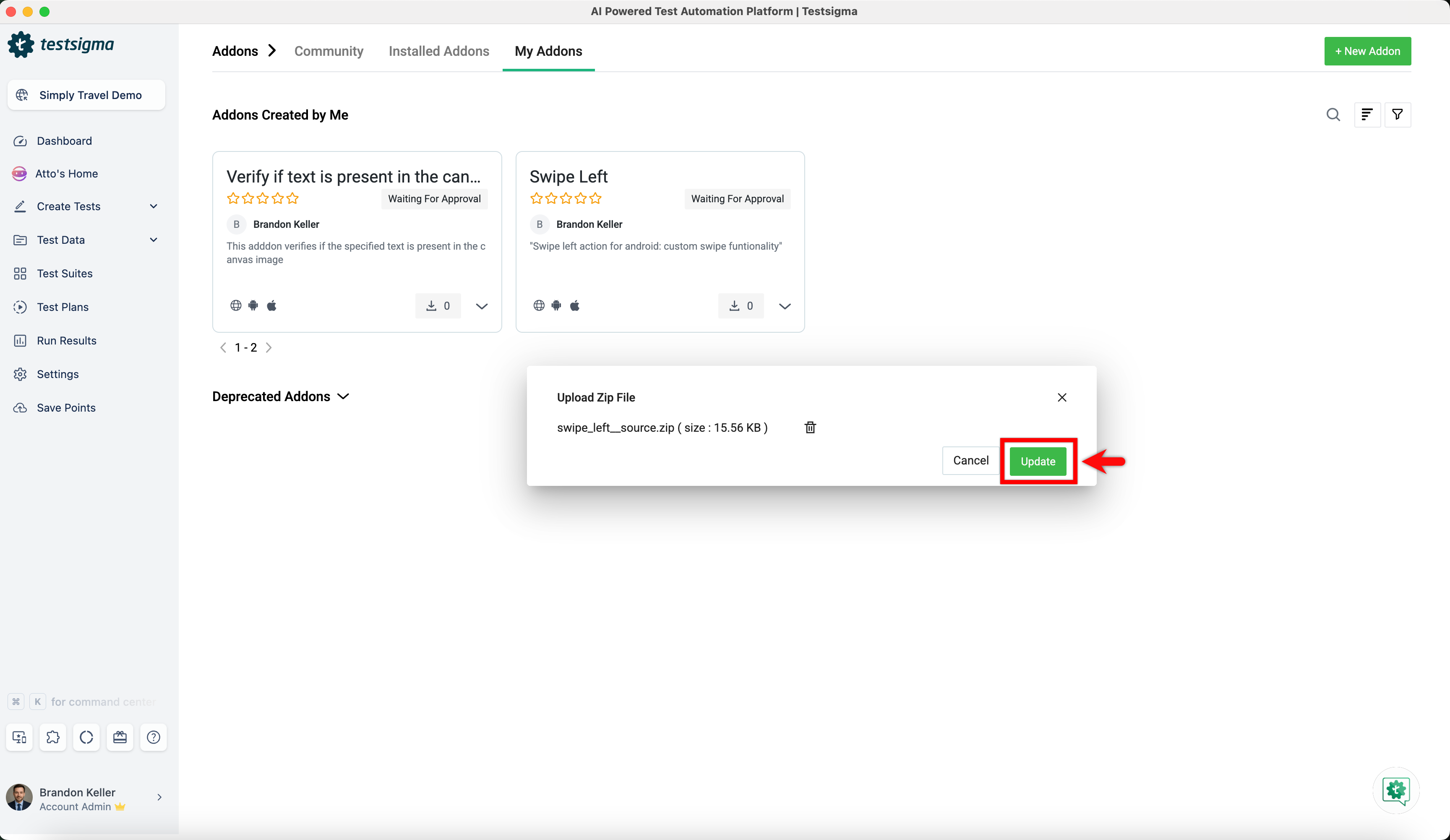
-
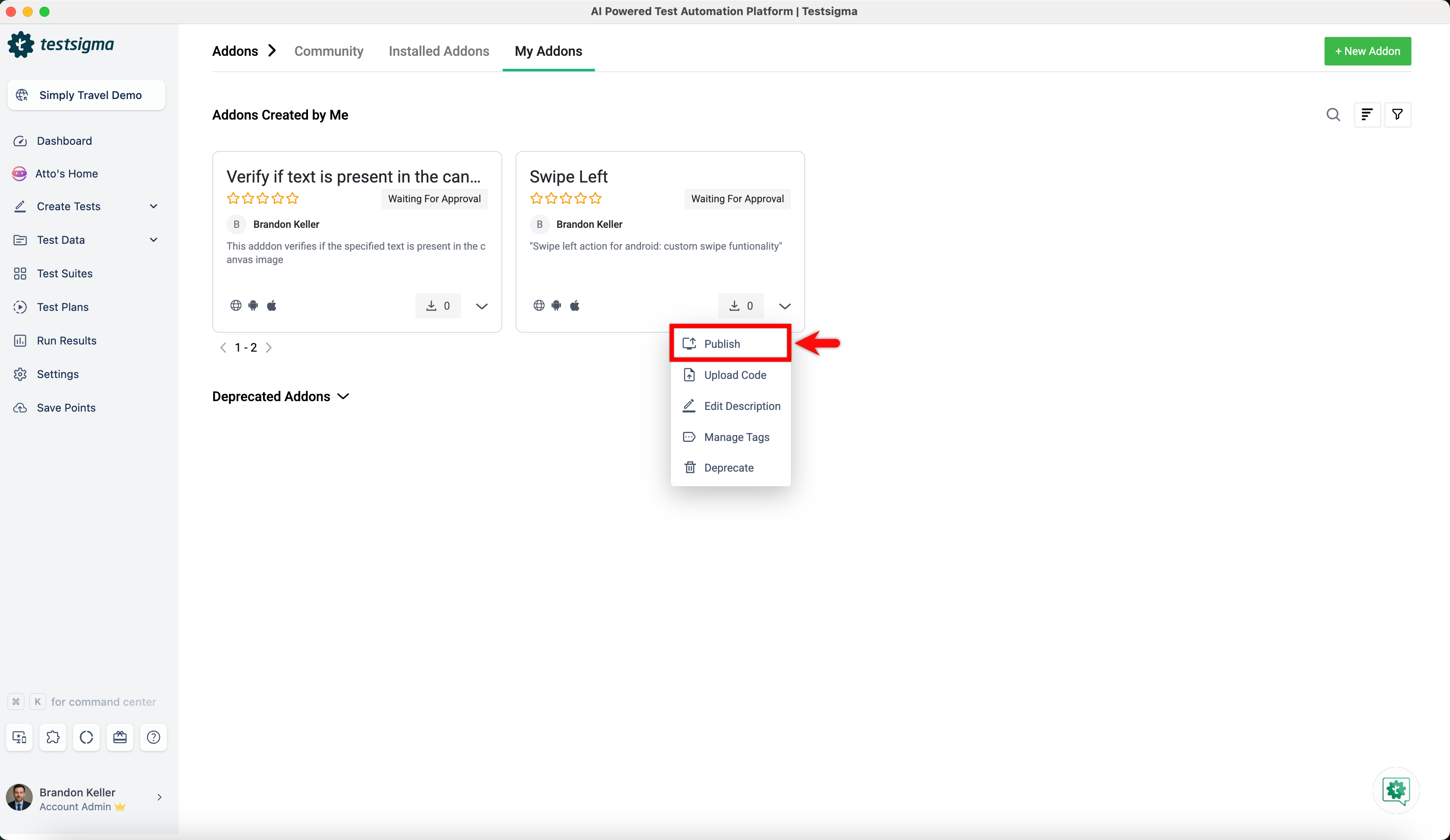
After uploading the code, click on Publish from the dropdown menu.
-
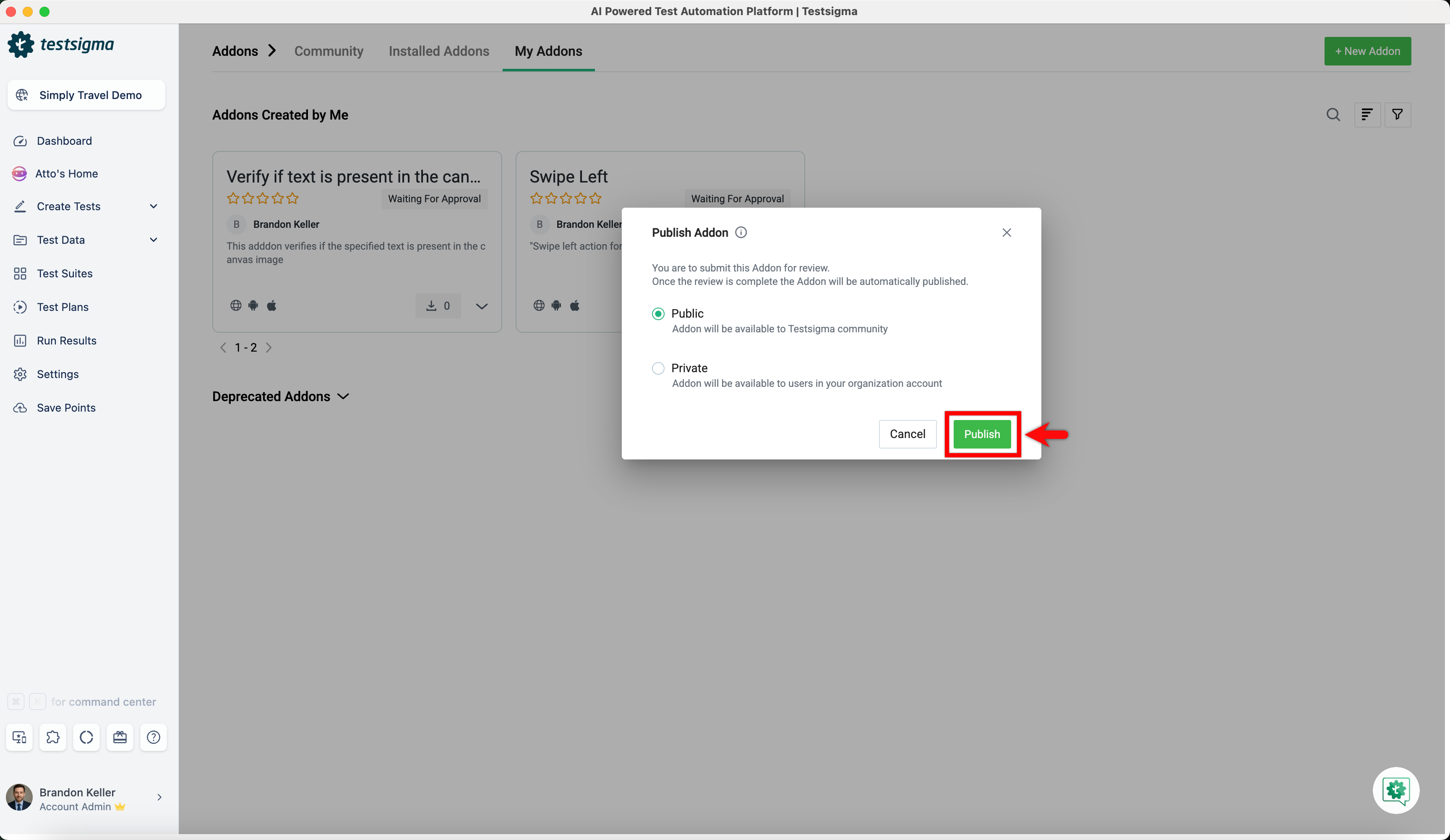
Choose an option from below and click Publish:
- Public: Make the addon available to the entire Testsigma community.
- Private: Restrict availability to users within your organization.
-
An automatic security check will be done. If it passes, the addon will be published. If it fails, you will get an email notification.