
Runs
Bypass the Missing SSL Certificate Error?
Prerequisites
Before you begin, ensure that you have referred to:
Applying Desired Capabilities
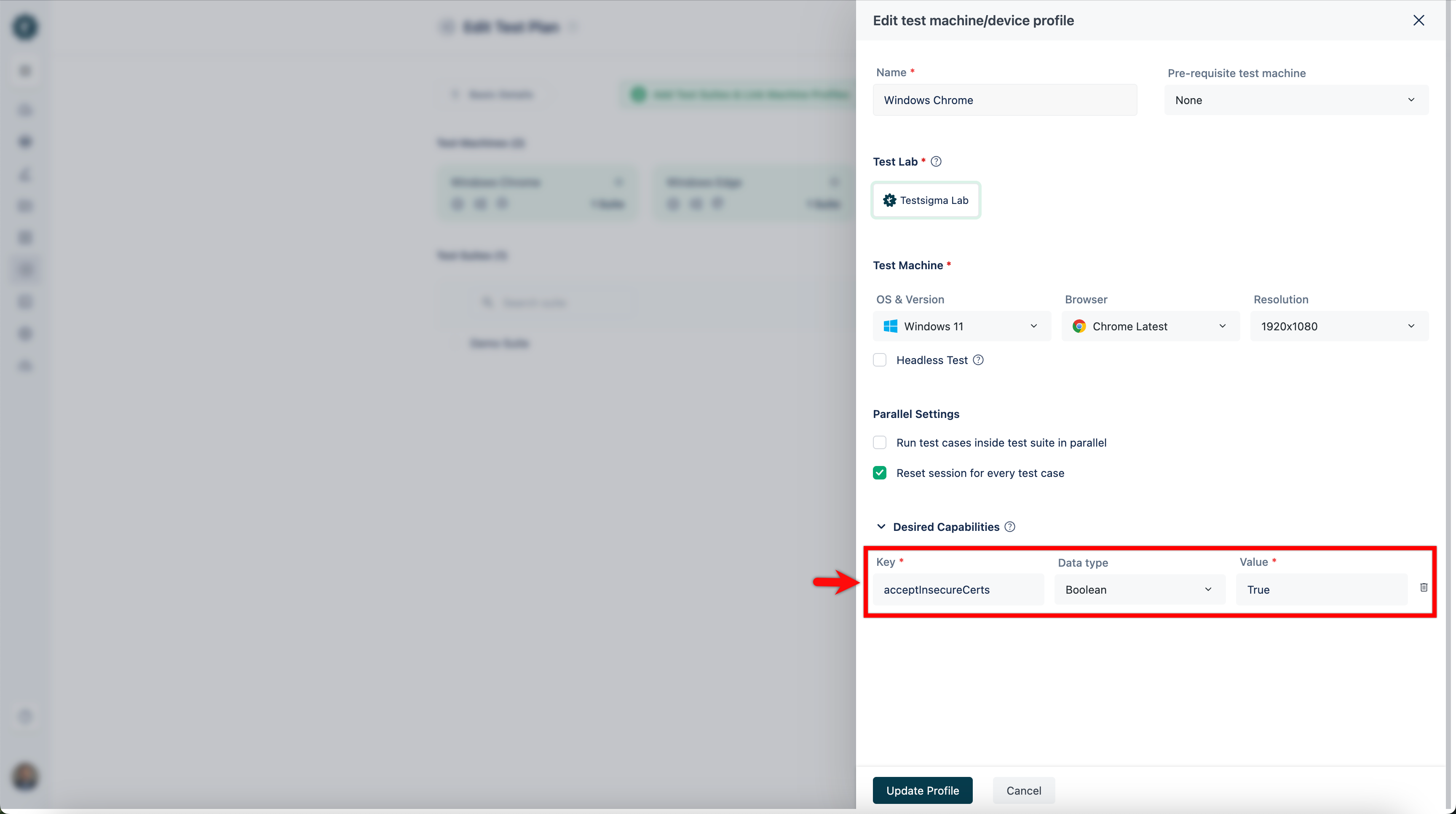
Section titled “Applying Desired Capabilities”In this case, we can use Desired Capabilities to bypass certificate errors. Here are the few desired capabilities for the specific browsers to overcome certificate errors:
| Browser | Capability Name(Key) | Format | Value |
|---|---|---|---|
| Google Chrome | acceptInsecureCerts | Boolean | True |
| Mozilla Firefox | accept_untrusted_certs | Boolean | True |
| IE and Safari | capabilityType.ACCEPT_SSL_CERTS | Boolean | True |
The image below shows how to add desired capabilities for the Chrome browser in a Test Plan Run in Testsigma.
Bypassing Manually
Section titled “Bypassing Manually”-
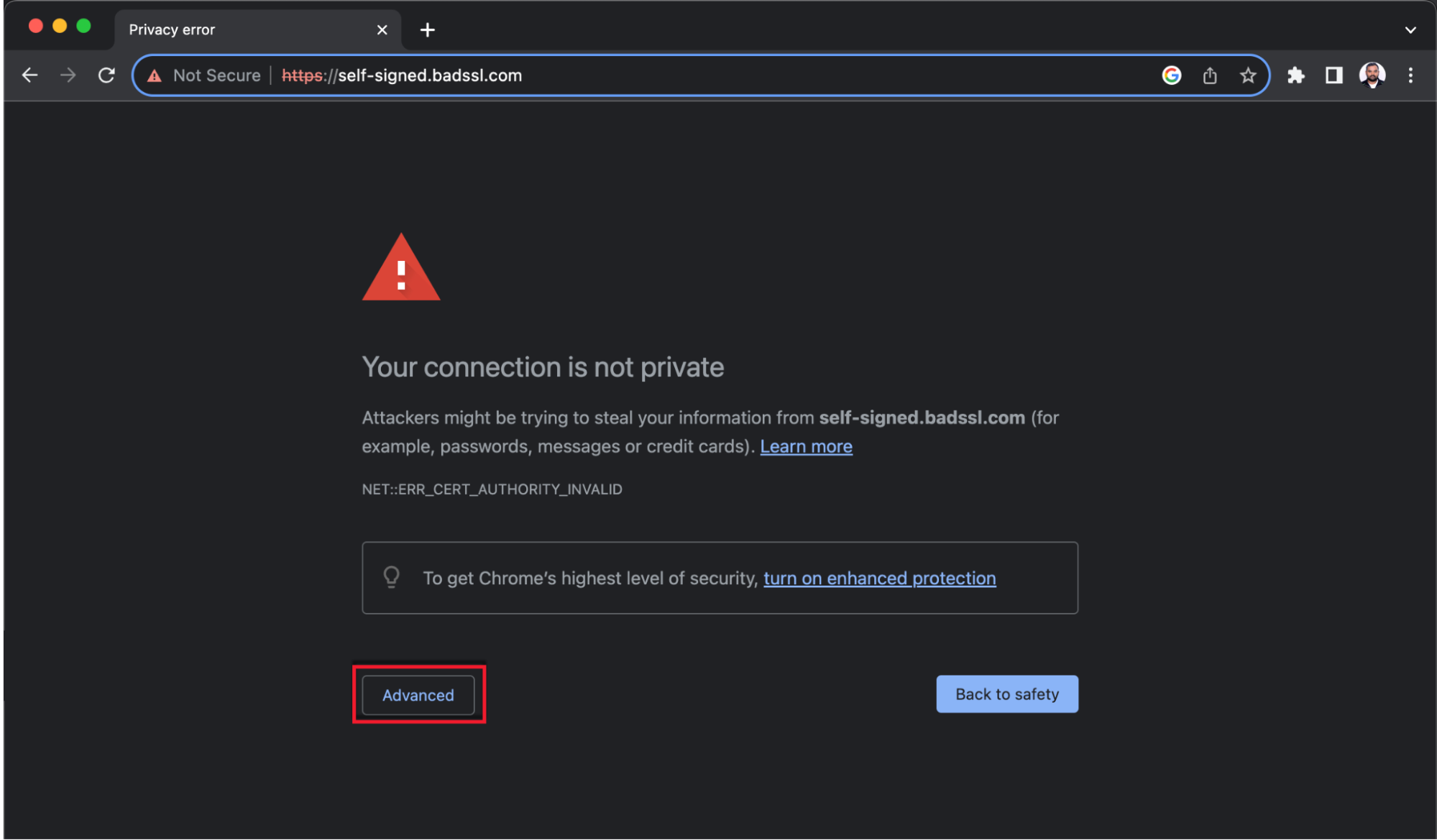
Navigate to the SSL issue website and click on Advanced.
-
Click on Proceed to < website-url > (unsafe) link
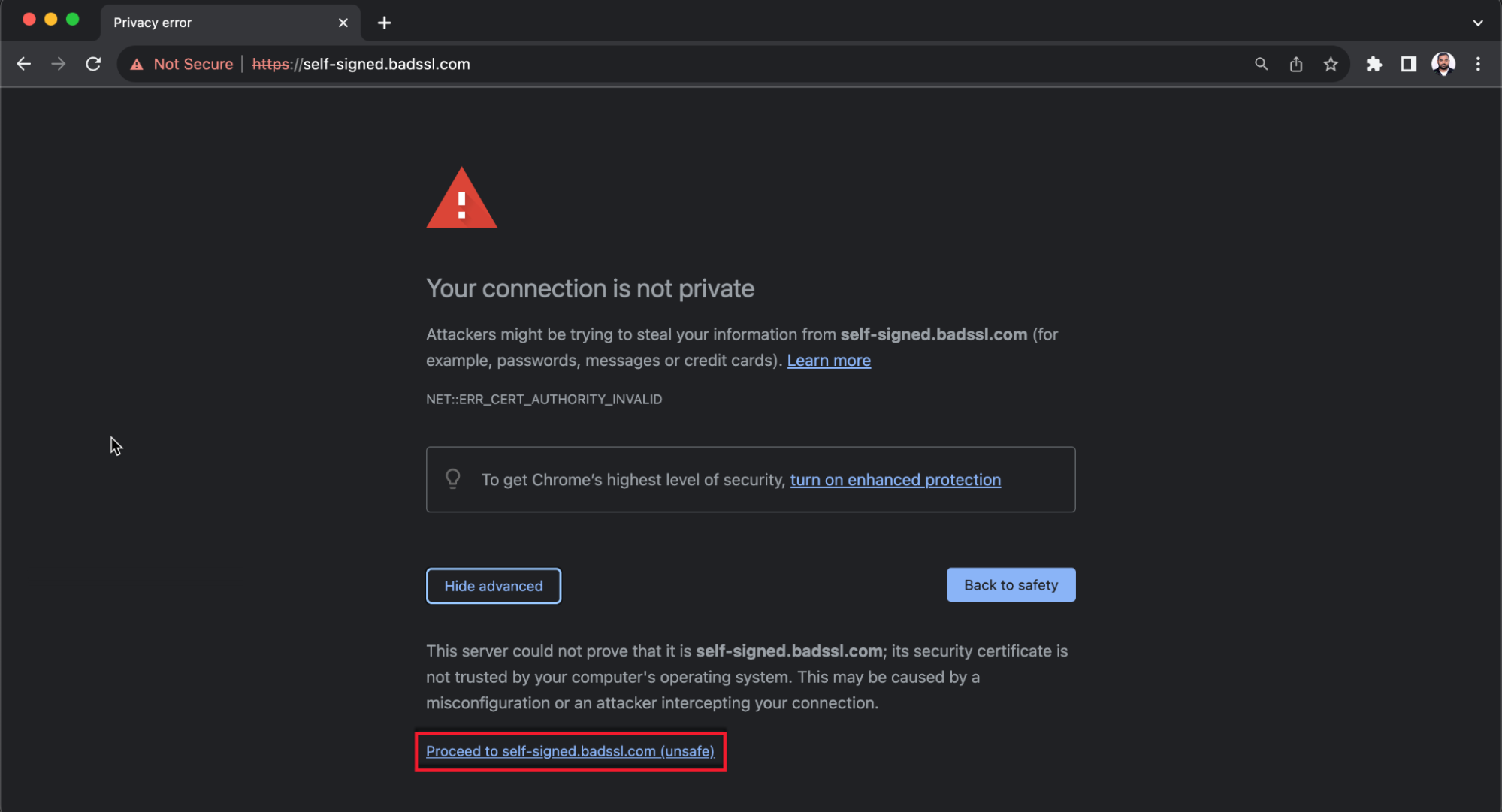
You will be directed to the original website.