
Auto-Healing
AI-Enabled Auto-Healing for Web Applications
Prerequisites
Before you begin, ensure that you have referred to:
Use Case for Auto-Healing
Section titled “Use Case for Auto-Healing”Let’s say we are testing a login page for https://www.facebook.com/.
Here are the steps to produce:
- Navigate to https://www.facebook.com/.
- Enter demo@example.com in the Email address or phone number field.
- Enter demopassword in the Password Input field.
- Click on Log in Button.
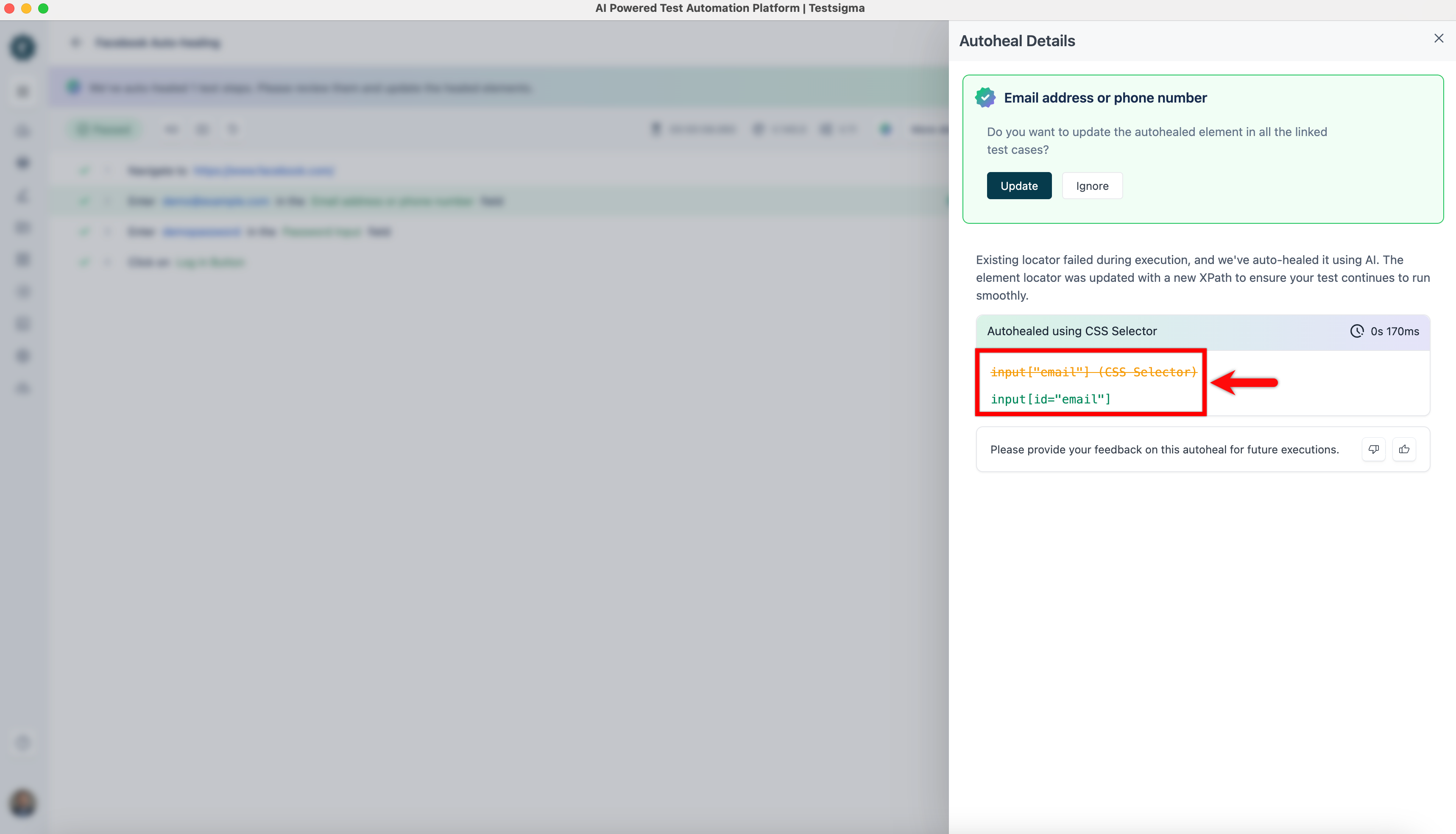
Consider that the XPATH for the Email address or phone number button on step 2 changed from input[“email”] to input[id=“email”].
On executing the test case with the Auto-Healing feature enabled, the test lab will successfully locate the element with the new XPATH.
Auto-Healing Insights
Section titled “Auto-Healing Insights”Once the test execution is complete, please refer to the documentation on Auto-Healing Insights to view the auto-healing results and learn how to update the element locator.