Troubleshooting
Verify/Confirm File Download
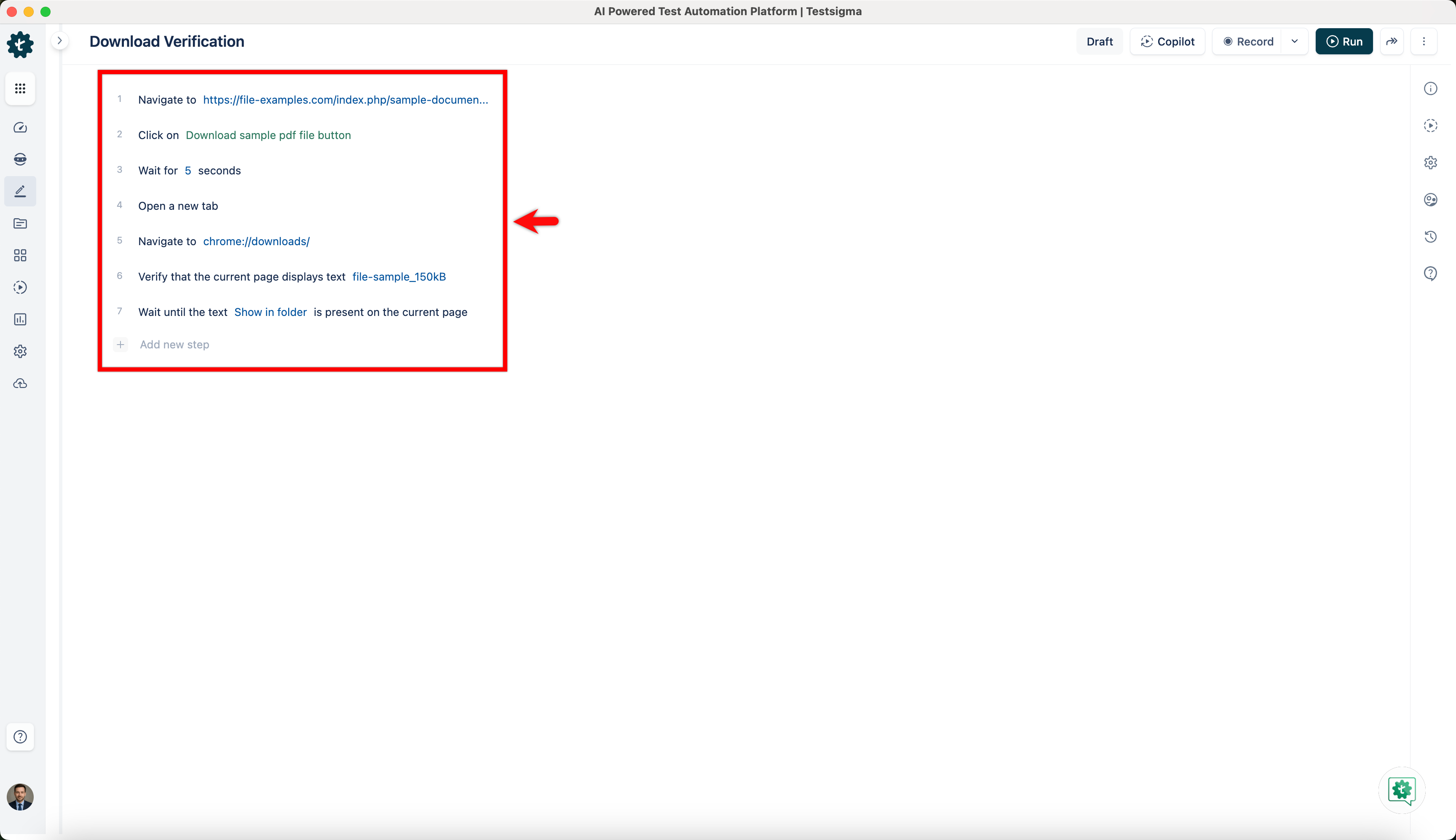
While Testing, there might be scenarios where we need to perform further checks on the downloaded file. This article discusses the test steps to verify the file download in Testsigma.
Test Steps to Verify File Download
Section titled “Test Steps to Verify File Download”Use the Steps Below with Minor Modifications for the Test Scenarios
Section titled “Use the Steps Below with Minor Modifications for the Test Scenarios”-
Navigate to <URL>
-
Click on <Download_Link>
-
Wait for 5 seconds
-
Open a new tab
-
Go to chrome://downloads/
-
If Verify that the current page displays text file-sample_150kB
-
Wait until the text Show in folder is present on the current page