
Help
Test Case Failures Due to Link Text Capture Issues
Prerequisites
Before you begin, ensure that you have referred to:
Identifying Link Text Capture Issues
Section titled “Identifying Link Text Capture Issues”- Check if the recorder captures link text from the HTML instead of the visible text in the UI.
- Compare the captured text with what you see in the UI to spot differences.
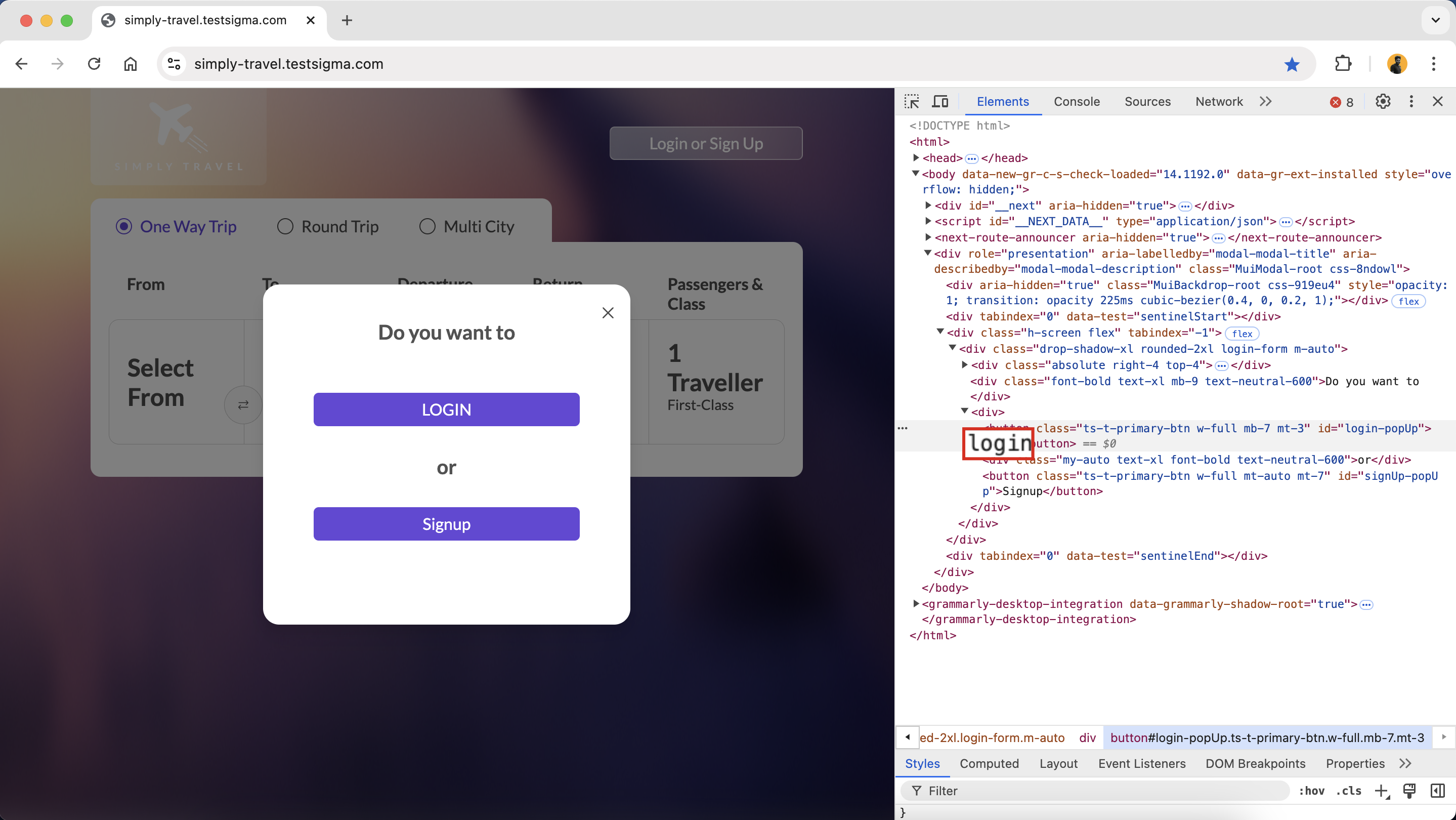
ℹ️Example:
If the UI displays LOGIN but the HTML shows login, the recorder may capture the lowercase version, which could lead to a test case failure.
Changing Element Details
Section titled “Changing Element Details”- Change the locator setting in your test automation tool from Link text to XPath.
- This adjustment allows the recorder to identify the element based on its structure rather than just the text.
- If needed, manually update the captured link text to match the UI-visible text, ensuring the test case reflects what users see on the screen.
Dealing with UI and HTML Text Mismatches
Section titled “Dealing with UI and HTML Text Mismatches”- Compare the UI text with the HTML source to identify any inconsistencies that might cause the recorder to capture the wrong text.
- Modify your test case to use the visible UI text for element identification.
- Ensure the locator strategy aligns with the format users see in the UI.
- Consider using unique attributes like data-test-id or other identifiers instead of relying solely on link text. This approach minimises the risk of mismatches between the UI and HTML representations.
ℹ️Example:
If the UI shows SUBMIT, but the HTML has it as submit, adjust your test case using the visible UI text to account for this difference.