
Help
How to Execute Android/iOS Tests in Emulators/Simulators?
Prerequisites
- Before you begin, ensure you know how to start emulators/simulators and the Testsigma Agent is running on your machine.
Execute Test Cases in an Emulator
Section titled “Execute Test Cases in an Emulator”-
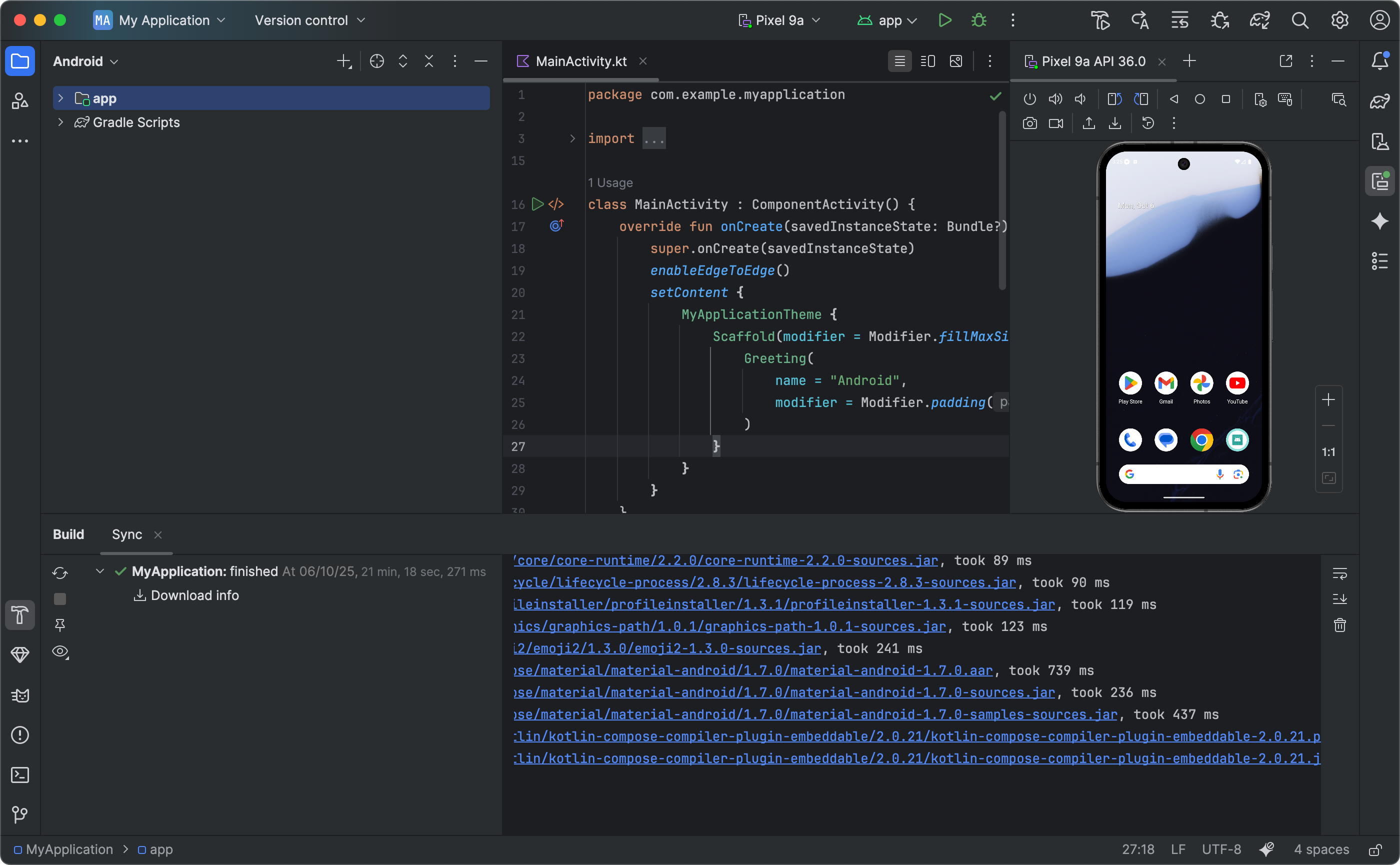
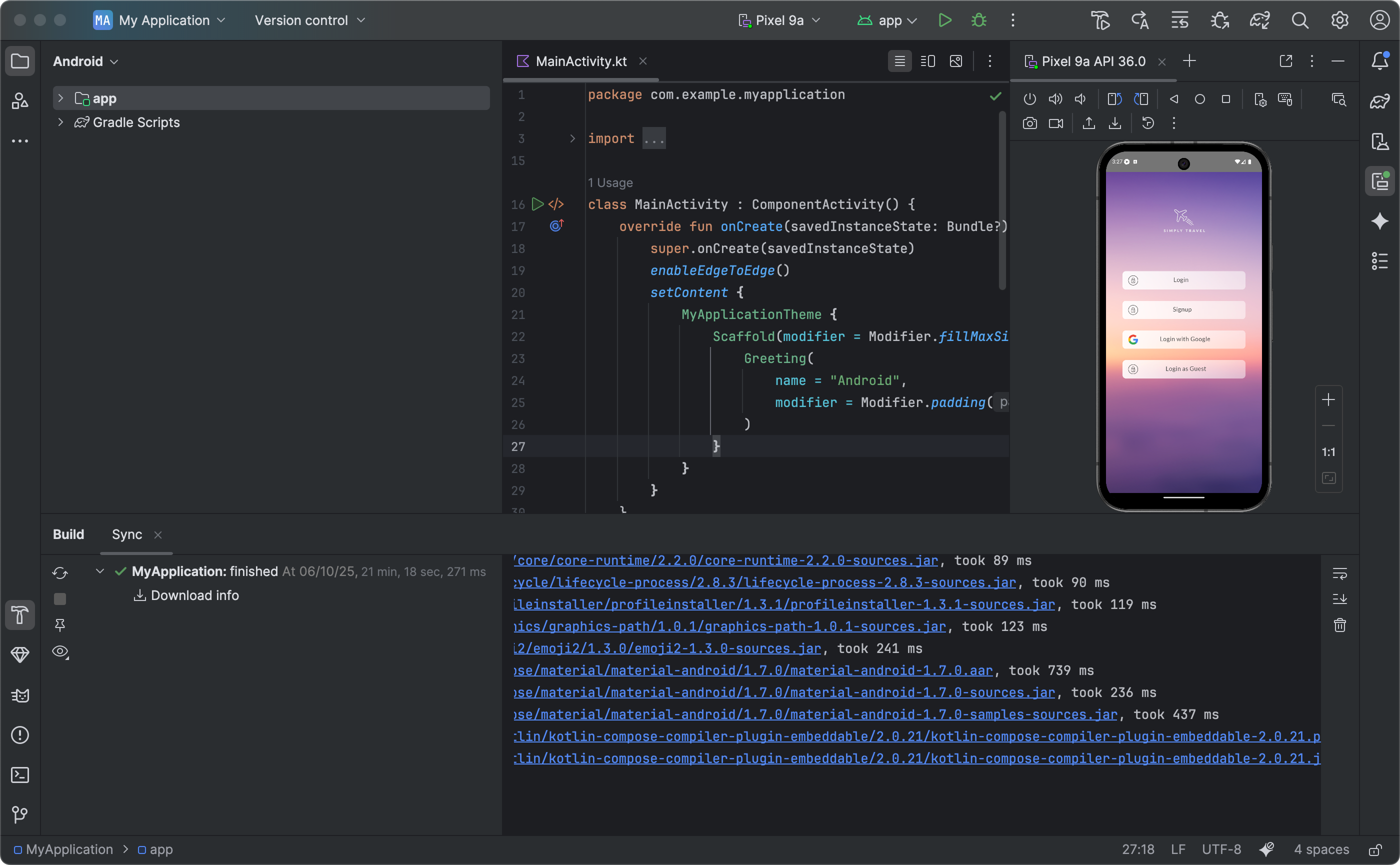
Install Android Studio, add a device and start it.
-
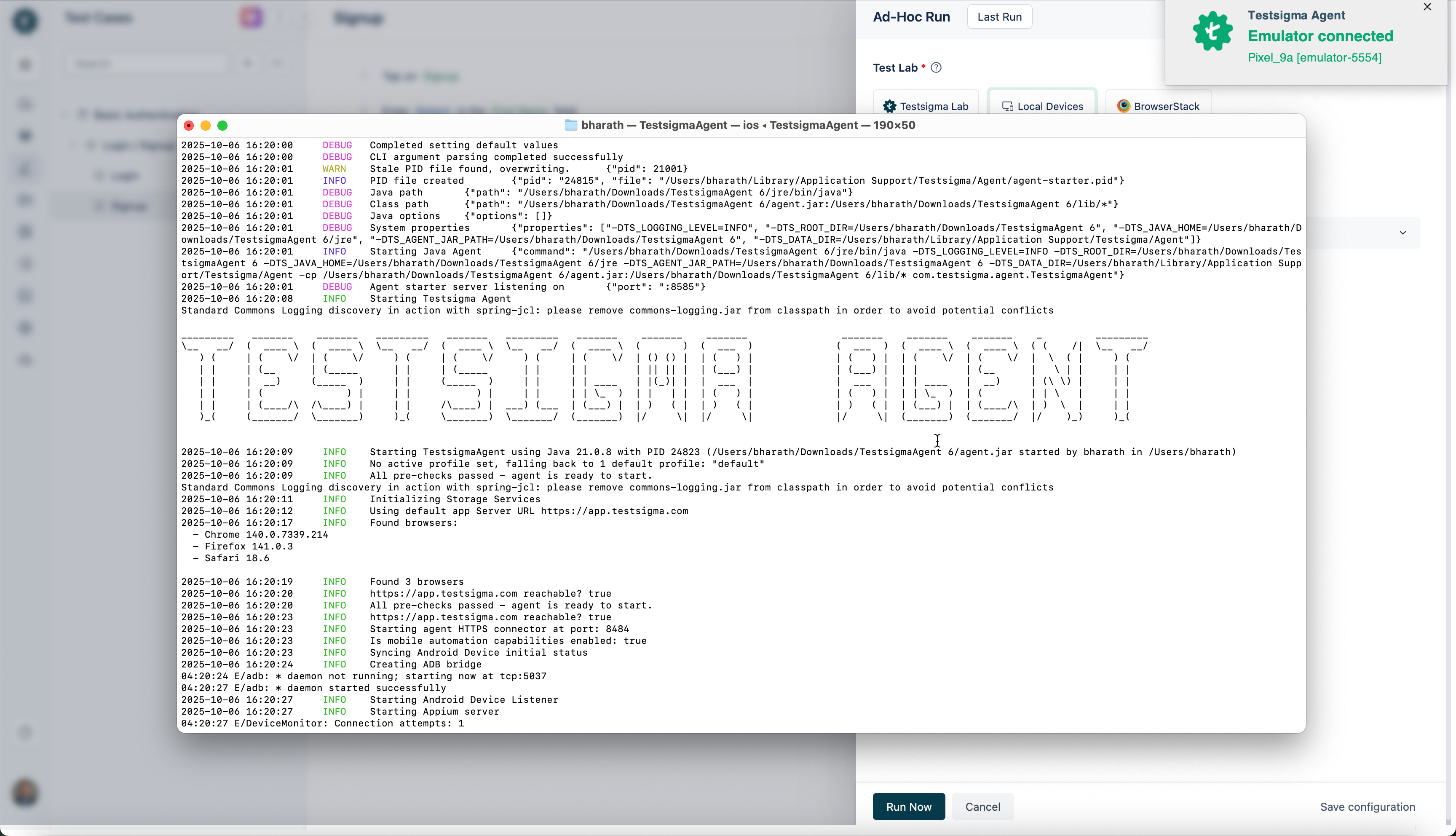
Start the Testsigma Agent on your machine.
-
In the Testsigma application, go to Test Cases and open the test case you want to execute.
-
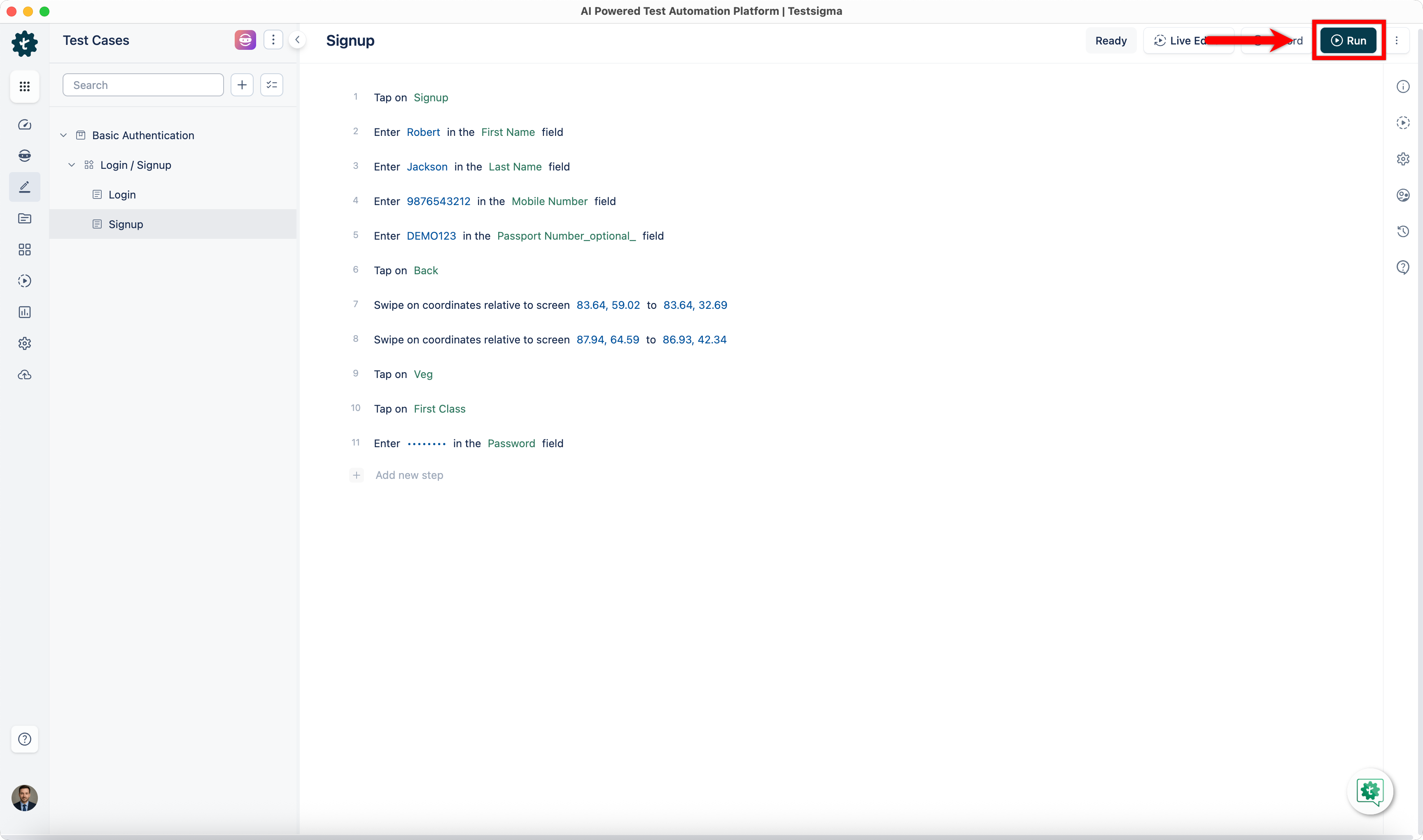
On the Test Case details page, click Run in the top-right corner.
-
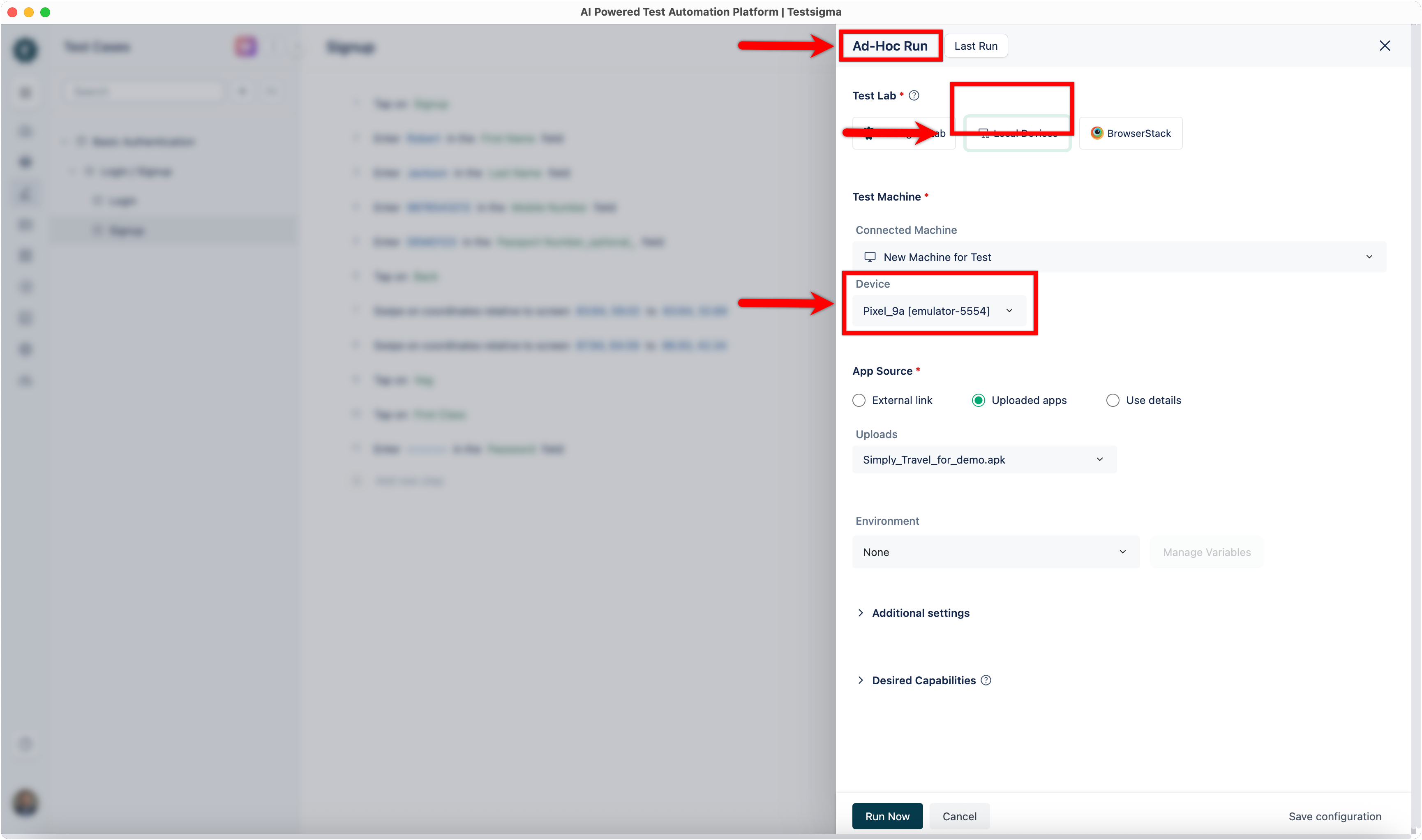
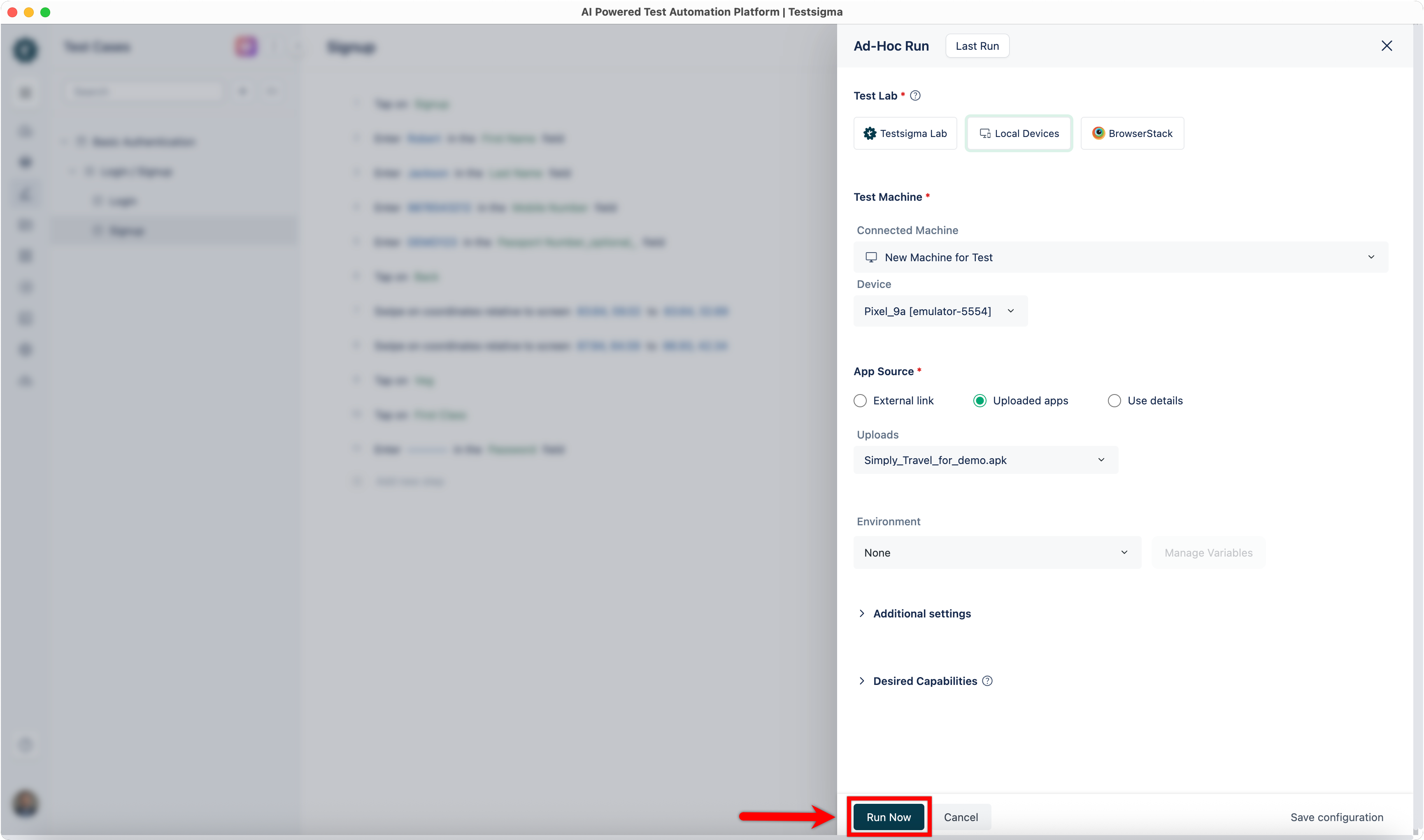
In the Ad-Hoc Run overlay, select Local Devices and verify that the connected emulator appears under Test Machine.
-
Click Run Now to execute the test case in the emulator.
-
The Test Case will execute in that emulator.
Troubleshooting:
Section titled “Troubleshooting:”-
Emulator not detected: Ensure that the emulator is running before starting the Testsigma Agent.
-
Agent not showing emulator: Restart the Testsigma Agent and verify that the ADB (Android Debug Bridge) is properly configured.
-
Test execution fails to start: Check that the selected device in Android Studio matches the emulator connected to the Agent.
Execute Test Cases in a Simulator
Section titled “Execute Test Cases in a Simulator”-
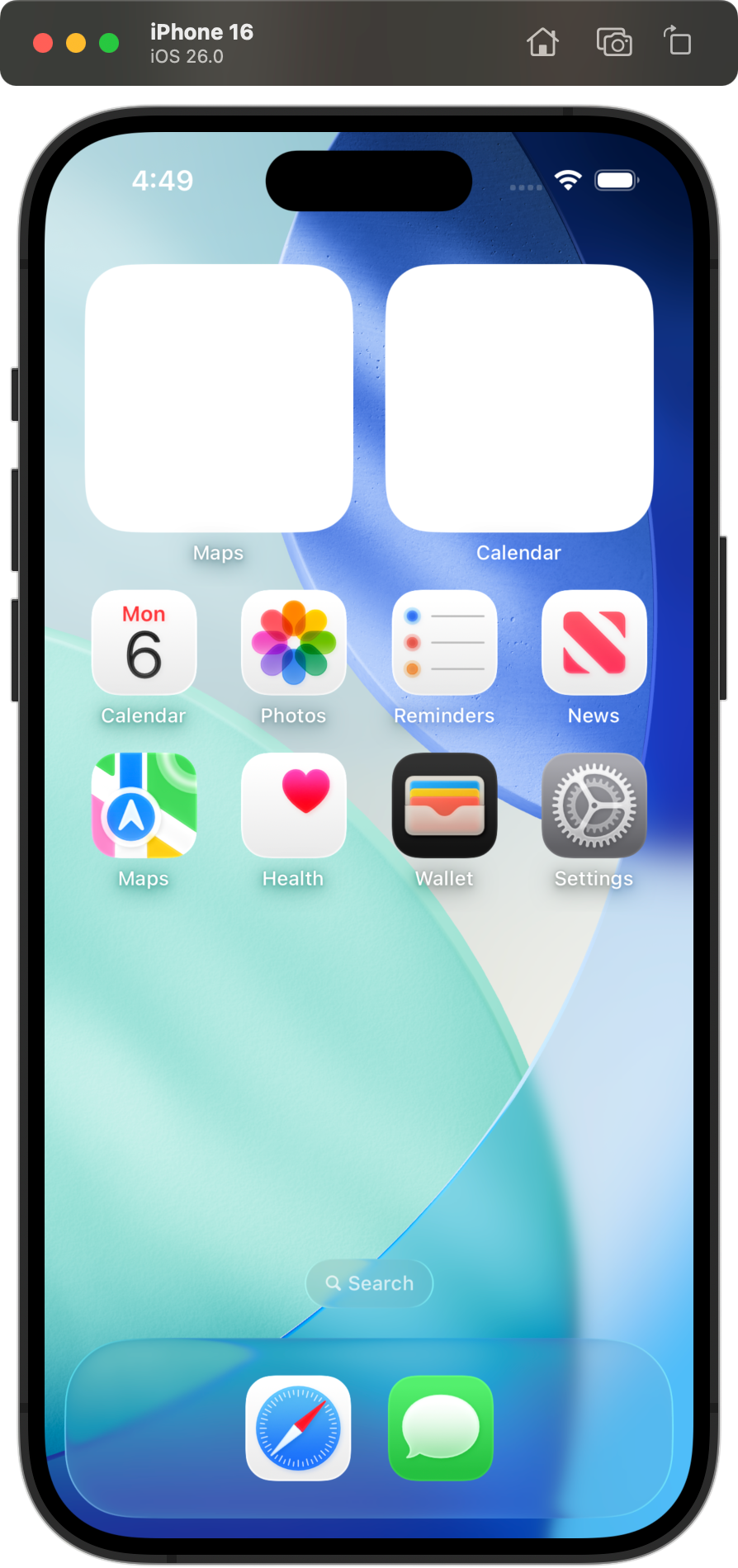
Install Xcode. Add or open a simulator with a device of your choice.
-
Start the Testsigma Agent on your machine.
-
In the Testsigma application, go to Test Cases and open the test case you want to execute.
-
On the Test Case details page, click Run in the top-right corner.
-
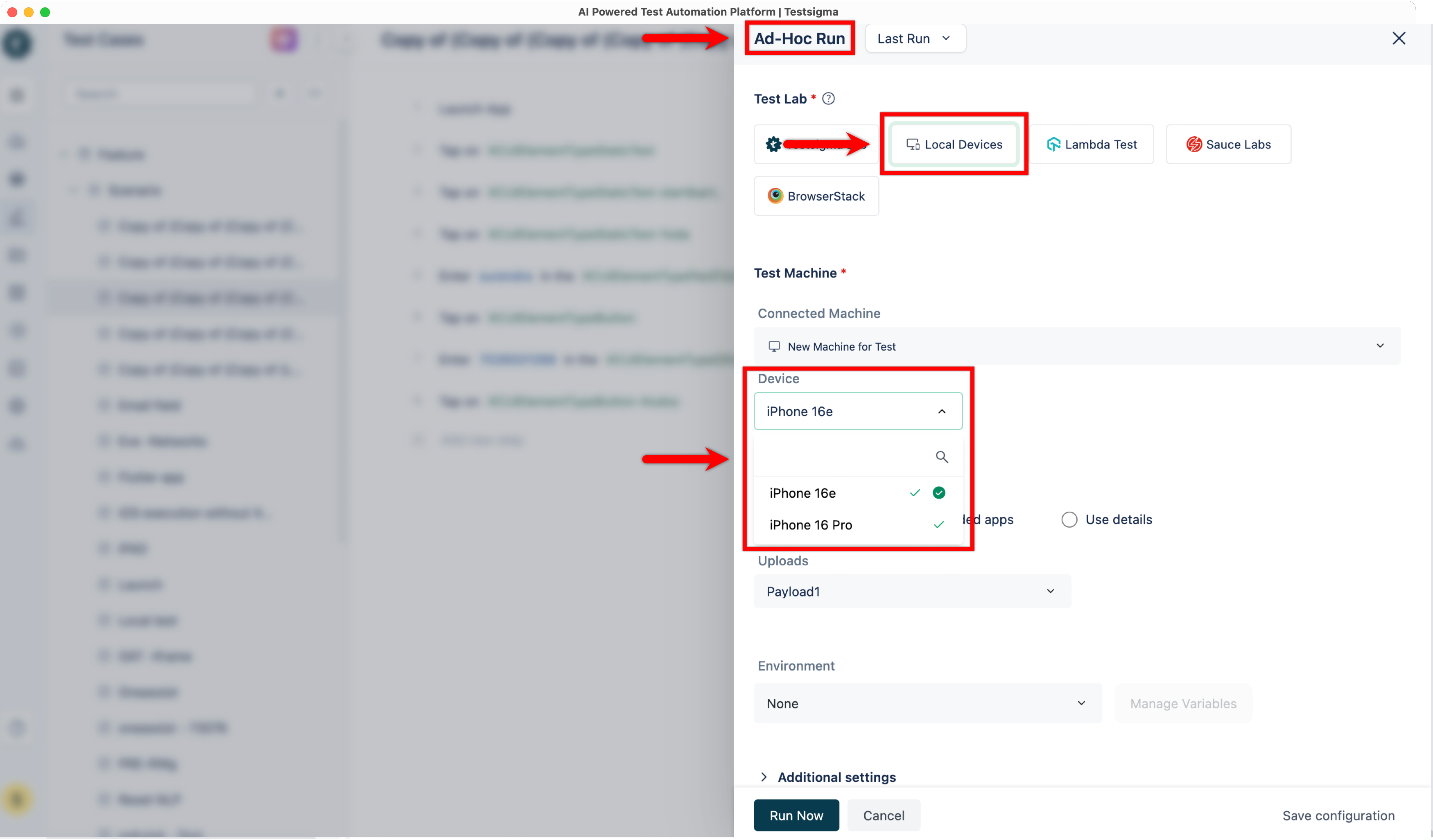
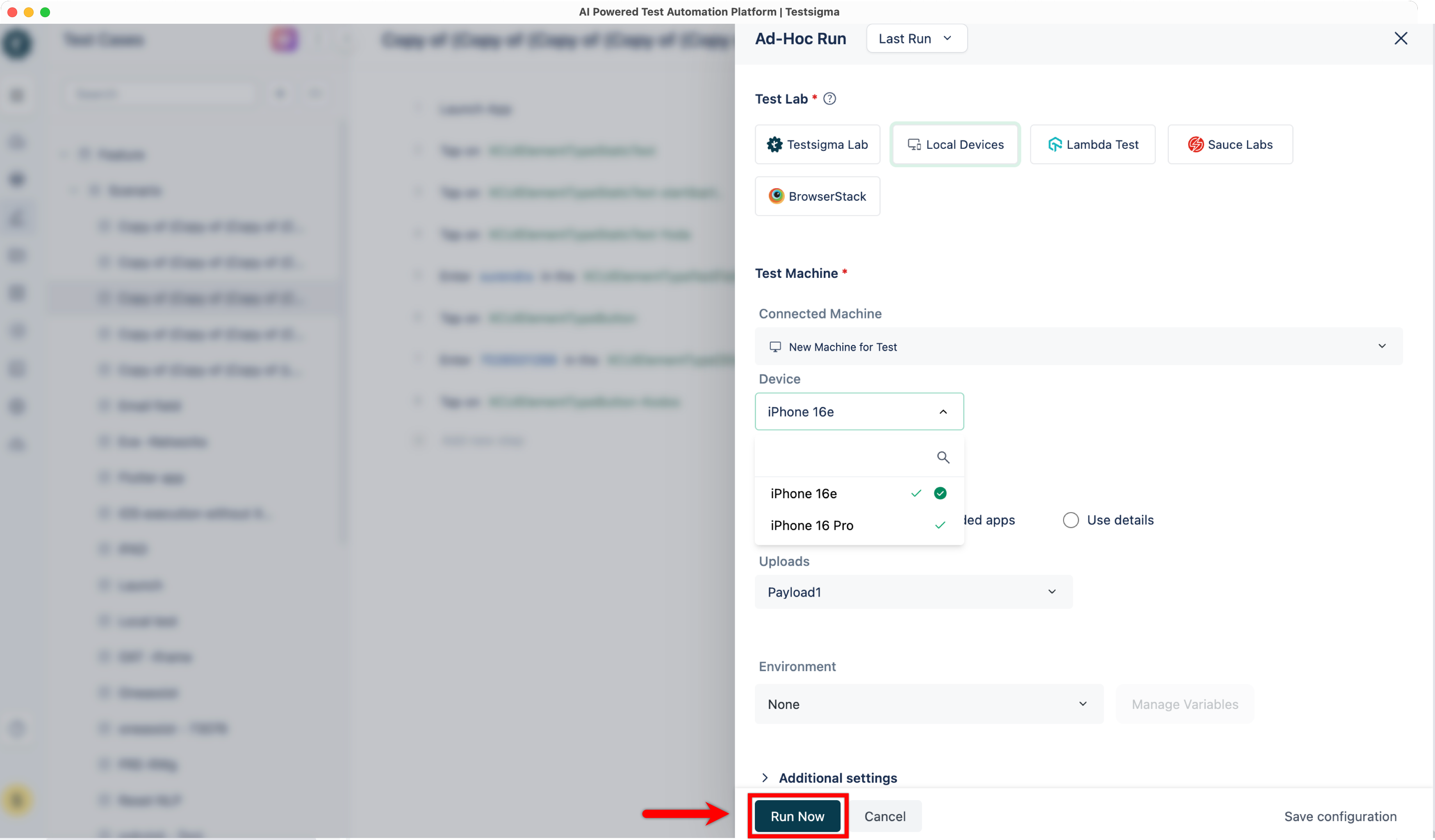
In the Ad-Hoc Run overlay, select Local Devices and verify that the connected simulator appears under Test Machine.
-
Click Run Now to execute the test case in the simulator.
-
The Test Case will execute in that simulator.
Troubleshooting:
Section titled “Troubleshooting:”-
Simulator not detected: Ensure that the simulator is running before starting the Testsigma Agent.
-
Agent not showing simulator: Restart the Testsigma Agent and confirm that Xcode Command Line Tools & Devices are installed.
-
Test execution fails to start: Check that the simulator device version is compatible with the test configuration in Testsigma.