
Help
Connect MongoDB & PostgreSQL Databases
Prerequisites
Before you begin, ensure that you have referred to:
- Documentation on installing add-ons the community addon.
Connect MongoDB via addon
Section titled “Connect MongoDB via addon”To set up a database connection to MongoDB in Testsigma, follow these steps:
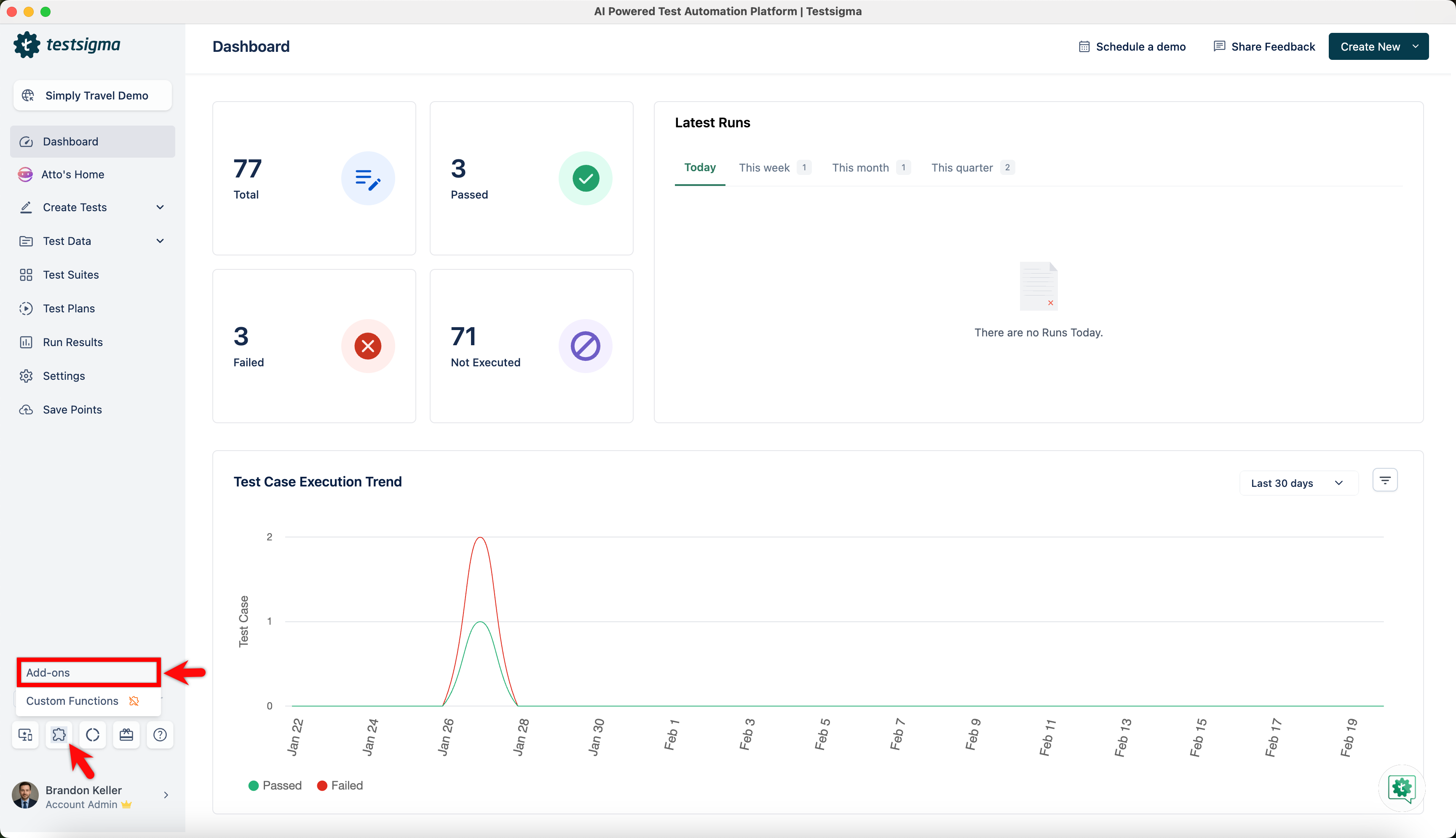
- From the left navigation bar, go to Addons and click Add-ons.
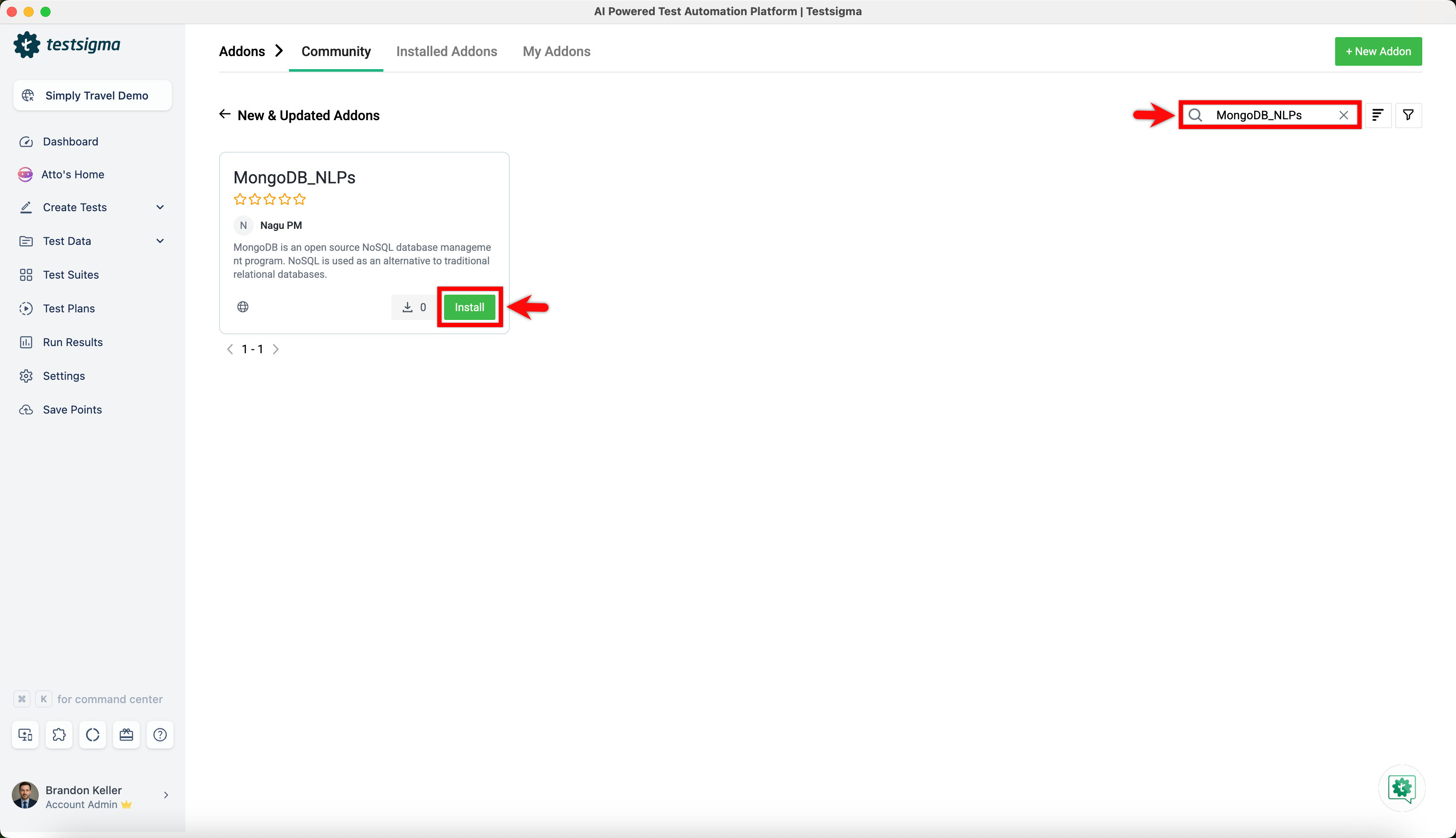
- Under the New & Updated Addons section, search for the MongoDB_NLPs addon and click Install.
- Once you install the MongoDB_NLPs addon, you can find the predefined NLPs in Test Steps.
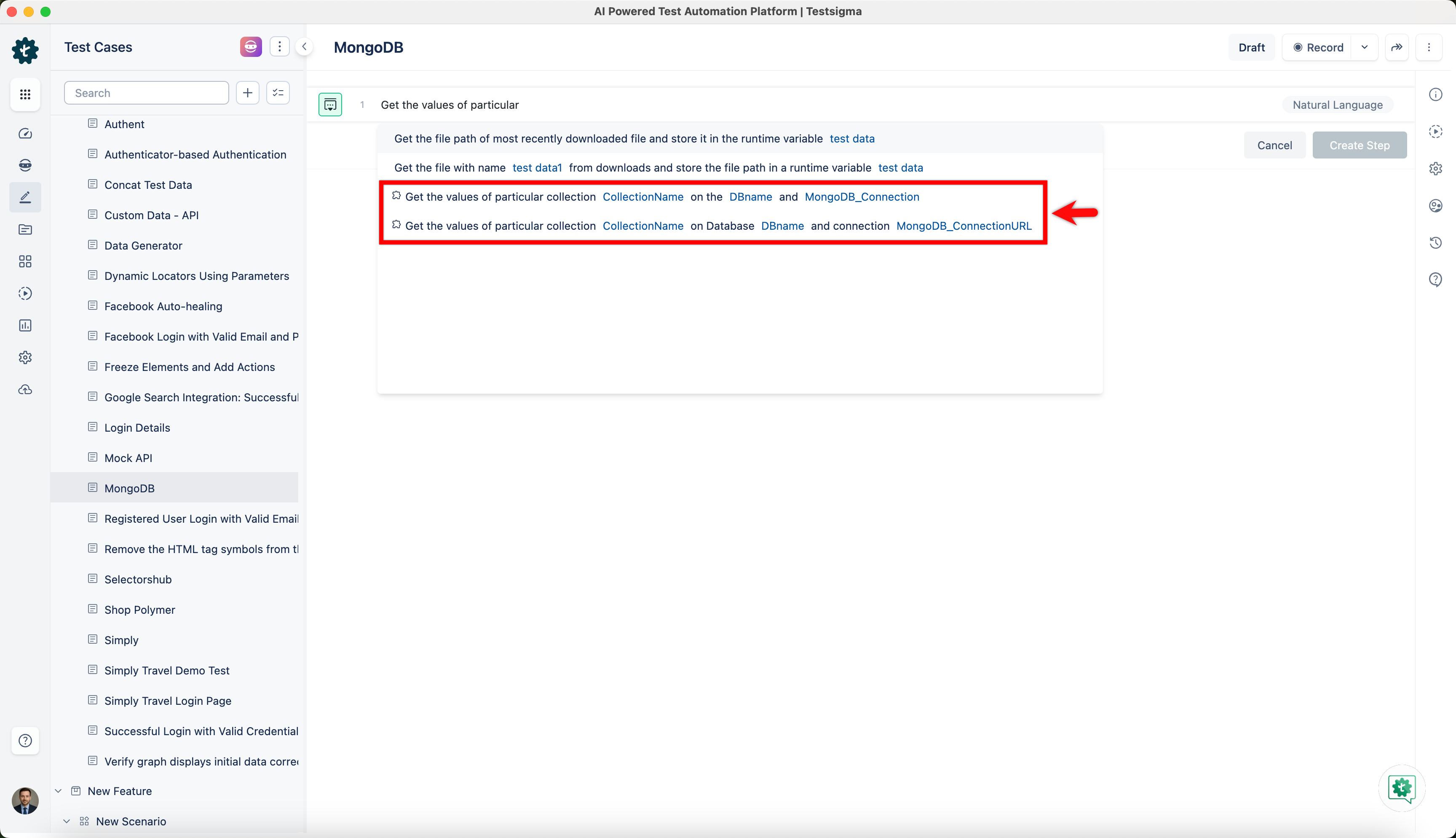
- The parameters available with NLPs and how to use them in Test Steps are shown below.
| Parameter | Description | Example Value |
|---|---|---|
| DBname | Collections are stored in a MongoDB database | e-commerce, blog, social-media |
| CollectionName | A group of MongoDB documents | users, products, orders |
| MongoDB_Connection | MongoDB connection connects to a MongoDB server or cluster | MongoClient, Mongoose |
| MongoDB_ConnectionURL | A URL-like string used to specify the address of a MongoDB server or cluster, as well as options for the connection | mongodb://localhost:27017/blog |
Connect PostgreSQL via addon
Section titled “Connect PostgreSQL via addon”To set up a database connection to PostgreSQL in Testsigma, follow these steps:
- From the left navigation bar, go to Addons and click Add-ons.
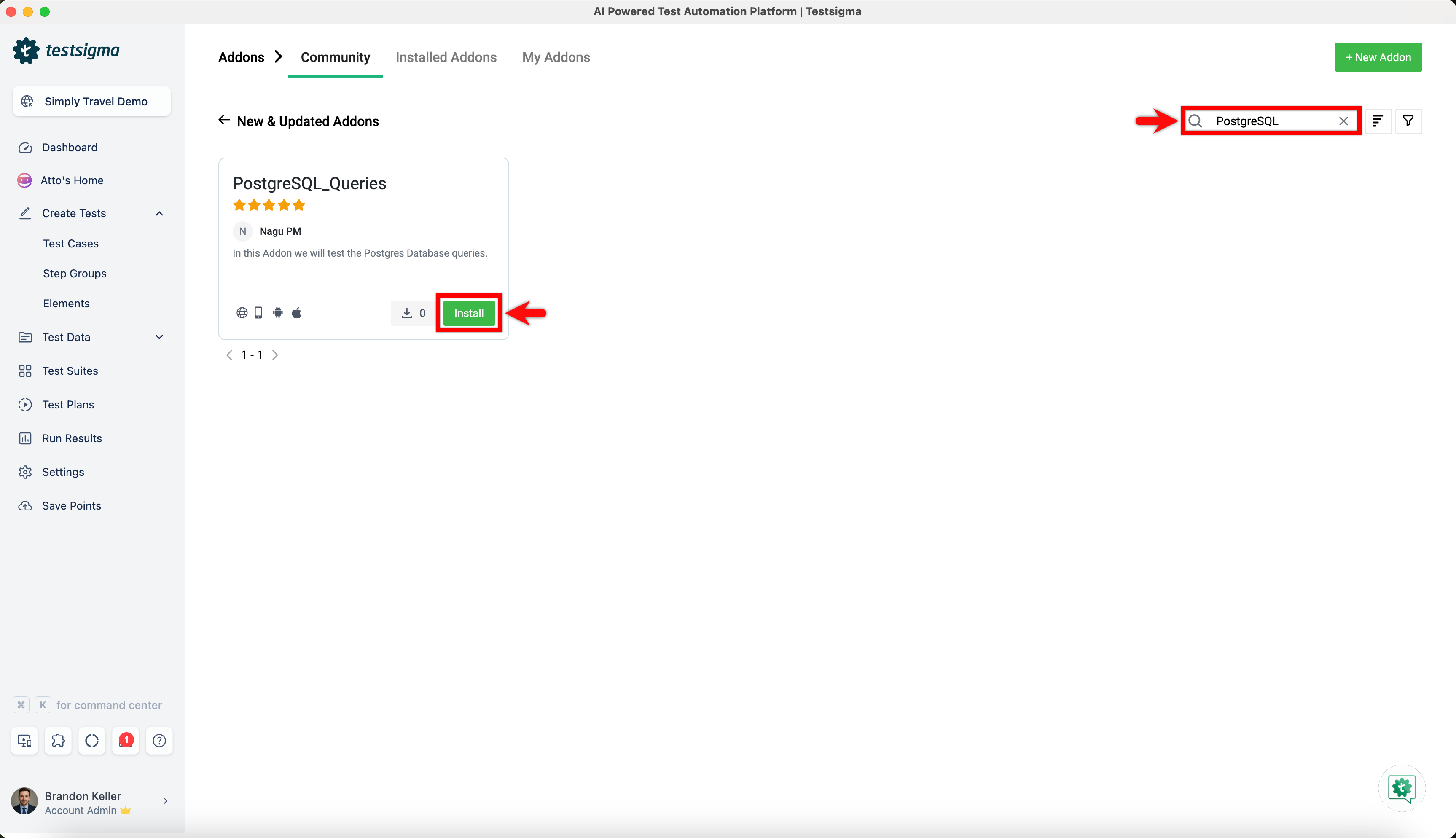
- Under the New & Updated Addons section, search for the PostgreSQL_Queries addon and click Install.
- Once you install the PostgreSQL_Queries addon, you can find the predefined NLPs in Test Steps.
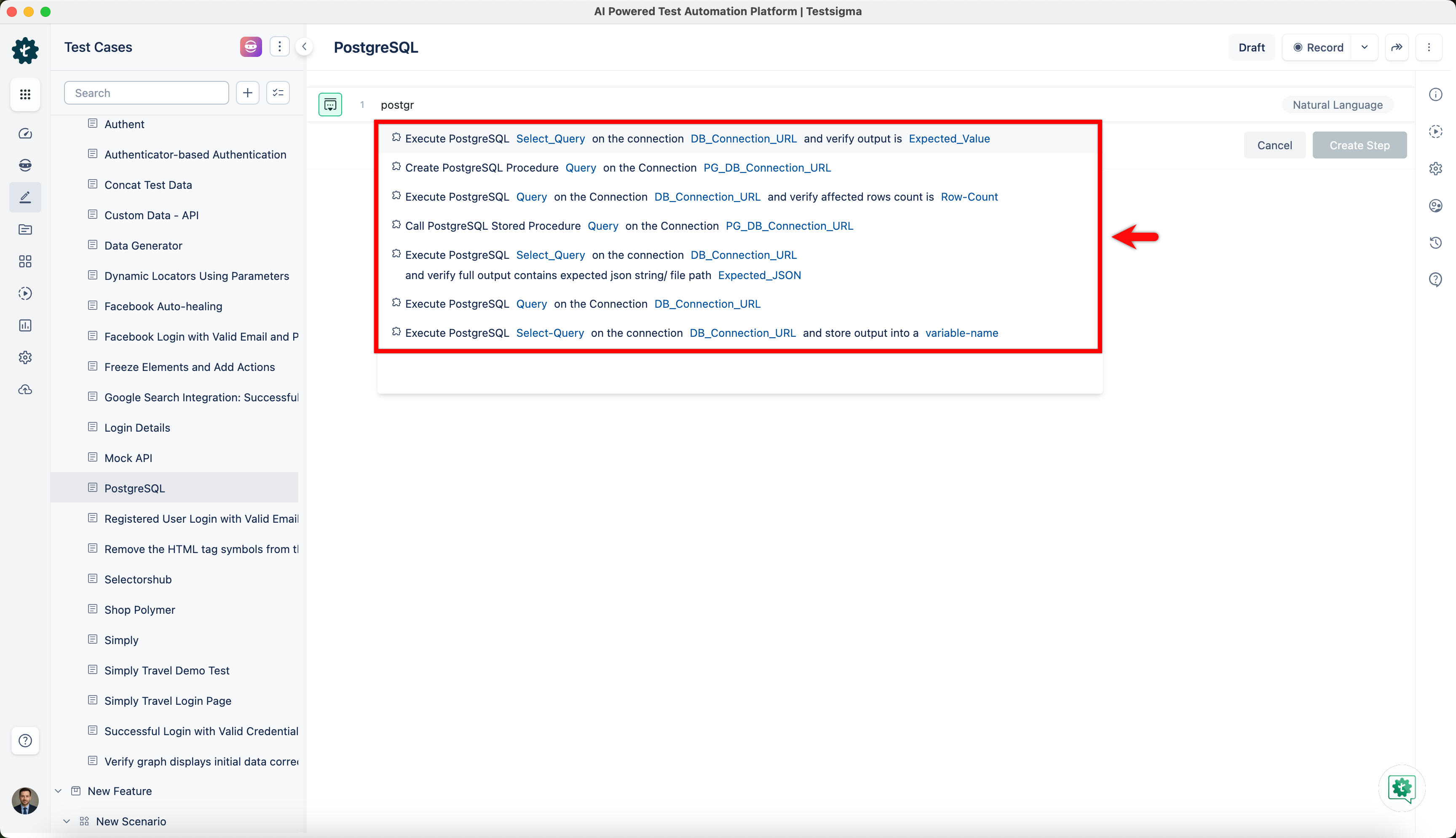
- The parameters available with NLPs and how to use them in Test Steps are shown below.
| Parameter | Description | Example Value |
|---|---|---|
| Query | Executes a query on a PostgreSQL database | SELECT * FROM table_name; |
| Row_Count | Returns the number of rows in a result set | SELECT COUNT(*) FROM table_name; |
| DB_ConnectionURL | Creates a URL string for connecting to a PostgreSQL database | postgresql://user:password@localhost:5432/database_name |
| PG_DBConnectionURL | Creates a connection URL for connecting to a PostgreSQL database | postgresql://username:password@host:port/database_name |
| Variable-Name | Assigns a value to a variable | var_name = “some value” |
| Select-Query | Executes a SELECT query and returns the result set | SELECT column_name FROM table_name WHERE condition; |
| Expected-Value | Compares a result with an expected value | assert result == expected_value, f“Expected {expected_value}, but got {result}” |