Help
Why am I Unable to Download the XLS File from the Edge Browser?
Disabling the Open Office files in the browser Settings
Section titled “Disabling the Open Office files in the browser Settings”-
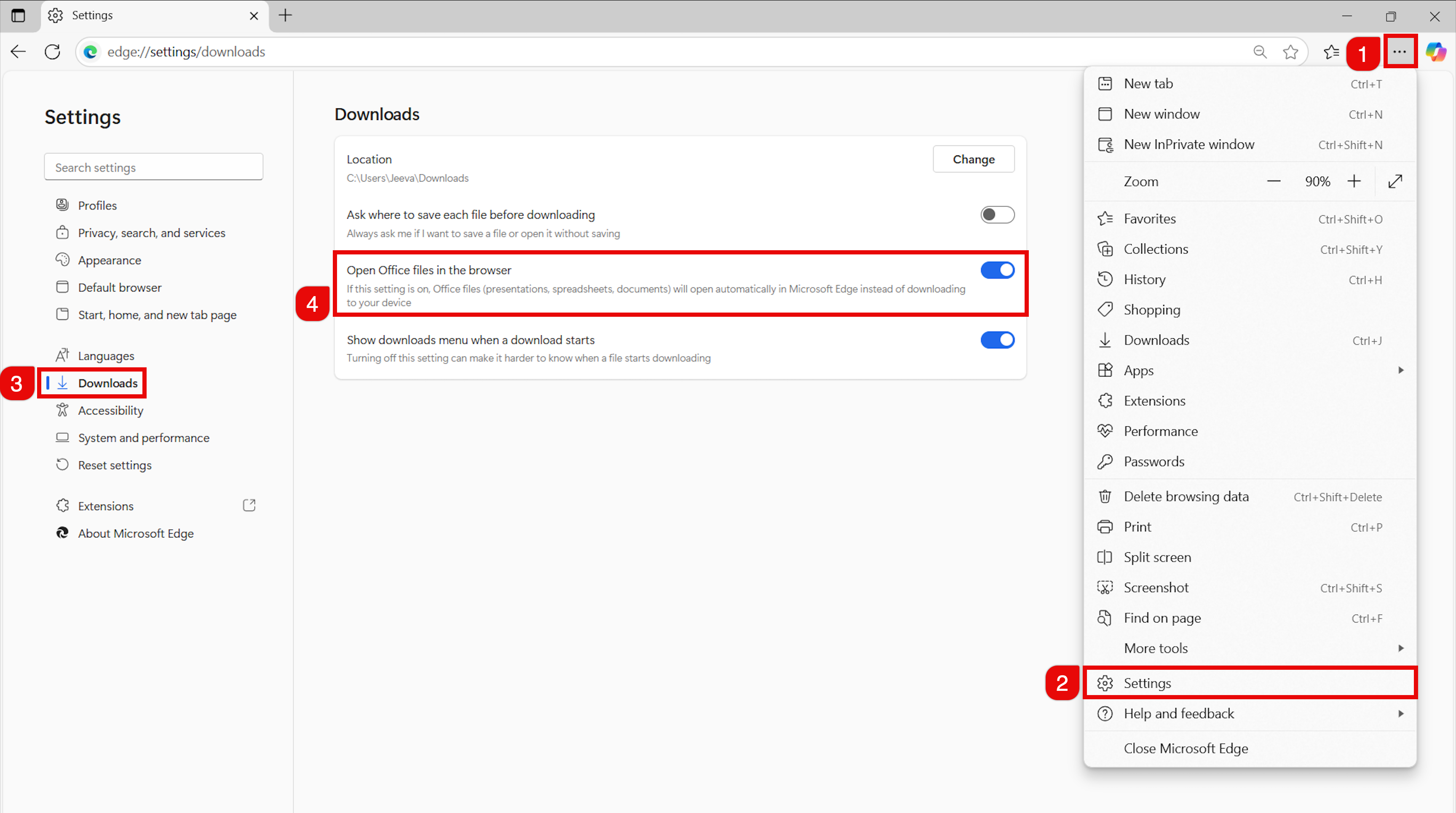
Open Microsoft Edge on your device.
-
Navigate to Settings.
-
In the Settings panel, click Downloads.
-
On the Downloads page, disable the Open Office files in the browser toggle to make Edge download Office files instead of opening them.