
Help
How do I Configure Proxy Settings for the Testsigma Agent?
Steps to Configure nonProxyHosts
Section titled “Steps to Configure nonProxyHosts”-
Open the TestsigmaAgent installation directory.
-
Navigate to agent_data and open args.yml file.
-
Add or update the following properties with approved domains:
http.nonProxyHosts: "localhost|127.0.0.1|*.testsigma.com|*.amazonaws.com|<internal-domain-1>|<internal-domain-2>"https.nonProxyHosts: "localhost|127.0.0.1|*.testsigma.com|*.amazonaws.com|<internal-domain-1>|<internal-domain-2>"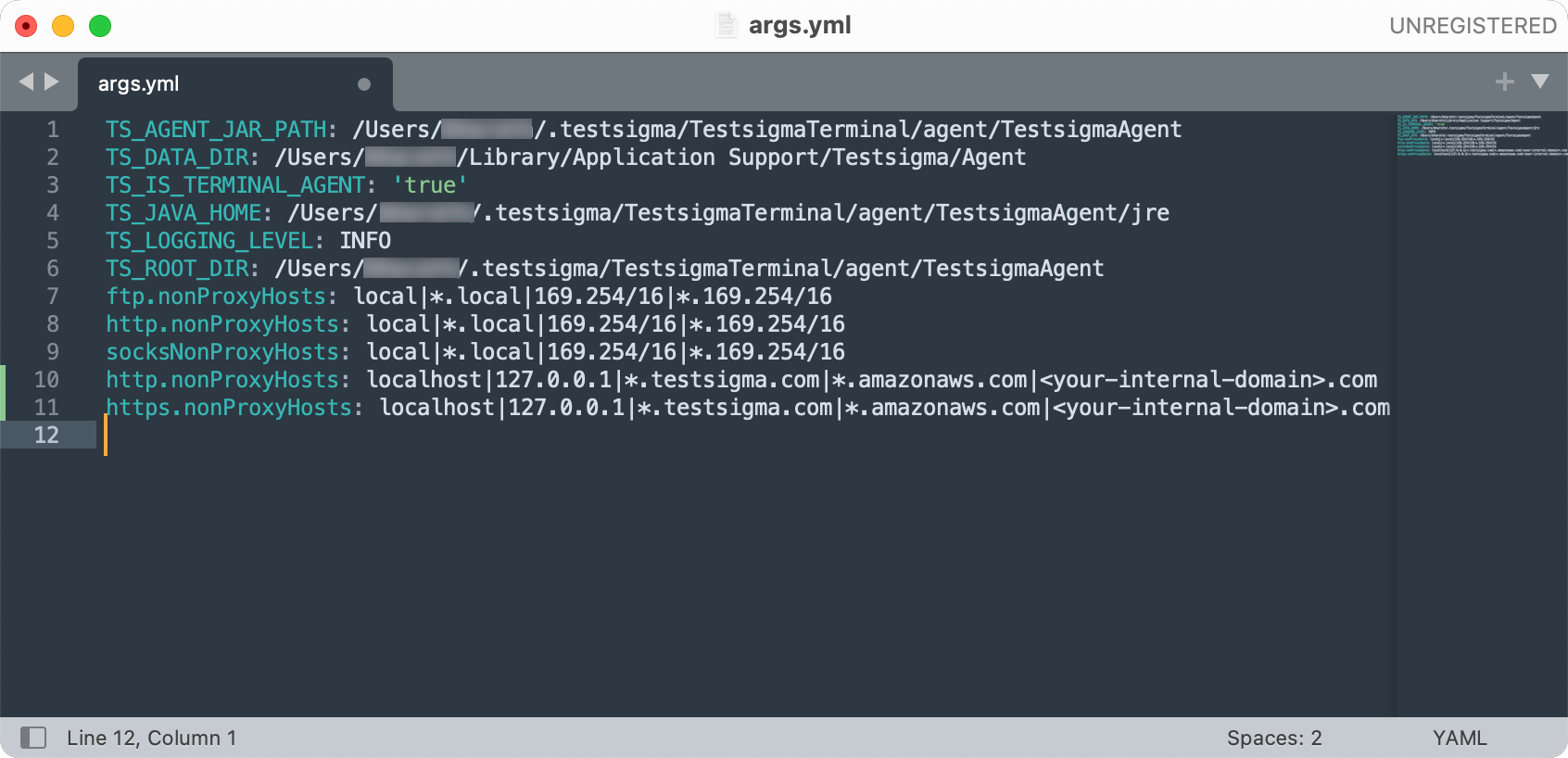
- Save the file and restart the Local Agent.
Additional Proxy Properties Support
Section titled “Additional Proxy Properties Support”The following Java system properties are supported for configuring proxy settings for Agents and Cloud executions:
| Property Name | Description |
|---|---|
| http.proxyHost | Host address of the HTTP proxy server |
| http.proxyPort | Port number of the HTTP proxy server |
| http.proxyUser | Username for HTTP proxy authentication |
| http.proxyPassword | Password for HTTP proxy authentication |
| https.proxyHost | Host address of the HTTPS proxy server |
| https.proxyPort | Port number of the HTTPS proxy server |
| https.proxyUser | Username for HTTPS proxy authentication |
| https.proxyPassword | Password for HTTPS proxy authentication |
| http.nonProxyHosts | Hosts that bypass the HTTP proxy |
| https.nonProxyHosts | Hosts that bypass the HTTPS proxy |
| java.net.useSystemProxies | Enables OS-configured proxy settings |
Example Configuration:
Section titled “Example Configuration:”http.proxyHost: 'proxy.example.com'http.proxyPort: '8080'http.proxyUser: 'username'http.proxyPassword: 'password'
https.proxyHost: 'proxy.example.com'https.proxyPort: '8080'https.proxyUser: 'username'https.proxyPassword: 'password'
http.nonProxyHosts: 'localhost|127.0.0.1|*.example.com'https.nonProxyHosts: 'localhost|127.0.0.1|*.example.com'
java.net.useSystemProxies: true