
Help
Why is Testsigma Agent Not Detecting My Installed Browser?
Steps to Resolve the Browser Detection Issue
Section titled “Steps to Resolve the Browser Detection Issue”-
Open your browser (eg, Chrome).
-
In Chrome, type chrome://version in the address bar and press Enter/Return.
-
Copy the executable path of the Chrome browser.
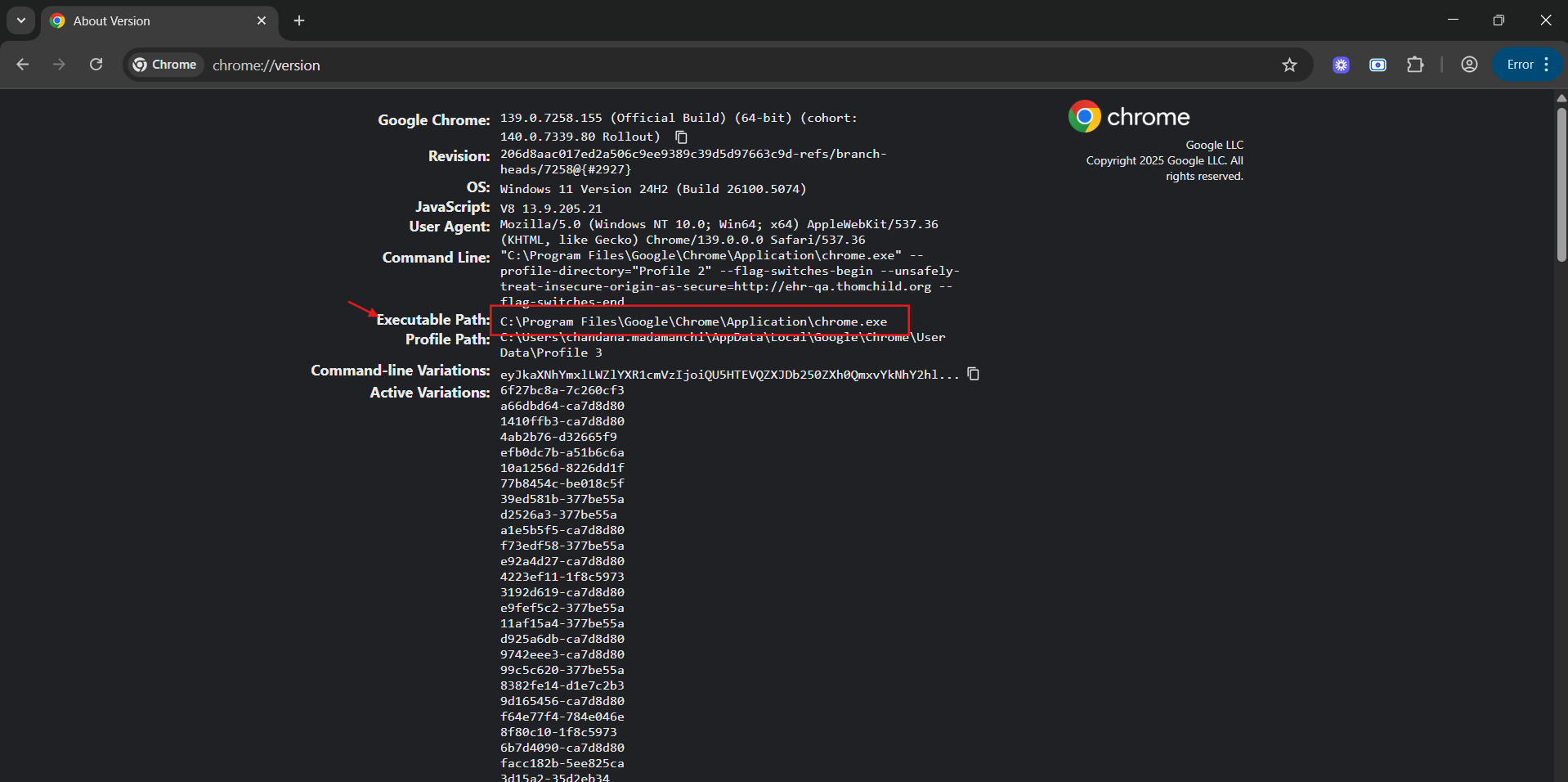
-
Start the agent with the browser path.
For Mac/Linux:
sudo sh start.sh --TS_CHROME_PATH=<chrome_executable_path>For Windows:
start.bat --TS_CHROME_PATH=<chrome_executable_path> -
The agent scans the given path, updates the args.yml file automatically, and detects the browser. Your future runs will work without manual reconfiguration.