
Help
How to Disable Play Protect for SMS Forwarder Installation?
Steps to Disable Play Protect for SMS Forwarder Installation
Section titled “Steps to Disable Play Protect for SMS Forwarder Installation”-
Open the Google Play Store application on your Android device.
-
Tap on your profile icon in the top right corner of the screen.
-
In the dialog box, tap on Play Protect.
-
In the Play Protect screen, tap on the settings icon.
-
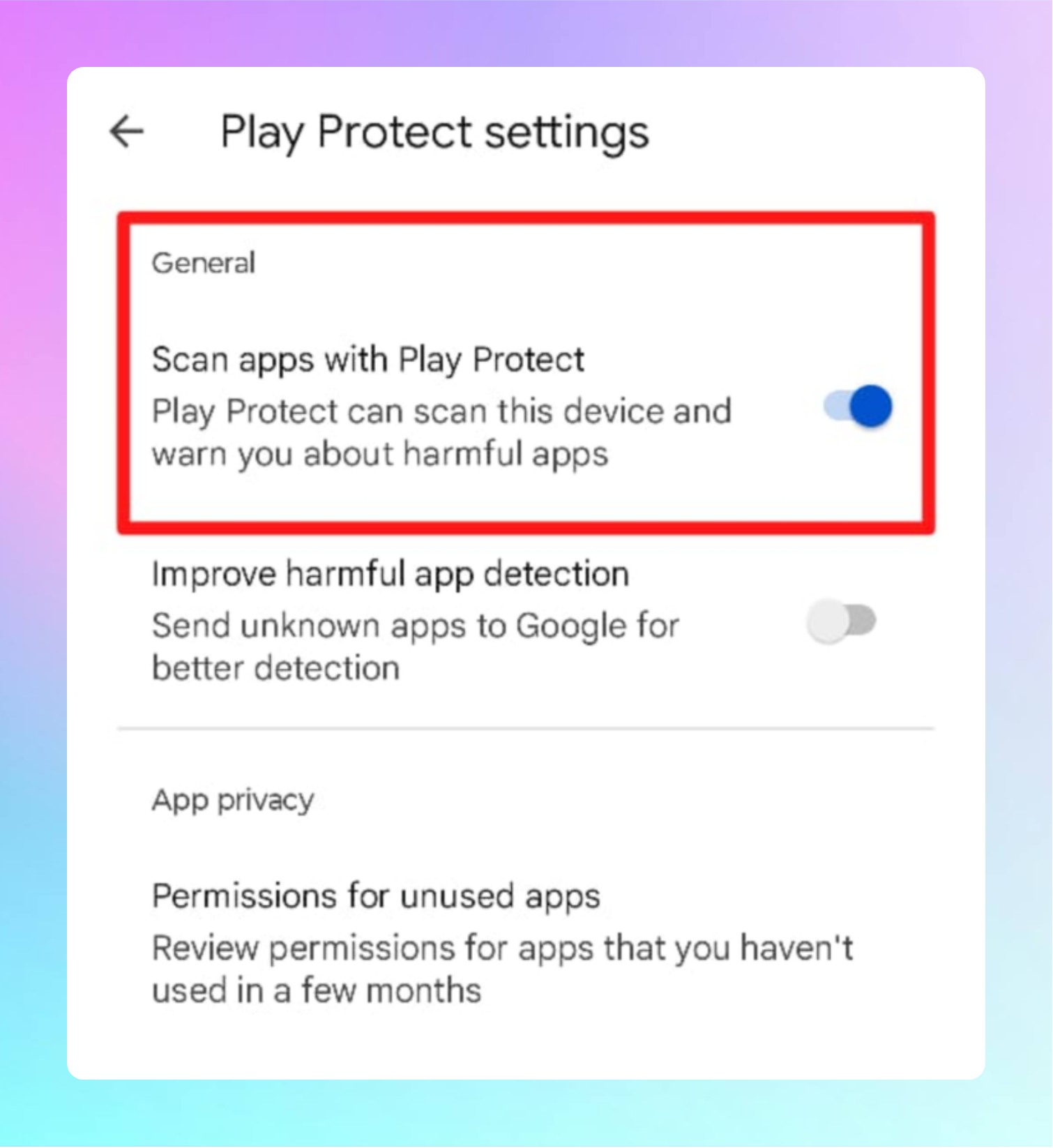
In the Play Protect settings screen, disable the toggle next to Scan apps with Play Protect.
-
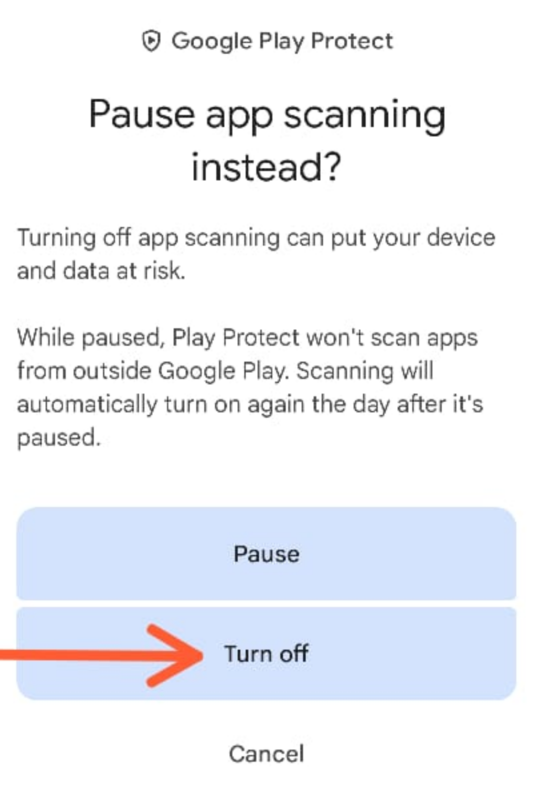
In the Pause app scanning instead? dialog, tap on Turn off.
-
After installing the SMS Forwarder app, go to the Play Protect settings and turn the Scan apps with Play Protect toggle back on.