
Settings
Set Up Slack Notifications
Configure custom Slack notifications to keep your team updated on important changes across your test assets.
Test Management by Testsigma allows you to configure Slack notifications for various test entities. Slack notifications help teams stay informed about assignments, reviews, and status updates directly within their Slack workspace. This article discusses setting up and customizing Slack notifications in Test Management by Testsigma.
Prerequisites
- Before you begin, ensure that you have an active Slack workspace.
Interactive Demo
Section titled “Interactive Demo”Entities Available for Slack Notifications
Section titled “Entities Available for Slack Notifications”1. Test Run Assigned
Send notification when a test run is assigned to a user
2. Test Case Waiting on Review
Send notification when a test case is submitted for review
3. Test Case Approved
Send notification when a test case is approved
4. Comments Mentioned
Send notification when a user is mentioned in a comment
5. Test Run Completed
Send notification when a test run status changes or is completed
6. Test Case Assigned
Send notification when a test case is assigned to a user
7. Test Case Rework Requested
Send notification when a test case requires rework
8. Test Run Added to Test Plan
Send notification when a test run is added to a test plan
9. Test Plan Completed
Send notification when a test plan is completed
10. Test Plan Daily Summary
Send daily summary notification for active test plans
Customize Slack Notifications
Section titled “Customize Slack Notifications”-
From the left navigation bar, go to Settings > Notifications.
-
Expand Notifications, and click Slack. This will open the Customise Slack Notifications section.
-
In the Customise Slack Notifications section, hover over the entity you want to edit and click the Edit icon.
-
Update the Notification Template as needed.
- Click Save to apply the changes.
Add Slack Notifications in a Test Plan
Section titled “Add Slack Notifications in a Test Plan”-
From the left navigation bar, go to Test Plans.
-
Create a new test plan or open an existing one.
-
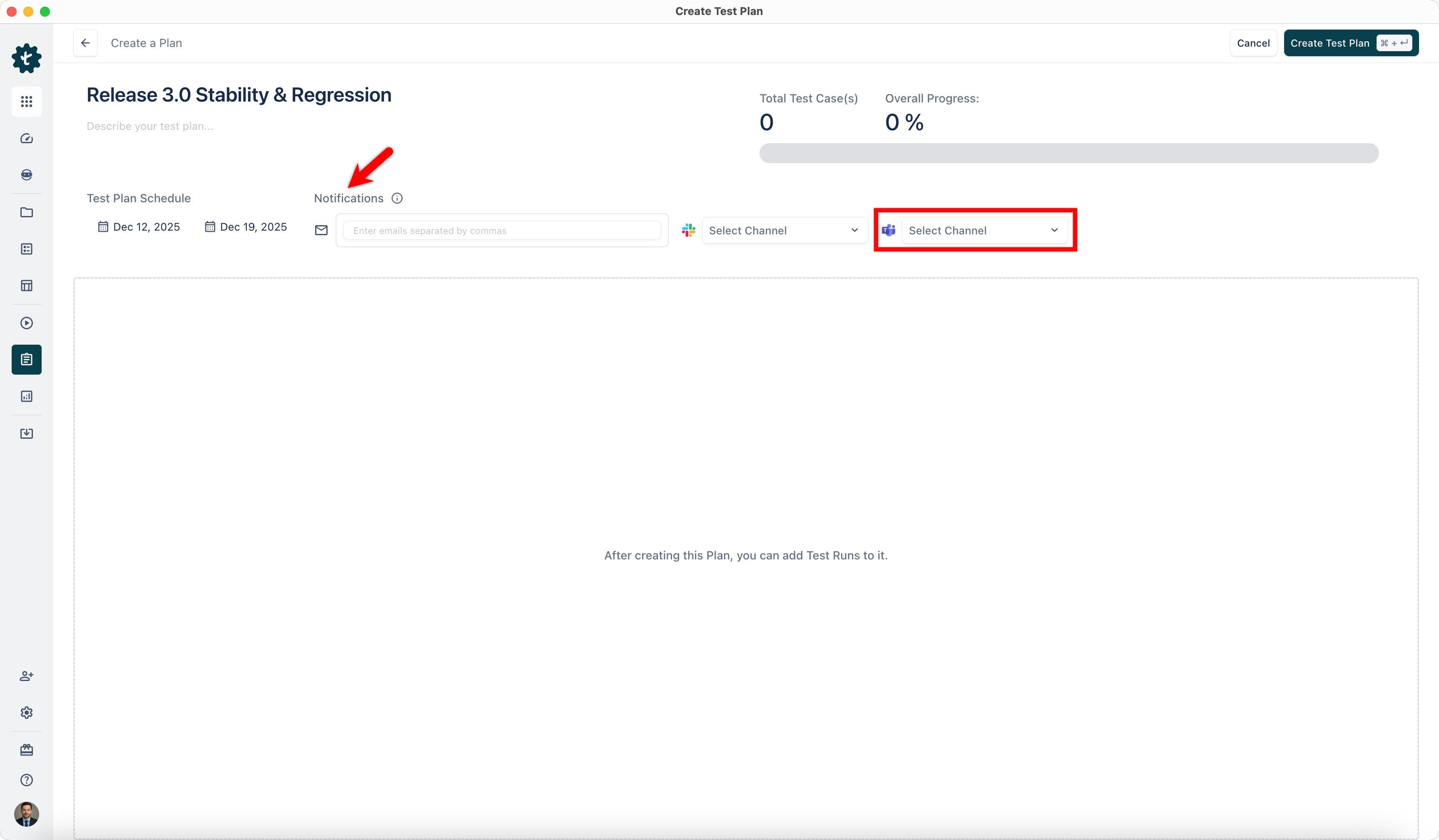
In the Notifications section, select the Slack channel from the dropdown menu.
-
Notifications will be sent when the test plan is created or updated.